

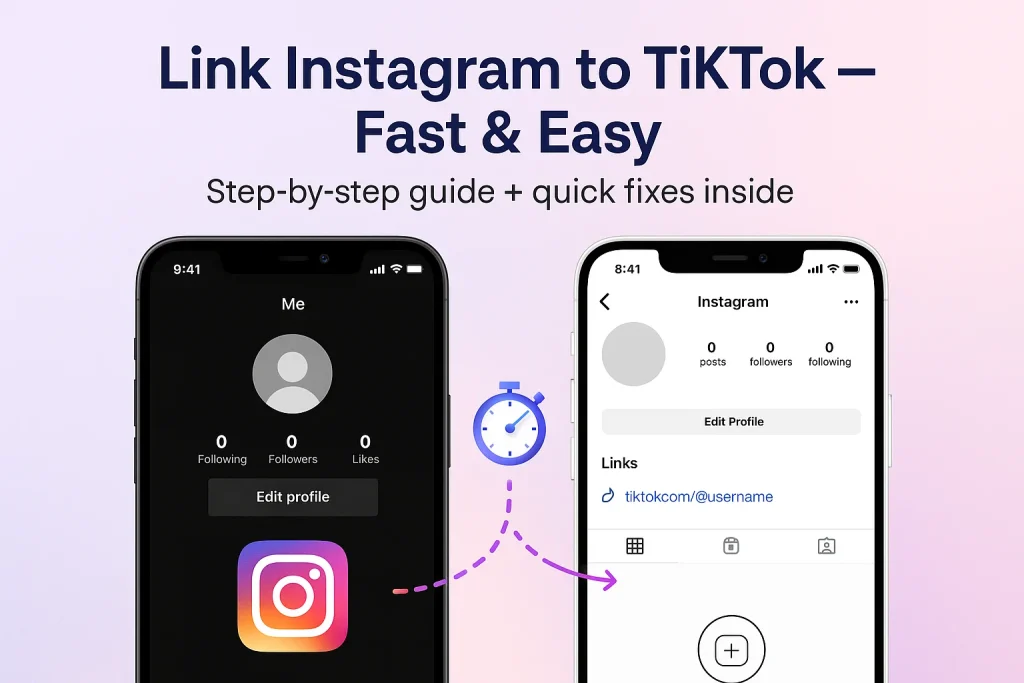

Ever wish your TikTok followers could find your Instagram without digging through comments or captions? You’re not alone. Linking both accounts takes less than a minute — and it’s one of those small moves that can seriously boost your reach across platforms. Let’s walk through it (no tech degree required).
How to Link Instagram to TikTok in 60 Seconds (Step-by-Step Guide)
Let’s start with the easy win. You can connect your Instagram straight from the TikTok app — no third-party tools, no browser switching. Once linked, your TikTok profile shows a small Instagram icon that sends followers directly to your Insta page.
Here’s exactly how to do it:
- Open TikTok and head to your Profile (bottom-right icon).
- Tap Edit profile.
- Scroll down to Social and tap Add Instagram.
- Log in with your Instagram username and password.
- Hit Allow to confirm access — and done.
A couple of quick notes (because this is where people usually get tripped up):
- TikTok’s Instagram linking feature might not appear in all regions. If you don’t see it yet, hang tight — it rolls out gradually.
- Adding Instagram here is different from adding a website link in your TikTok bio. The website field (which allows clickable URLs) is only available to business accounts or users with 1,000+ followers.
If you want to double-check TikTok’s official guide, it’s here on their support page.
That’s it — you’re connected. Next, we’ll cover what to do if you ever need to unlink your Instagram or switch to another account without breaking anything.
How to Unlink or Switch Instagram Accounts on TikTok
You can unlink your Instagram account whenever you want:
- Open your TikTok app and tap your Profile icon.
- Hit Edit Profile.
- Scroll to where your Instagram handle appears (you’ll see it listed under “Social”).
- Tap it — a small pop-up will appear.
- Choose Unlink or Confirm when asked if you’re sure.
Now the Instagram’s icon instantly disappears from your TikTok profile.
But remember, when you unlink, TikTok removes the visible connection, but your Instagram permissions might still be active in the background. To fully disconnect, head to your Instagram settings → Apps and websites → Active, then remove TikTok’s access.
If you manage multiple brands or creator accounts, always double-check which Instagram you’re linking before posting.
How to Add Your TikTok Link to Your Instagram Bio (Reverse Linking Guide)
Now let’s flip the connection. Maybe your main audience lives on Instagram, and you’d like them to discover your TikTok videos too. The trick? Adding your TikTok link right into your Instagram bio. There’s no flashy TikTok logo button (yet), but Instagram quietly rolled out a feature that makes it easy — and you can add up to five links now.
Here’s how to do it:
- Open the Instagram app and tap your Profile icon.
- Hit Edit profile.
- Find Links under your bio section.
- Tap Add external link.
- Paste your TikTok profile URL — it looks like this:
https://www.tiktok.com/@yourusername - Give it a short title, like “Follow me on TikTok,” and tap Done.
That’s it — your TikTok link now shows up directly in your Instagram bio. You can also reorder links so TikTok sits first (just drag and drop it up top).
Shorten your TikTok link with a branded link shortener or add UTM tracking if you want to see how many clicks come from Instagram. Tools like Bitly or Google Analytics can help you track engagement. You can also combine this setup with your link-in-bio tool (like Linktree or Beacons) if you want to showcase multiple platforms at once.
How to Cross-Post Between TikTok and Instagram Without Hurting Reach
You’ve probably seen creators post the exact same video on TikTok and Instagram Reels. Posting exact same content will hurt your reach but If you do it right, it saves you hours and helps both platforms grow.
Here’s our suggestions:
1. Start with the clean version.
you should save your video without the watermark before posting it on TikTok. You can use TikTok’s built-in “Save” (for drafts) or a free watermark remover app. Instagram’s algorithm tends to de-prioritize videos that still show the TikTok logo.
2. Reformat before reposting.
TikTok and Instagram use nearly identical dimensions (9:16), but captions and buttons overlap in different areas. Check that key text isn’t hiding under Instagram’s like/share icons. Using apps like Canva for editing the video could be beneficial.
3. Adjust your caption and hashtags.
TikTok favors humor and trending phrases; however, Instagram Reels does better with topic-driven hashtags and storytelling captions. Rewrite slightly so it feels native, not copied.
4. Time it strategically.
Once you publish the video on TikTok, wait a couple of hours (or even a day) and then repost to Instagram. That stagger keeps both audiences engaged instead of competing for your attention at the same time.
Quick checklist before posting:
- 1080×1920 video resolution
- 15–60 second duration sweet spot
- Catchy cover thumbnail
- Clean audio and visible text
When you re-upload your TikTok videos to Reels, consider personalizing them — maybe tweak captions, or learn how to add music to Instagram posts to make each upload feel native.
Can’t Link Instagram to TikTok? Here’s How to Fix It
1. Update both apps.
If TikTok or Instagram are outdated, the linking feature may not work. Make sure you are using last versions.
2. Double-check your login details.
Maybe the password you are entering is incorrect. double check it.
3. Disable two-factor temporarily (if needed).
Sometimes, Instagram’s 2FA can block third-party sign-ins. If you suspect that’s the issue, turn it off temporarily, link your accounts, then turn it on again.
4. Clear TikTok’s cache or reinstall.
Go to TikTok’s settings → “Free up space” → Clear cache. If that doesn’t help, uninstall and reinstall TikTok to reset the linking permissions.
While you’re at it, it’s worth learning how to clear your Instagram cache too — sometimes cached data on both apps can block fresh logins or cause link errors.
5. Check region availability.
TikTok’s Instagram linking option isn’t available in every country. Some users simply won’t see the “Add Instagram” button yet. In that case, you’ll need to wait for a rollout in your region.
6. Try again with mobile data.
Wi-Fi restrictions can sometimes block app authentication pages. Switching to mobile data fixes that more often than you’d think.
If you’re running into syncing or connection errors, you might also face issues like Instagram not posting to Facebook— these usually stem from similar permission or update glitches.
One quick clarification: linking Instagram isn’t the same as adding a website link to your TikTok bio. That website field (for clickable URLs) is limited to business accounts or users with 1,000+ followers. Don’t mix the two — they’re totally separate features.
Manage Privacy When You Connect TikTok and Instagram (Review & Revoke Access)
On TikTok:
- Open Profile.
- Hit the ☰ (menu) icon → Settings and privacy.
- Go to Security → Apps and services permissions.
- You’ll see all external apps linked to your TikTok.
- Tap any app (like Instagram) and select Remove access if you no longer use it.
On Instagram:
- Open Instagram → go to Settings → Security → Apps and websites.
- Under Active, you’ll see TikTok if it’s still connected.
- Tap Remove to revoke permission instantly.
The reason we’re doing this is because linked apps can share certain information (like your username or public profile) until you limit their access. It’s not a major privacy leak, but if you switch to a new handle or business account, it’s cleaner to start fresh.
Common Questions About Linking Instagram to TikTok:
Do I need 1,000 followers or a Business account to link Instagram on TikTok?
No — linking your Instagram social profile (that little Instagram icon) doesn’t require 1,000 followers.
Can I link Instagram from TikTok’s website (desktop)
No. The Instagram link feature must be done via mobile app
Could I link multiple Instagram accounts to one TikTok profile?
Not currently.
Do business accounts lose access to audio tracks or featured sounds?
Yes — a trade-off. Business accounts often have restrictions on certain copyrighted or trending sounds.
Is there a native auto-posting between Instagram and TikTok (both ways)?
No — TikTok and Instagram don’t offer full bi-directional native auto-posting.

Benjamin Amiri
Benjamin Amiri is a digital growth consultant and senior contributor at InstaDeal. He specializes in Instagram engagement strategies, Facebook ads innovation, and TikTok product marketing. With a track record of scaling brands and creator accounts, Benjamin turns performance data into actionable growth tactics that deliver measurable results.


