


How do Instagram accounts get hacked—and what can you do to stop it? With millions of users logging in across multiple devices and platforms, Instagram is a frequent target for attackers. From phishing links to password reuse and malicious apps, there are more ways than ever for someone to gain unauthorized access to your profile.
This guide breaks down exactly how Instagram accounts get hacked, what methods cybercriminals rely on, and how to recognize the early signs of compromise. You’ll also learn how to protect your account using the latest security features—and what steps to take if you’ve already been targeted.
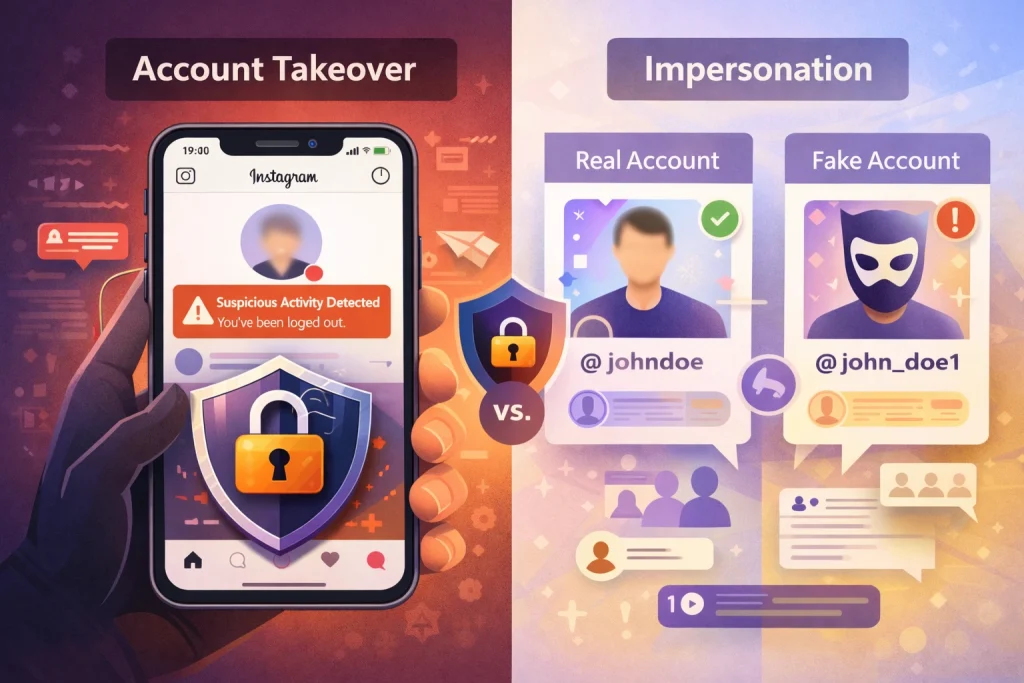
What “hacked” means on Instagram (takeover vs impersonation)
When an Instagram account is described as “hacked,” it generally refers to a loss of control over the account or the creation of a fraudulent profile that uses your identity.
Account takeover occurs when someone gains access to your login credentials or session and locks you out of your account. After gaining access, an attacker can post unauthorized content, send malicious messages to your followers, and access private information. This is the most direct form of hacking and can be especially disruptive if the account is used for business or personal branding.
Impersonation is different. Rather than accessing your real account, an attacker creates a new account using your photos, name, or other personal details. The goal is often to deceive your followers, scam people, or harm your reputation. Because the original account remains under your control, impersonation can go unnoticed until someone reports it to you.
Both outcomes can be damaging, but they require different responses. Takeover requires immediate security actions to regain control, while impersonation often requires reporting and verification steps with Instagram.
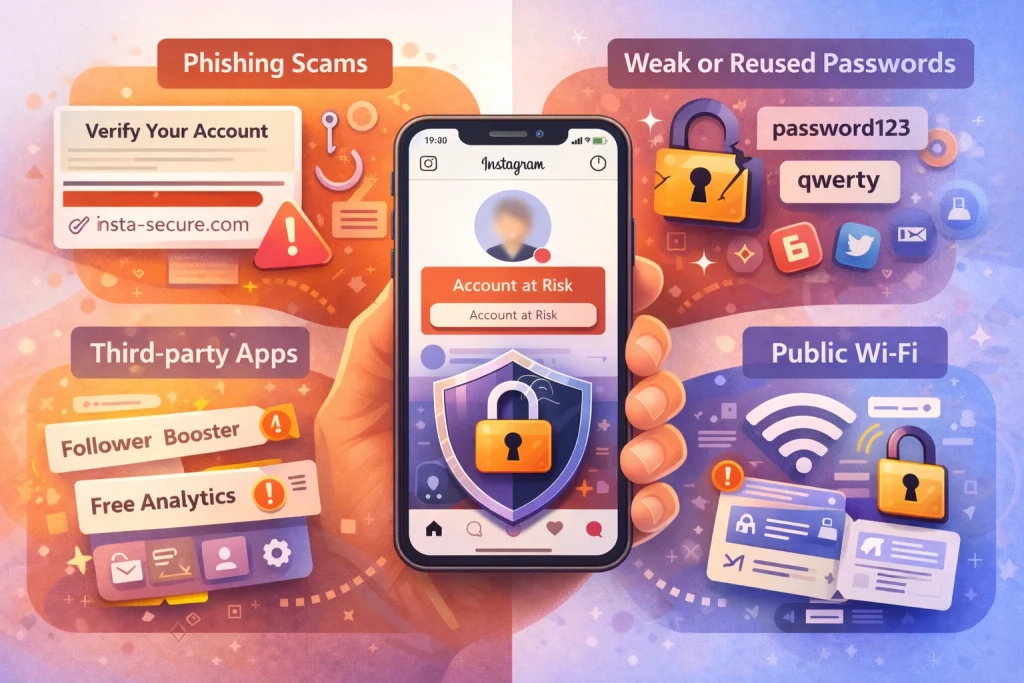
How Do Instagram Accounts Get Hacked Most Often? (Top Methods)
Instagram accounts are rarely hacked because of a flaw in Instagram itself. In most cases, access is gained through user-level vulnerabilities—either by tricking the account owner or exploiting weak security practices. Below are the most common real-world methods attackers use.
Phishing DMs and Fake Login Pages
Phishing remains the leading cause of Instagram account takeovers. Attackers send direct messages or emails that appear to come from Instagram, a brand collaboration, or even a friend. These messages usually create urgency—claiming copyright violations, account suspension, or prize winnings.
When users click the link, they’re redirected to a fake login page designed to look identical to Instagram. Once credentials are entered, they are sent directly to the attacker, who can log in immediately and change the account password and email.
Password Reuse and Credential Stuffing
If you reuse passwords across multiple platforms, a breach on one website can compromise your Instagram account. Attackers use automated tools to test stolen username-password combinations across different platforms. This method, known as credential stuffing, is highly effective against reused passwords.
Even if Instagram itself is secure, leaked credentials from another site can still grant attackers access.
“Help Me” or Verification Code Scams
In this social engineering tactic, attackers pose as someone you know and claim they accidentally sent a verification code to your phone. They then ask you to share it. That code is actually part of Instagram’s password reset or login process. Sharing it allows the attacker to complete the takeover.
Many users lose access without ever clicking a suspicious link—simply by sharing that code.
Malicious Third-Party Apps
Some apps promise follower growth, analytics, profile tracking, or secret viewer tools. These apps often request login access or excessive permissions. If the app is malicious or poorly secured, your credentials can be stored or misused.
Even legitimate apps can become risky if their databases are compromised.
Compromised Email Accounts
Your Instagram account is closely tied to your email. If someone gains access to your email first, they can reset your Instagram password and take control. Many account takeovers begin with email compromise rather than Instagram directly. If you suspect your email has been exposed, reviewing how to change the email linked to your Instagram can help you regain control before further damage occurs.
Spyware and Keyloggers
If your device is infected with spyware or a keylogger, attackers can capture everything you type, including login credentials. This method is less common but still relevant, particularly on unsecured devices.
Public Wi‑Fi and Session Interception
Logging in on unsecured public Wi‑Fi networks can expose your session data. While modern platforms use encryption, attackers can still exploit insecure networks or trick users into connecting to malicious hotspots that mimic legitimate ones.
Can Instagram Be Hacked Without Your Password?
Yes, it’s possible for attackers to access your Instagram account without ever knowing your actual password. This happens through indirect methods that exploit session data, saved credentials, or linked recovery channels.
Access Token Theft and Session Hijacking
Access tokens are digital credentials that allow you to stay logged in to Instagram without having to re-enter your username and password every time. If an attacker steals this token—typically through malware, rogue browser extensions, or compromised apps—they can log in as you without needing the password.
This type of attack is particularly dangerous because it bypasses login alerts and may go undetected until the attacker changes account details or starts suspicious activity.
Saved Passwords in Browsers or Apps
Many users save their Instagram credentials in their web browser or third-party apps. If someone gains access to your device—physically or remotely—they can retrieve these saved credentials and log in directly.
Similarly, if your phone or computer is already compromised, malware can extract stored logins without needing to trick you into entering them again.
Email or Linked Account Takeover
Instagram is often linked to your email, Facebook account, or even WhatsApp for security and recovery purposes. If any of those services are hacked, an attacker can request a password reset and complete the takeover using verified access points.
This is why protecting your primary email with two-factor authentication is just as important as protecting your Instagram login.
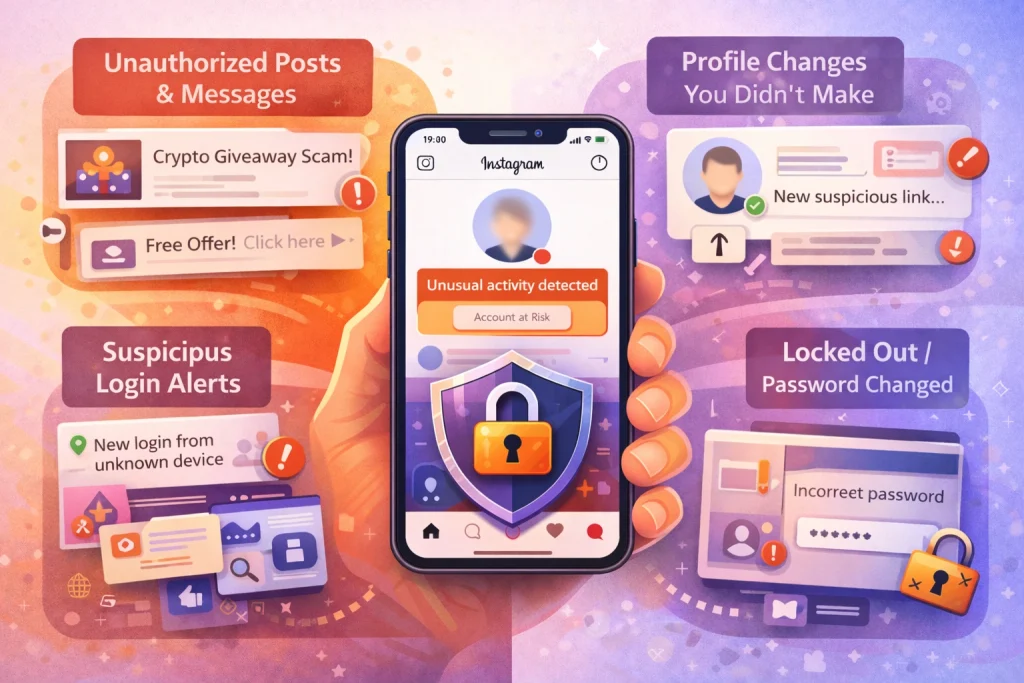
Warning Signs Your Instagram Account Is Compromised
Catching an Instagram hack early can reduce the damage and make recovery easier. Many users ignore subtle signs until it’s too late. Here are the most common red flags that your account may be compromised.
Login Alerts from Unknown Locations or Devices
Instagram sends notifications when your account is accessed from a new device or location. If you receive a login alert that doesn’t match your activity, don’t ignore it. This is often the first sign someone else is in your account.
You can check past logins in the “Where You’re Logged In” section under Instagram’s security settings.
Posts, DMs, or Profile Changes You Didn’t Make
If you notice unfamiliar posts, spammy messages sent from your account, or unexpected changes to your profile picture, bio, or username, these are clear indicators of unauthorized access. Hackers often use accounts to spread phishing scams or cryptocurrency promotions.
Some attackers test access quietly before going public. Even small tweaks may be an early sign of intrusion.
Email, Phone Number, or Password Has Changed
If you receive a message saying your account details have changed—but you didn’t initiate the change—it’s likely someone else is controlling your account. These changes can lock you out entirely, especially if the attacker replaces both the email and phone number linked to your account.
Act fast if you still have access. Use Instagram’s settings to check your personal information and change your password immediately.
What to Do Immediately If You Still Have Access
If you suspect your Instagram account has been compromised but you’re still logged in, take immediate action. This window is your best opportunity to lock the attacker out before they take full control.
Change Your Password Immediately
Go to Instagram’s settings and change your password to something strong and unique. Do not reuse old passwords, and avoid anything predictable like names, dates, or keyboard patterns. Update the password for your associated email account as well, since attackers often target both.
Enable Two-Factor Authentication (2FA)
Instagram offers 2FA through authenticator apps, SMS, or WhatsApp. Authenticator apps like Google Authenticator or Duo are more secure than text-based options. Once enabled, anyone trying to log in will need both your password and a code from your phone, adding a critical layer of protection.
To turn on 2FA:
-
Go to your Instagram profile
-
Tap Settings > Accounts Center > Password and security > Two-factor authentication
-
Choose your preferred method
Revoke Access to Suspicious Third-Party Apps
Go to Instagram’s settings and review the list of apps connected to your account. Remove any you don’t recognize or no longer use. Many hacking attempts come through unauthorized third-party tools posing as analytics or follower-boost services.
Also, visit your Meta Accounts Center to check if your Instagram is linked to any external services you don’t recognize.
Check Active Logins and Log Out of Unfamiliar Devices
Under Instagram’s “Login Activity,” you can view all devices currently signed into your account. If something looks suspicious, log out of that session. This forces the attacker to reauthenticate—and if you’ve changed your password and enabled 2FA, they won’t be able to get back in.
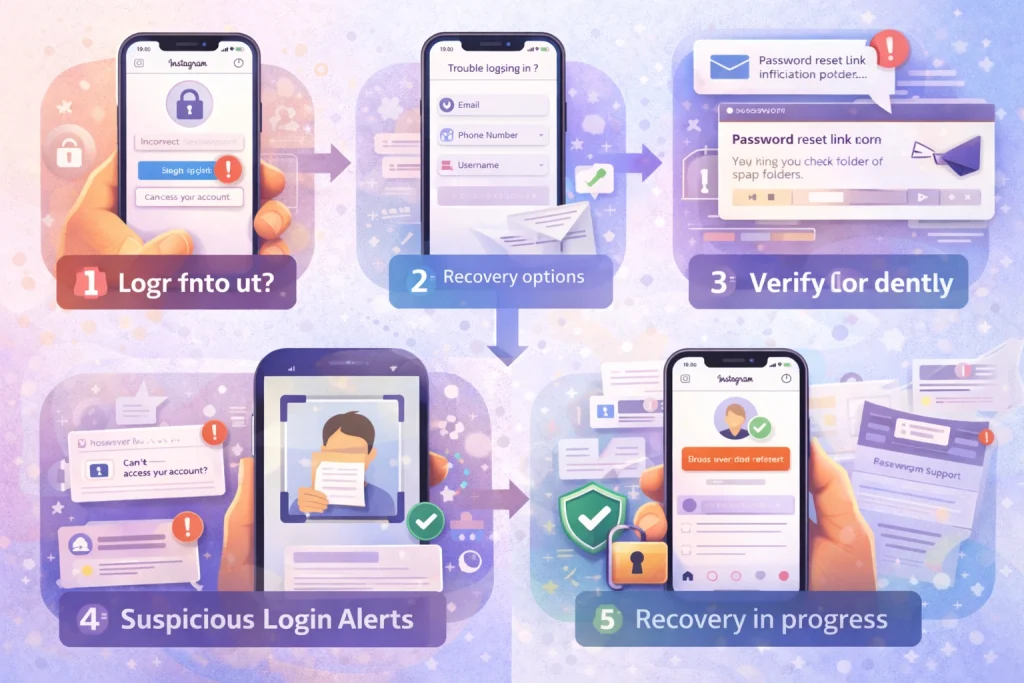
What to Do If You’re Locked Out (Official Recovery Steps)
If you no longer have access to your Instagram account, don’t panic. Instagram provides a step-by-step recovery process—but acting quickly is essential, especially if an attacker has changed your login information.
Step 1: Go to instagram.com/hacked
Instagram’s official recovery portal is instagram.com/hacked. This page walks you through options based on your situation, such as:
-
“My account was hacked”
-
“Someone is impersonating me”
-
“I forgot my password”
Follow the prompts that apply to you.
Step 2: Request a Login Link or Code
If your email address or phone number is still connected to the account, use the login screen to request a password reset link. Instagram will send it via email or SMS. Check your spam folder if it doesn’t arrive.
If both contact methods have been changed, tap “Need more help?” on the login screen and follow the instructions for identity verification.
Step 3: Verify Your Identity
Instagram may ask you to take a selfie video or submit a photo of yourself holding a handwritten code. In some cases, you may need to provide details like the devices you’ve used to access Instagram or your account creation date.
Submit the requested info carefully—mistakes can delay the process.
Step 4: Be Persistent, But Patient
Recovery isn’t always immediate. Some users regain access within hours, while others may wait days, especially if manual verification is required. Avoid submitting multiple requests too quickly, as this can confuse the process or trigger automatic rejections.
While you wait, monitor your email closely for any responses from Instagram or Meta.
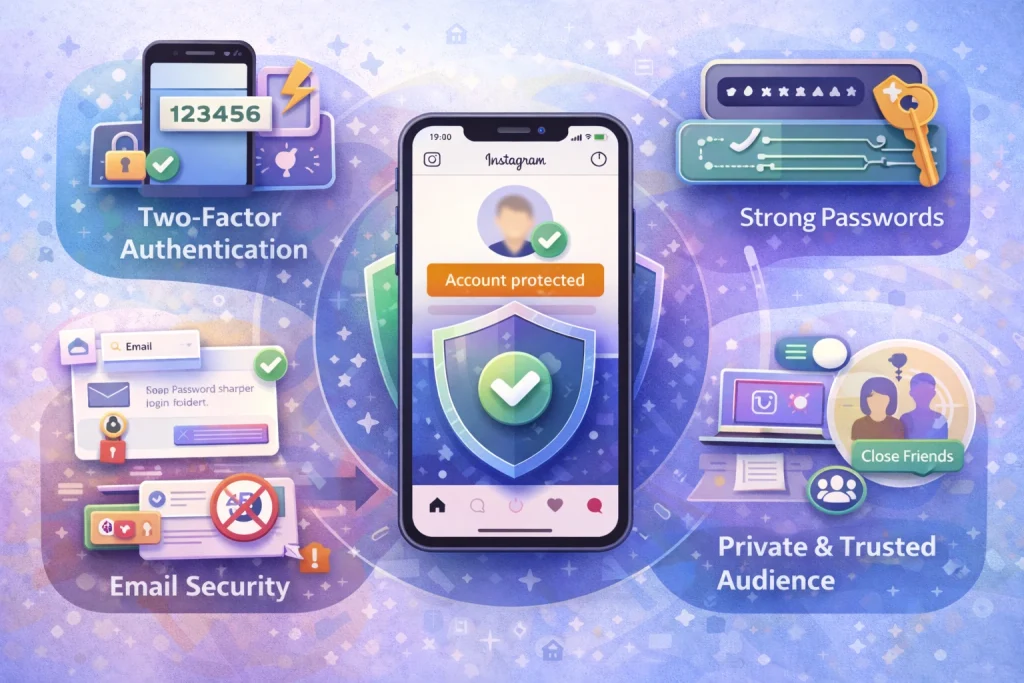
How to Verify Real Instagram Security Emails (and Avoid Phishing)
One of the most common tactics attackers use is sending fake emails or messages that look like they’re from Instagram. These often ask you to verify your account, reset your password, or respond to a fake violation warning. Knowing how to tell the difference between real and fake messages is critical for protecting your account.
Use Instagram’s “Emails from Instagram” Feature
Instagram allows you to view all official emails it has sent to your account in the last 14 days. This helps confirm whether a suspicious message actually came from Instagram or a phishing attempt.
To check:
-
Go to your profile
-
Tap Settings > Security > Emails from Instagram
Messages from addresses like @mail.instagram.com will appear here. If an email isn’t listed, it didn’t come from Instagram.
Never Click Suspicious Links — Go In-App Instead
Phishing emails usually include urgent-sounding messages like:
-
“Your account will be deleted in 24 hours”
-
“A copyright violation has been reported”
-
“Click here to confirm your identity”
If you receive any of these, don’t click the link. Instead, open the Instagram app directly and check for any notifications or requests. Instagram will never ask you to verify personal information via third-party websites.
Always confirm the URL starts with https://www.instagram.com before entering any credentials.
Report and Delete Phishing Messages
If you receive a suspicious message, report it to Instagram using the “Report” option in your inbox or settings. If it’s an email, forward it to [email protected]. Then delete the message.
This helps Instagram take action and protects others from falling victim to the same scam.
January 2026 Password Reset Emails: What Happened and What to Do
In January 2026, many Instagram users reported receiving unexpected password reset emails—even though they hadn’t tried to change their password. The spike led to speculation about a possible data breach. Instagram responded quickly, stating that its systems had not been compromised, but the incident still raised concerns about account security.
What Instagram Said
According to Instagram’s official statement, there was no data breach. Instead, the reset emails were triggered by an external party abusing the password reset function. The company resolved the issue and advised users not to click on any links in suspicious emails.
While there was no confirmed hack of Instagram itself, the incident showed how attackers can generate confusion and increase phishing success rates by mimicking legitimate alerts.
Why Attackers Exploit Reset Emails
Even without accessing your account, attackers can flood you with reset emails to:
-
Trick you into clicking a fake link in a follow-up phishing message
-
Create panic so you take action without verifying the source
-
Identify inactive or less-secure accounts
These tactics aim to bypass your caution by overwhelming you with alerts that seem legitimate.
What You Should Do
If you receive a password reset email you didn’t request:
-
Do not click the link
-
Open the Instagram app manually and check for login alerts
-
Change your password in-app if you’re concerned
-
Enable two-factor authentication
-
Check “Emails from Instagram” in your settings to confirm whether the message is legitimate
Instagram will never ask you to reset your password via random third-party links. Staying calm and verifying in-app is the safest response.
How to Prevent Future Hacks (The Checklist)
While no security setup is perfect, most Instagram hacks can be prevented by following a few consistent habits. These practices significantly reduce your risk of being targeted or compromised.
Use a Password Manager and Unique Passwords
Avoid reusing passwords across multiple platforms. A single breach on another site could expose your Instagram account. Use a password manager to generate and store complex, unique passwords for each service you use. This also helps you avoid predictable patterns like names, dates, or repeated characters.
Enable Two-Factor Authentication (2FA)
Turn on 2FA in Instagram’s settings to require a second layer of security whenever someone tries to log in. You can choose between:
-
Authenticator app (recommended) – More secure than SMS
-
WhatsApp
-
Text message (SMS)
To set this up:
Settings > Accounts Center > Password and security > Two-factor authentication
Select the method you trust most, but use an authenticator app if possible—it can’t be intercepted like SMS codes.
Secure Your Email and Be Aware of SIM Swaps
Your email account is the recovery method for Instagram. If your email gets compromised, attackers can use it to reset your Instagram password. During account’s transfer, learning about properly the primary email and security settings is essential after any change in ownership.
Also, be aware of SIM swap attacks, where an attacker convinces your phone carrier to transfer your number to their SIM card. This can allow them to intercept SMS codes and access your accounts. If possible, add a PIN or biometric lock to your mobile account through your carrier.
Review Devices and App Access Monthly
Check the devices currently logged into your Instagram account under “Login Activity.” Log out of any you don’t recognize. Then, review the list of third-party apps connected to your account and remove anything suspicious or unused.
Doing this regularly makes it harder for unauthorized access to go unnoticed.
Conclusion
Instagram accounts get hacked far more often because of phishing, password reuse, compromised email accounts, and weak security settings than because of flaws in Instagram itself. Most takeovers happen when attackers exploit small vulnerabilities that users overlook.
The good news is that these risks are preventable. Using a unique password, enabling two-factor authentication, securing your email, and avoiding suspicious links dramatically reduces your chances of losing access.
Stay proactive, review your account security regularly, and act quickly at the first sign of unusual activity. A few simple habits can be the difference between staying secure and losing control of your account.
Account Security and Ownership When Buying or Transferring Instagram Accounts
Account security becomes especially important when ownership changes hands, since login credentials, linked emails, and recovery settings must be fully updated to prevent future access issues. Many account takeovers happen after informal or poorly documented transfers, where previous access points remain active. Marketplaces like InstaDeal, which focus on buying and selling Instagram accounts, operate within this broader context of ownership control and structured transfers, helping reduce risks associated with dealing directly with unknown sellers. Clear transfer procedures and proper security resets are essential to avoid disputes, lockouts, or policy violations, including situations where accounts face restrictions or bans after a change in control.
FAQ
My Instagram was hacked and the email was changed. What do I do?
Go to the official hacked flow (instagram.com/hacked) immediately and secure your email first; if the attacker controls your email, they can keep resetting Instagram.
The hacker turned on 2FA, so I can’t get back in. Am I stuck?
Not necessarily. If you have backup codes, use them; if your Instagram is linked to Facebook/Accounts Center, try recovery routes there, otherwise proceed with identity verification.
I recovered my password but Instagram still asks for an authenticator code I don’t have.
That usually means 2FA is enabled on the account and you must use backup codes, a linked account route, or Instagram’s verification process to regain access.
My video selfie was approved, but the link expired / doesn’t work.
Request a fresh recovery attempt through the same flow and act immediately when the email arrives; expired links are a common complaint, so timing matters.
Is there any real Instagram support? People say to ‘open a case.
Users commonly report success only through official recovery/verification routes; anyone offering “instant recovery” in DMs is often a scam. Stick to official flows and documented forms.

Benjamin Amiri
Benjamin Amiri is a digital growth consultant and senior contributor at InstaDeal. He specializes in Instagram engagement strategies, Facebook ads innovation, and TikTok product marketing. With a track record of scaling brands and creator accounts, Benjamin turns performance data into actionable growth tactics that deliver measurable results.


