


What does Restrict mean on Instagram? If you’ve ever wanted to limit someone’s interaction without fully blocking them, this feature might be exactly what you need. Many users are confused by how it works and what actually changes when you restrict someone.
In this article, you’ll learn exactly what happens when you use the Restrict option, how it differs from blocking, and why Instagram created it. Whether you’re dealing with unwanted comments or trying to avoid awkward confrontations, understanding this tool can help you manage your social space more confidently.
What does “Restrict” mean on Instagram?
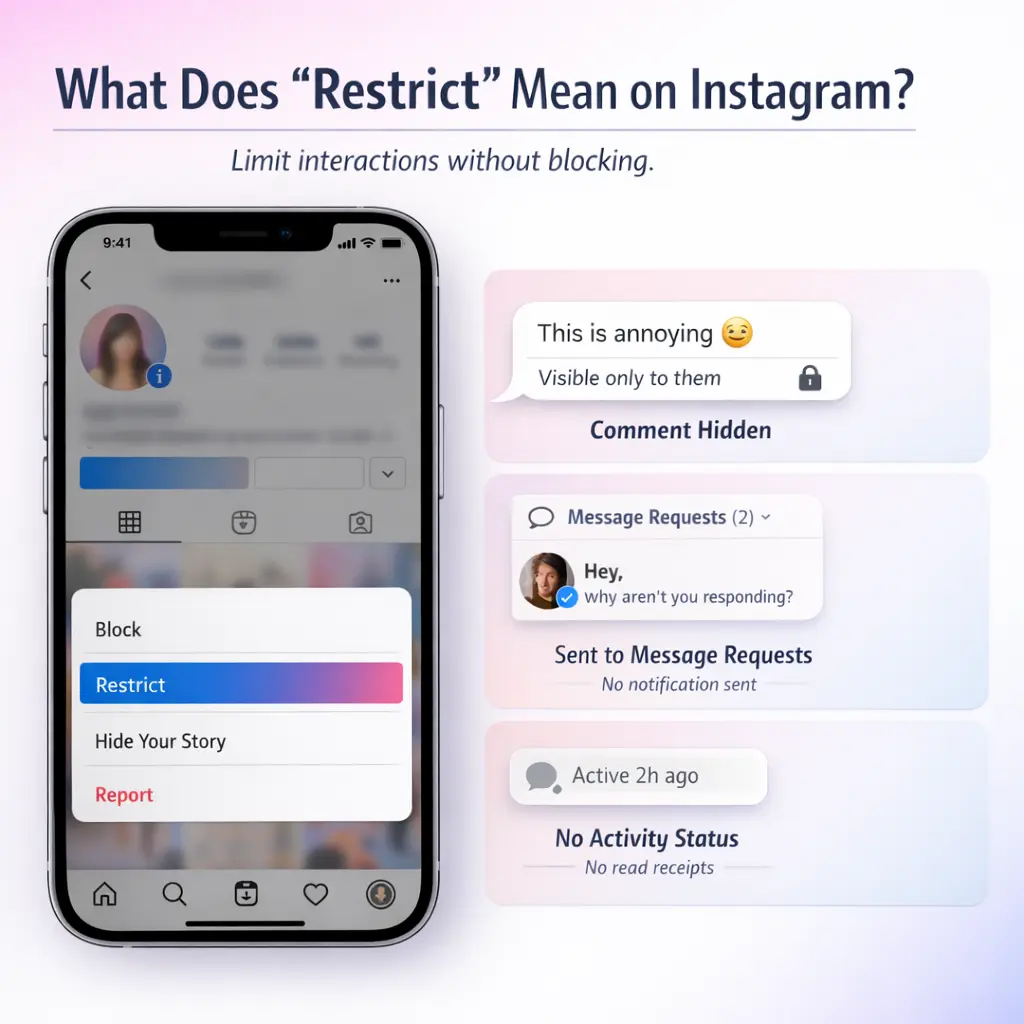
Restrict is a privacy feature that lets you limit someone’s comments and messages without blocking them. Their comments become visible only to them unless you approve them, and their DMs move to your Message Requests folder without read receipts or activity status visibility.
When you restrict someone:
-
They can still comment, but only they can see those comments unless you approve them.
-
Their messages go to Message Requests instead of your main inbox.
-
You won’t receive message notifications from them.
-
They can’t see when you’re online or if you’ve read their messages.
-
They are not notified that they’ve been restricted.
Because it works quietly, Restrict is useful when blocking feels too extreme.
What Happens When You Restrict Someone on Instagram (Comments)?
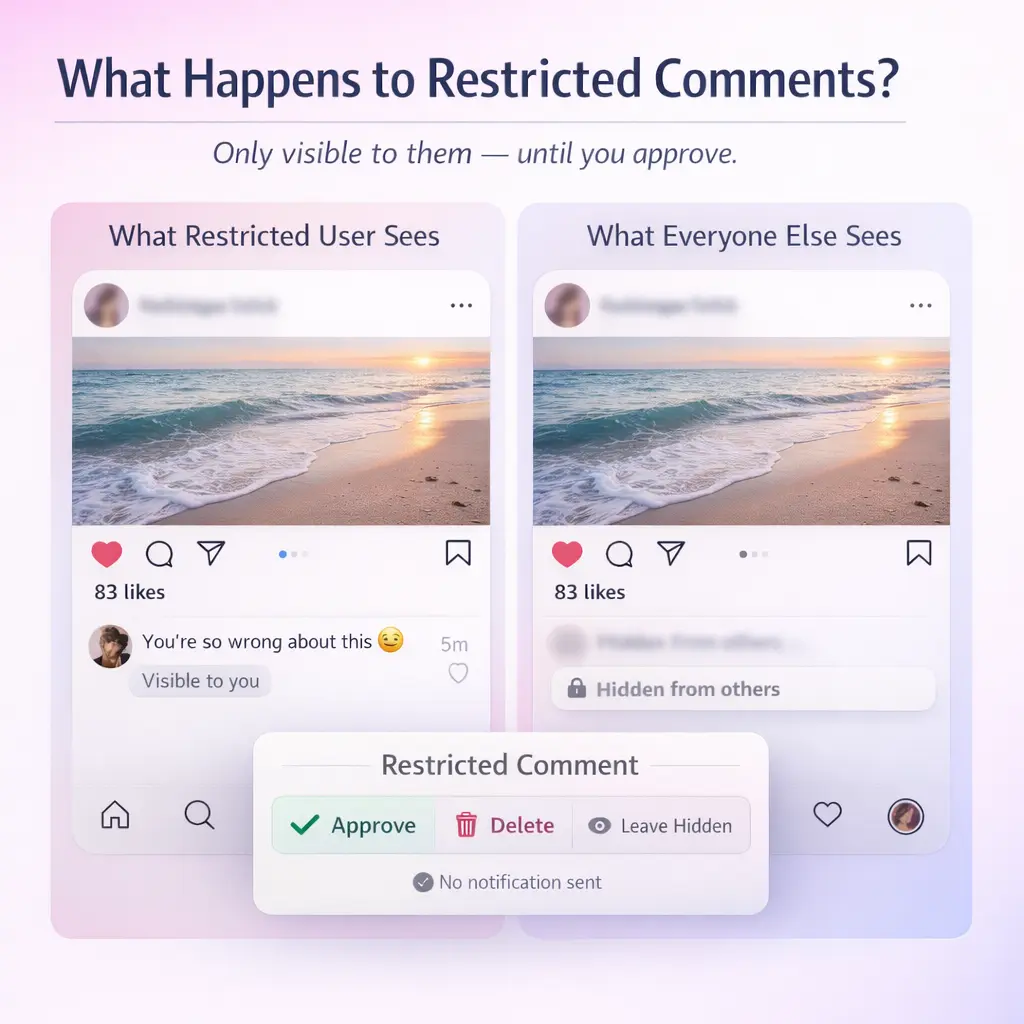
When a restricted person comments on your post, only they can see it by default. Other users won’t see the comment unless you approve it.
You can:
-
Approve the comment to make it public
-
Delete it
-
Leave it hidden
This helps prevent public arguments, spam, or passive-aggressive remarks without escalating the situation.
What Happens to DMs When You Restrict Someone on Instagram?
When you restrict someone, their direct messages are sent to your Message Requests folder instead of your primary inbox.
This means:
-
No message notifications
-
No read receipts visible to them; (Many users also wonder whether Instagram notifies when you unsend a message, which works differently from Restrict)
-
No access to your activity status
You can read their messages without them knowing and decide whether to respond. It’s a controlled way to reduce contact without fully cutting communication. Also, if you want broader control beyond Restrict, you can also hide your online status on Instagram.
Restrict vs Block vs Mute: what’s the difference?
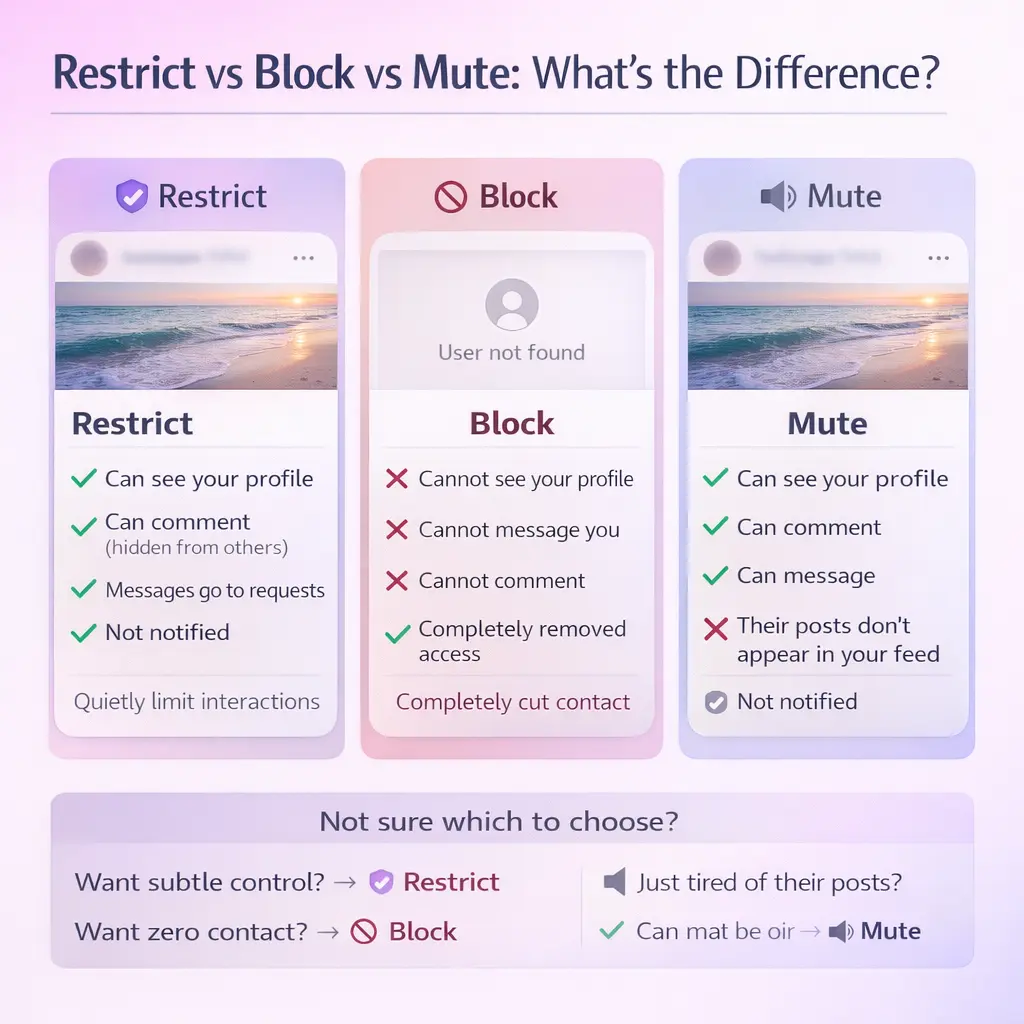
When deciding how to manage interactions on Instagram, understanding the differences between Restrict, Block, and Mute can help you choose the right option for your situation.
Restrict is a subtle way to limit someone’s interactions without them knowing. When you restrict someone, their comments on your posts are visible only to them unless you approve them. Their messages also go to a separate request folder, and you won’t receive notifications. This is ideal if you want to avoid confrontation while reducing unwanted interactions. For example, if a casual acquaintance is overly persistent but not outright offensive, Restrict offers a middle ground between full engagement and completely cutting them off.
Block, on the other hand, is a more definitive action. It completely prevents the person from interacting with you. They won’t be able to view your profile, send messages, or comment on your posts. This option is best when you want to ensure no contact whatsoever, such as in cases of harassment or if you want to maintain strict boundaries. If you’re unsure how blocking affects past conversations, this guide explains what happens to messages when you block someone.
Mute is the least restrictive option and focuses on managing your feed rather than interactions. When you mute someone, their posts and stories won’t appear in your feed, but they can still comment on your posts and send messages. This is perfect for situations where you don’t want to unfollow someone but prefer not to see their updates, such as a friend who posts too frequently or content that doesn’t interest you anymore. The muted person won’t know they’ve been muted, making it a discreet choice.
| Feature | Restrict | Block | Mute |
|---|---|---|---|
| Can see profile | Yes | No | Yes |
| Can comment | Yes (hidden) | No | Yes |
| DMs go to inbox | Requests | No access | Inbox |
| Notified | No | Indirectly obvious | No |
How to restrict someone on Instagram
You can restrict someone using the app or web version.
Using the Instagram App
-
Go to their profile.
-
Tap the three dots in the top-right corner.
-
Select Restrict.
You can also restrict directly from a comment:
-
On iOS: Swipe left on the comment.
-
On Android: Press and hold the comment.
-
Tap Restrict.
Using Instagram on a Browser
-
Visit the user’s profile.
-
Click the three-dot menu.
-
Select Restrict.
If you don’t see the option, update your app or browser.
When Should You Use Restrict?
Use Restrict when you want to reduce someone’s access to you without creating conflict. It’s essentially Instagram’s “quiet boundary” tool: they can still view your profile, but their ability to engage with you is limited in ways they usually won’t notice.
Use Restrict when you want to…
-
Stop public comment drama without blocking.
Restricted accounts can still comment, but their new comments are only visible to them unless you choose to approve them. This is ideal for passive-aggressive remarks, repeated negativity, or someone who “tests” you in the comments. -
Limit DMs without cutting the person off completely.
If someone messages too often, crosses boundaries, or sends uncomfortable content, Restrict moves their messages into Message Requests so they don’t sit in your main inbox. They also can’t see your activity status or whether you’ve read their messages. -
Handle harassment or bullying discreetly.
Instagram positioned Restrict as an anti-bullying feature designed to reduce unwanted interaction without escalating the situation (since blocking can feel “loud” and obvious). -
Manage awkward real-life relationships.
Restrict works well for people you can’t easily block—like a coworker, acquaintance, extended family member, or someone in your wider social circle—where you want distance without confrontation. -
Buy time when you’re unsure whether to block.
If you’re not ready to fully cut someone off, Restrict gives you control (comments + DMs) while you decide what boundary you actually need.
FAQs: Restricted comments, message visibility, and edge cases
Will they know I restricted them?
No. Instagram doesn’t notify people when they’re restricted.
Can a restricted person still see my posts and Stories?
Yes. Restrict doesn’t hide your content from them. If you want to hide Stories, you’d need Story privacy settings (or block).
Do restricted DMs automatically go to Message Requests?
Yes. Messages from restricted accounts go to Message Requests instead of your main inbox.
Can they see if I read their message?
No. If you restrict someone, they won’t be able to see whether you’ve read their messages.
Can they see when I’m online (Activity Status)?
No. Restricted accounts can’t see when you’re online / active.
What happens in a group chat if I restricted someone?
Instagram can show a warning that you’ll be seeing messages from a restricted account in the group, and you can choose whether to stay or leave.
Conclusion: What Does Restrict Mean on Instagram?
Instagram’s Restrict feature allows you to quietly control comments and messages without blocking someone outright. It’s a middle-ground privacy tool designed to reduce unwanted interactions while avoiding confrontation.
If you want more control without creating tension, Restrict is often the smartest first step.

Benjamin Amiri
Benjamin Amiri is a digital growth consultant and senior contributor at InstaDeal. He specializes in Instagram engagement strategies, Facebook ads innovation, and TikTok product marketing. With a track record of scaling brands and creator accounts, Benjamin turns performance data into actionable growth tactics that deliver measurable results.


