

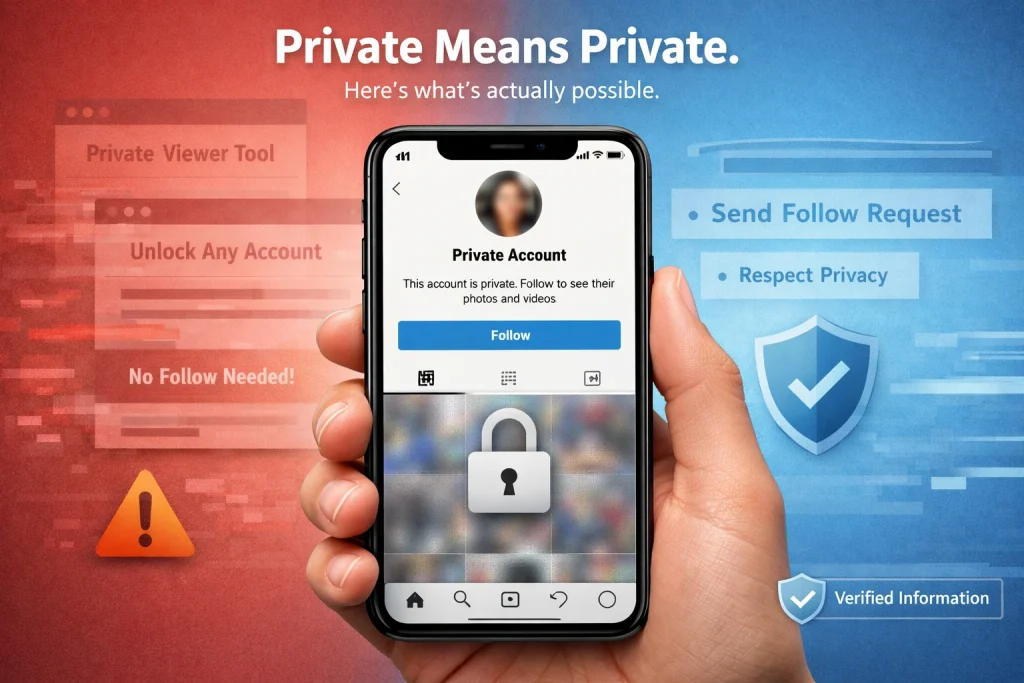

Trying to figure out how to view private Instagram accounts without following them? It’s a common question, but there’s a lot of misinformation surrounding it. Many websites claim there are shortcuts or tools that unlock private profiles — yet most of these claims are misleading, risky, or simply false.
In this article, you’ll learn what’s actually possible when it comes to viewing private Instagram accounts. We’ll break down the myths, explain the risks, and show you safe and ethical options.
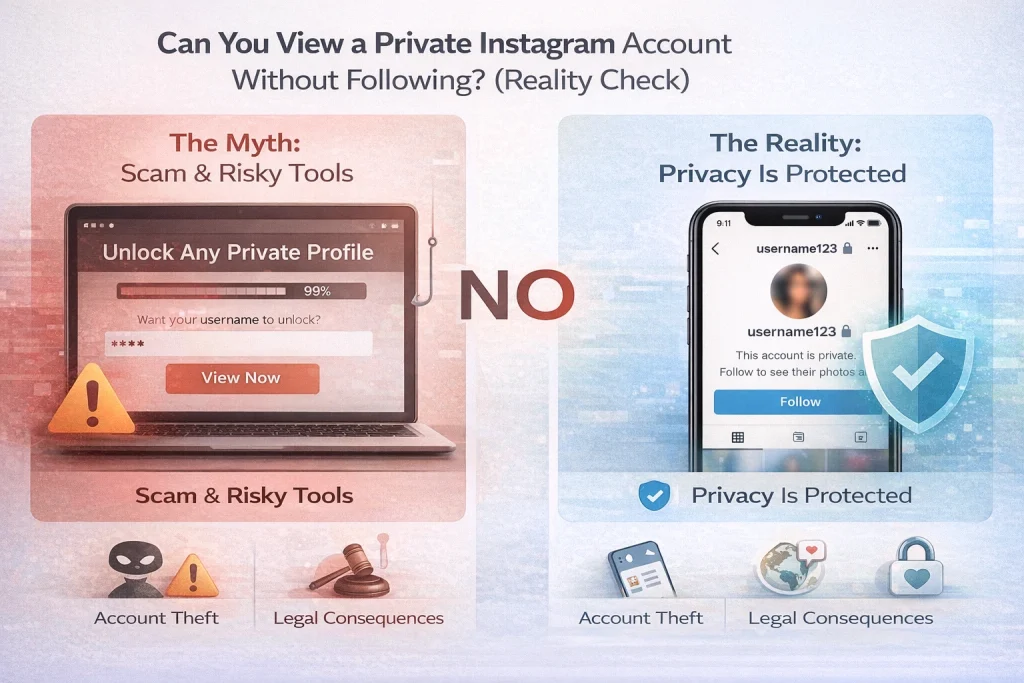
Quick Answer (2026): Can You View a Private Instagram Without Following?
If you are searching for how to view private Instagram accounts without sending a follow request, the reality is simple: you cannot do it legitimately. When an account is set to private, Instagram restricts posts and profile content to people the account owner has approved as followers. If you are not approved, you will not be able to view their posts.
What you can do instead is limited to the permission-based path Instagram is designed for:
-
Send a follow request.
-
Wait for the account owner to approve it.
-
If they do not approve it, assume the answer is no and respect the boundary.
Even with a private account, some profile information is still visible to anyone, such as the username, profile photo, bio, links, and follower/following counts.
What “Private” Means on Instagram
When an Instagram account is set to private, all content shared by that account—such as photos, videos, Reels, Stories, and Highlights—is accessible only to users the account owner has approved as followers. This includes comments, likes, and the follower/following lists; none of these are visible to people who have not been granted access. The restriction applies whether someone is browsing on the Instagram app or the web.
Even with a private account, some elements remain publicly visible on Instagram. A non-follower can see the profile username, profile photo, bio, website links, and the number of posts and followers. Instagram does not hide these basic identifiers because they serve as essential account metadata and navigation anchors across the platform.
Private accounts also behave differently in Instagram’s discovery surfaces. Posts from private profiles do not appear in public sections such as Explore or hashtag pages for users who have not been approved as followers. This is part of Instagram’s design to prevent content from leaking outside the intended audience.
Because the privacy setting controls visibility at the account level, it functions as a comprehensive boundary: anything that is not explicitly made public by the account owner is protected behind this approval requirement.
Legitimate Ways to View a Private Instagram Account
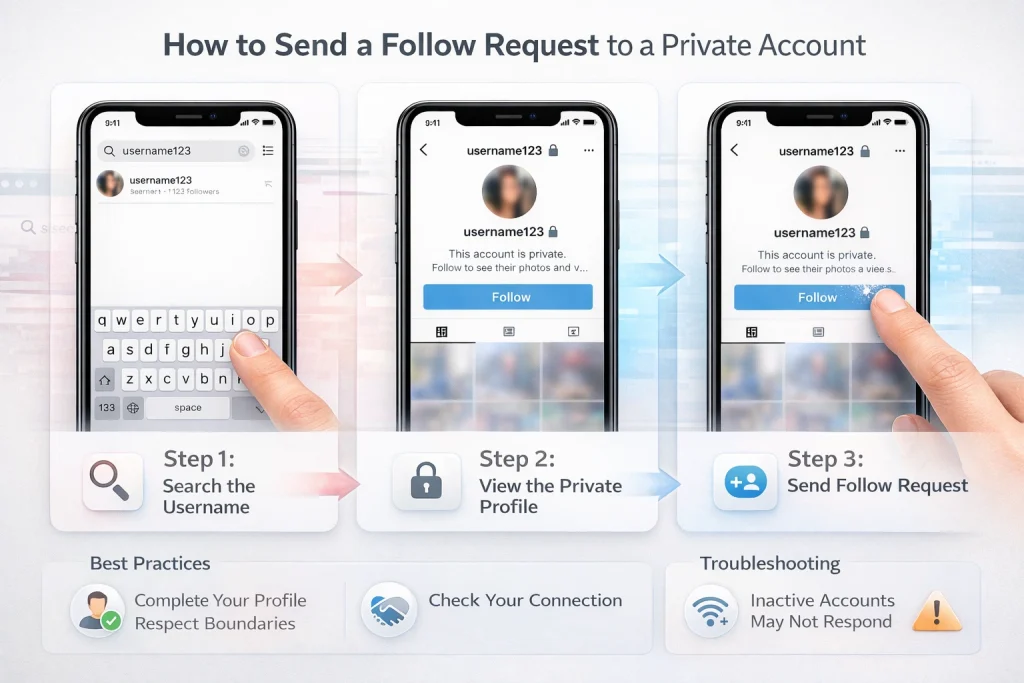
Send a Follow Request (Only Official Method)
The only supported way to view a private Instagram account’s content is by sending a follow request and being approved by the account owner. Instagram’s privacy system is built so that unless you are approved as a follower, the platform will not show you private posts, Stories, Reels, or other restricted content.
When you tap “Follow” on a private profile, Instagram sends the request to the account owner, who can either accept or deny it. Approval grants you the same access as any other follower; denial means the posts remain hidden. No official Instagram feature allows you to skip this approval mechanism.
Tips to Increase the Chance a Request Is Accepted
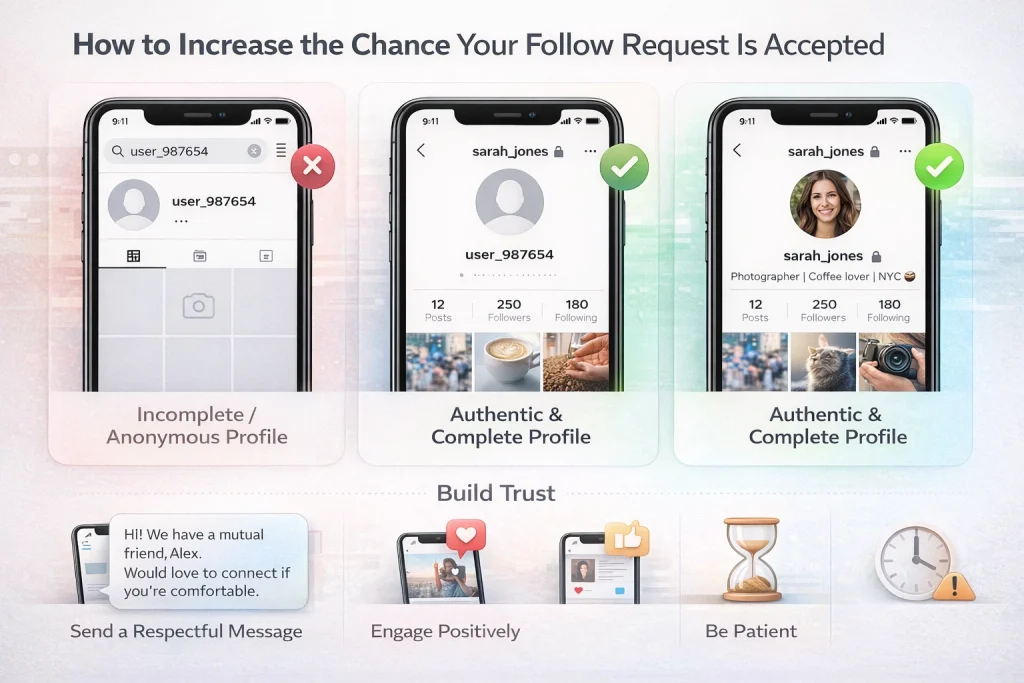
Although Instagram does not provide specific features for this, reputable guides note that improving your own profile credibility can help increase acceptance rates. Completing your profile with a clear photo and genuine activity can make your identity and interest appear authentic, making the account owner more comfortable approving your request. Reaching out respectfully via a message alongside the request can also clarify your intent.
In cases where you have genuine reasons to view specific content, mutual friends who are already approved followers may choose to show or share content with you. This is not a way to directly access the target account, but rather a consensual path to see specific posts or media already visible to them. This does not involve bypassing Instagram’s privacy controls.
Avoid Unofficial Tools That Claim to Bypass Privacy
Many third-party tools marketed as “private Instagram viewers” promise access without following. Most of these are misleading or unsafe; some only display publicly available data or cached content, but none legitimately unlock a private profile within Instagram’s platform policies. Relying on such tools can expose personal information or compromise security and may violate terms of service.
Public “Traces” You Might Still See (Without Accessing Private Content)
Even when you cannot view the posts or Stories of a private Instagram account, there are limited elements and “traces” of activity that remain visible or discoverable without approval. These do not grant access to private content, but they are aspects that anyone on Instagram, or even off the platform in some cases, can see without following the account.
Basic Public Profile Information
Certain profile elements are always visible regardless of account privacy settings. Instagram lists the following as publicly accessible data for both public and private accounts:
-
Username (handle)
-
Profile picture
-
Bio text
-
Website or linked URLs
-
Number of followers and following
This information does not include content like posts, Stories, Reels, captions, or comments unless you are an approved follower. Instagram’s platform design ensures that these identifiers are visible so that people can find and recognize an account even when its content is restricted.
Digital Footprint and Third-Party References
A private Instagram user may still leave a digital footprint beyond the platform. For example, if content from their Instagram has been shared to other social networks (such as Facebook, X, or a public blog), that shared media might be visible there even though the original Instagram post is protected. Such instances operate outside Instagram’s privacy boundaries because the content is copied or linked on another service that may have different visibility settings. These traces are not direct access to Instagram content but can sometimes reveal user behavior or media posted elsewhere.
Searchable Metadata and Mentions
In rare cases, metadata or references to a private account can appear indirectly, such as through mentions, tags, or public interactions on other users’ posts where the private account was previously public or where content was shared before the privacy setting was applied. This does not constitute direct access to the private account’s current posts; it simply reflects that elements of the account or its history may be discoverable through connected data points. It does not alter the fact that the private profile’s posts themselves remain hidden unless approved.
Myths, Scams, and Dangerous “Private Viewer” Claims
Many websites and tools market themselves as ways to view private Instagram accounts without following. These claims appear across blogs, social media posts, and search results, but reliable sources consistently show that none of these tools actually provide legitimate access to private content. Instead, they often exploit user curiosity for profit, harvest personal information, or put your security at risk.
Why So-Called “Private Viewer” Tools Don’t Work
Tools that promise to show private profiles without following generally do one of the following:
-
Display only publicly available information that Instagram already shows to anyone.
-
Aggregate cached or previously public content that is no longer accessible through the Instagram platform itself.
-
Mislead users into completing surveys, downloading software, or entering sensitive data with no real result.
Despite claims on some sites, there is no method that legitimately bypasses Instagram’s privacy controls to reveal hidden posts or stories without approval.
Security and Privacy Risks
Using third-party tools that ask for login credentials, personal details, or device access can compromise your own account and data. Many such services are phishing fronts designed to collect usernames and passwords or to install malware under the guise of “unlocking” private profiles. Entering your details into these tools may lead to unauthorized access to your own accounts or identity theft.
Ethical and Legal Considerations
Even if a tool claims to work, attempting to access someone’s private Instagram content without their consent violates Instagram’s community rules and undermines personal privacy. In some jurisdictions, attempting unauthorized access to digital accounts may have legal consequences. Respecting privacy settings affirms consent and digital ethics, and helps maintain a safer online environment.
How to Identify Scam Tools
To protect yourself:
-
Never enter your Instagram username or password into unofficial sites.
-
Be skeptical of services that claim they can show private profiles without logging into Instagram.
-
Look for clear signs of security, such as valid HTTPS certificates, reviews from trusted sources, and reputations on independent platforms.
Approaching “view private profile” tools with caution is essential because the combination of ethical, legal, and security risks far outweighs any unverified benefit.
How Instagram Enforces Privacy (Why “Bypass” Methods Don’t Work)
1. Permission-Based Access Control
Instagram’s privacy framework operates on a permission model. When an account is set to private, access to its posts, Stories, Reels, and related content is granted only after the account owner approves a follow request. The system verifies this follower relationship before allowing content to load. If the relationship does not exist, the platform denies access at the request level.
This means the restriction is not just visual — the content is not delivered to unapproved users in the first place.
2. Server-Side Enforcement, Not Just Interface Settings
Privacy on Instagram is enforced at the server and application layer. When someone attempts to load a private profile’s content, Instagram’s backend systems check authorization before transmitting any protected data. If authorization fails, the content is never sent to the user’s device.
Because the restriction happens before data delivery, changing browser settings, inspecting page elements, or using interface-level tricks cannot expose private posts.
3. Why “Bypass Tools” Cannot Override Platform Controls
Claims that third-party tools can override Instagram’s privacy settings conflict with how the platform is technically structured. Unauthorized tools cannot force Instagram’s servers to transmit protected content. At most, such tools may show:
-
Information that is already publicly visible
-
Previously cached or outdated material
-
Aggregated data from external sources
They do not unlock real-time access to private posts stored within Instagram’s protected infrastructure.
4. Ongoing Privacy Reinforcements
Instagram continues to strengthen privacy defaults and safeguards. For example, Meta introduced default private settings for teen accounts and added stricter interaction limits for younger users. These updates demonstrate that the platform actively reinforces privacy boundaries rather than weakening them.
Together, server-side access control and evolving privacy protections ensure that unauthorized retrieval of private content is not supported within Instagram’s official systems.
Recent Update — Have Private Accounts Ever Leaked Content?
Reported Vulnerability Affecting Private Accounts
In early 2026, a security researcher identified a vulnerability in Instagram’s mobile web interface where certain private profiles inadvertently included encoded links to private photo files in the HTML response sent to unauthenticated visitors. The researcher’s proof-of-concept showed that when specific request headers were used, private photo URLs and captions appeared in the underlying network data, despite the profile being marked private.
According to the researcher, the issue was disclosed to Meta months earlier and stopped functioning after mid-October 2025, suggesting that a fix or configuration change had been applied. Meta has described the resolution of related bugs as completed, though public technical details remain limited.
Meta’s Position and Industry Context
Although the reported behavior showed a surface exposure of encoded links in server responses, Meta has not confirmed that unauthorized access paths to private content remain viable. In similar situations, social platforms often issue fixes behind the scenes and do not provide detailed public disclosures regarding server-side security changes or vulnerability details. Independent cybersecurity reporting suggests that while specific unauthorized exposure of private URLs occurred under certain conditions, the issue could not be reliably reproduced once mitigations were applied.
Other Broader Instagram Privacy Incidents (Related Context)
Separately from private profile behavior, media reports in January 2026 focused on a large dataset allegedly tied to Instagram accounts, including usernames, email addresses, and contact information for approximately 17.5 million users being shared on dark web forums. Some reports linked this data to an older API vulnerability dating to 2024; however, Meta publicly disputed that a systemic breach occurred and attributed some of the unusual activity — such as unexpected password reset requests — to a bug that had since been fixed.
User privacy in these broader incidents relates to account security and contact information rather than direct unauthorized access to private Instagram posts or stories. The takeaway is that while security flaws can intermittently surface, they do not represent a legitimate or permanent method to view private account content without authorization.
How to Make Your Instagram Account Private (Step-by-Step)
1. Confirm You Have a Personal Account
Only personal Instagram accounts can be set to private. If your account is currently a business or creator account, you must switch it back to personal before enabling private mode. You can do this in Settings under Account Type and Tools → Switch to Personal Account.
2. Open the Privacy Settings Menu
On the Instagram mobile app:
-
Open the Instagram app and log into your account.
-
Tap your profile icon.
-
Tap the menu icon (three lines or hamburger icon).
-
Select Settings and privacy.
This path leads you into the controls where account visibility is configured.
Under Settings and privacy, locate the section labeled Privacy or Account privacy. This may be under a subheading like “Who can see your content.” Once there, look for the Private account toggle.
4. Enable Private Account
Tap the toggle for Private account so it switches on. Instagram will present a confirmation prompt. Confirm by selecting Switch to private. Once enabled, only users you approve as followers will be able to view your posts and Stories.
5. Review Follower Requests and Existing Followers
After switching to private, you can manage incoming follower requests from the Activity tab, approving or ignoring them as needed. If there are existing followers you no longer want to have access to your content, you can remove them individually from your followers list.
6. Optional Additional Privacy Controls
Once your account is private, you can further customize who interacts with your profile by adjusting settings such as:
-
Who can tag or mention you
-
Message request filters
-
Story hide settings
These are found within the same Privacy settings area and help refine who can engage with you even among approved followers. If you want even more control over what appears on your profile, you can learn how to manage the visibility of your Instagram Highlights in detail here.
Conclusion
Private Instagram accounts are designed to give users full control over who can see their content. There is no legitimate way to view private posts, Stories, or Reels without being approved as a follower. Any service that claims otherwise is either misleading or unsafe.
If you want access to a private account, the only ethical and platform-approved method is to send a follow request and respect the account owner’s decision. If privacy is your concern, you can also use Instagram’s built-in settings to secure your own profile.
The Importance of Using a Trusted Marketplace for Account Transactions
When discussions shift from privacy to account ownership, the focus naturally turns to security and responsible transfers. Purchasing or selling an Instagram account carries operational risks if handled informally, which is why using a reputable marketplace matters. InstaDeal operates as a structured platform where niche-based accounts—such as travel, fitness, fashion, and other themed pages—are listed with transparency, rather than private personal profiles. By emphasizing verified listings, clear account positioning, and defined transfer processes, reputable marketplaces help reduce uncertainty and reinforce accountability in account transactions.
FAQs:
Is it possible for someone to follow my private account without me accepting
It’s not supposed to happen under normal behavior; when people report it, it’s usually framed as a glitch/edge case or confusion about what was accepted. If you see it, review your followers list and remove/block as needed.
Does Instagram notify when you screenshot a Story (including Close Friends)?
As of 2026, Instagram does not notify users when you screenshot Stories or Highlights.
How can I see all the private accounts I’ve requested to follow?
Instagram doesn’t show a simple “sent requests” list in the app for everyone; the common workaround is requesting/downloading your account information and checking “followers/following” data.
Can someone tell you looked at their private account if you’re not following?
Not from profile viewing alone. If you’re unsure whether someone can see that you viewed their Instagram profile, this detailed explanation breaks down how Instagram handles profile visibility.

Benjamin Amiri
Benjamin Amiri is a digital growth consultant and senior contributor at InstaDeal. He specializes in Instagram engagement strategies, Facebook ads innovation, and TikTok product marketing. With a track record of scaling brands and creator accounts, Benjamin turns performance data into actionable growth tactics that deliver measurable results.


