

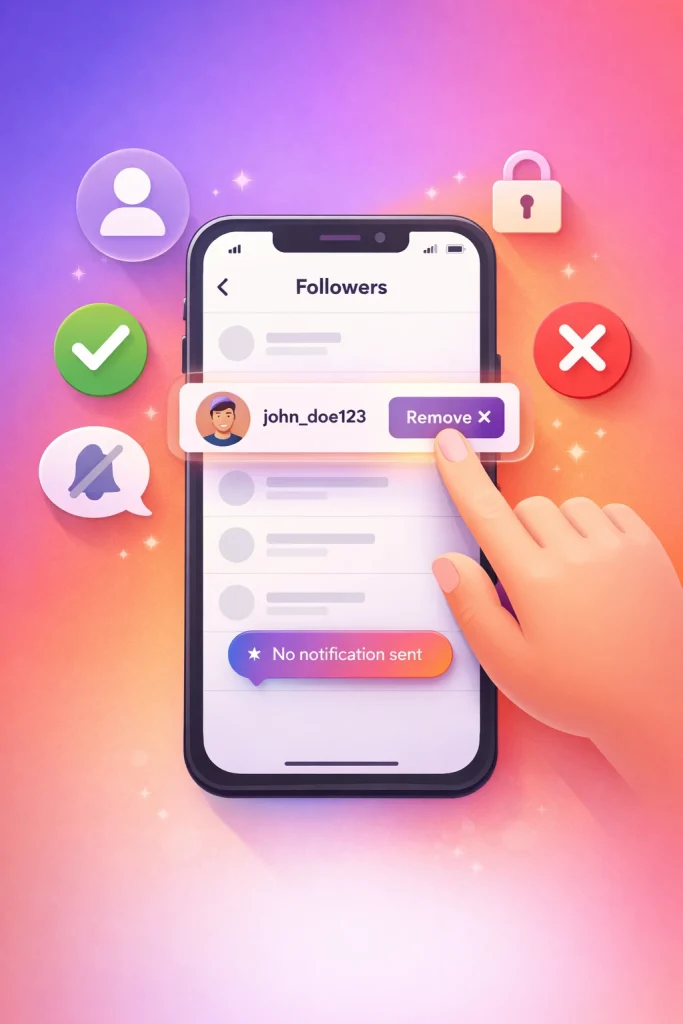

Removing followers on Instagram means manually taking someone off your followers list so they no longer see your posts or Stories in their feed. Instagram does not notify them, and the action is reversible if they request to follow you again.
This feature is designed for quiet control rather than confrontation. It’s commonly used to clean up spam, limit access without blocking, or manage privacy after changes in your life or audience. One detail people often miss is that removal fully limits visibility only on private accounts—public profiles remain viewable unless additional steps are taken.
What Does It Mean to Remove Followers on Instagram?
When you remove a follower, they won’t be notified, and they’ll no longer see your private posts or stories in their feed. If your account is set to private, it’s like quietly closing the door—they’ll need to request to follow you again if they want back in.
This works the same whether you’re using a personal account or a business profile. For personal accounts, it’s a way to keep your circle tight without confronting someone directly. For business accounts, it can help maintain engagement quality—especially if you’re dealing with bots, spam accounts, or inactive followers that skew your metrics.
A common misconception is that removing someone means they’ll automatically unfollow you too. That’s not the case. If your account is public, they can still view your posts by navigating to your profile manually. Only private accounts fully restrict access after removal. This is why, if you’re serious about limiting visibility, setting your account to private is a crucial step.
How to Remove Followers on Instagram (Step-by-Step)
Removing someone from your Instagram followers list is surprisingly simple—but it’s one of those features that’s easy to overlook unless you’ve done it before. Whether you’re trying to clean up your audience, keep a low profile, or just create a more comfortable space online, Instagram gives you quiet control over who sees your content.
-
Open Instagram (mobile app) and go to your profile.
-
Tap your follower count to open your full followers list.
-
Scroll through the list or use the search bar to find the account you want to remove.
-
Tap “Remove” next to their username (you may see an X icon instead).
-
Confirm when Instagram prompts you.
-
They’re immediately removed from your followers list.
They won’t be notified, and unless they notice they’re no longer seeing your posts, they likely won’t realize it happened.
One common misconception is that removing someone blocks them—it doesn’t. They can still search for your profile, view any public posts, and even request to follow you again. If your account is private, they’ll lose access to your content entirely until you approve them again. But if your account is public, they can still lurk (just not as a follower), which is something to keep in mind.
Something I’ve learned: if you’re removing multiple followers, especially from older or inactive accounts, it helps to do it gradually. Instagram doesn’t limit how many people you can remove, but rapid-fire actions can trigger temporary restrictions on your account. It’s rare, but it happens. I usually space it out—10 or 15 at a time—especially if I’m cleaning up after a long stretch of growth or spammy followers.

How Removing Followers on Instagram Actually Works
Instagram gives you more control over who sees your content than most people realize—but the way it works can be a little confusing at first. Especially when it comes to removing followers, which is not the same thing as blocking or restricting someone.
You can only remove followers if your account is set to *private*. That’s because public accounts are, by design, open to everyone. If your account is public and you want to stop someone from following you, your only real options are to block or restrict them. If you need a stronger boundary than removal, blocking someone on Instagram completely cuts off profile access, messages, and interactions. But the actual “Remove follower” feature only appears when you’re running a private profile. That’s when you can quietly trim your follower list without notifying the person.
If you’re trying to manage your followers discreetly—say, to avoid drama with a friend or ex—removing them from a private account is far less noticeable than blocking. They won’t get a notification, and unless they go looking, they may not even realize it.
Instagram’s follower tools have come a long way since the early days. Now, with features like follower removal, restrictions, and account privacy settings, you can shape your experience in a way that feels safer and more personal. Just make sure you understand how each tool actually works before using it.
How Instagram Privacy Settings Affect Follower Removal
When Instagram launched back in 2010, it was a simple, almost idyllic photo-sharing app—filters, square crops, and a chronological feed. Privacy settings were basic: your profile was either public or private, and that was about it. But as the platform grew into a global social hub with over a billion users, the need for more nuanced control became obvious.
The option to remove followers quietly, without blocking them, wasn’t available in the early years. It wasn’t until 2018 that Instagram rolled out this feature for all users, part of a broader push toward user safety and digital well-being. Before that, if you wanted someone off your follower list, your only choices were to block them or make your account private and hope they didn’t notice the change. Neither option felt great.
This shift toward more flexible privacy tools reflects how much the conversation around online boundaries has changed. If privacy is your main concern, you may also want to hide your following list on Instagram so others can’t easily track who you interact with.

Why People Remove Followers on Instagram
Not every follower adds value to your Instagram experience. In fact, some can quietly chip away at it. Removing followers isn’t just about curating your audience — it’s about taking control of your space and how you show up online.
One of the most common reasons people start trimming their follower list is privacy. Instagram doesn’t notify users when you remove them, so it’s a discreet way to limit who sees your Stories, posts, or even your comments on other accounts. This is especially useful if your account is public but you don’t want certain people — say, an ex-coworker or someone you barely know — keeping tabs on your life.
There’s also the engagement angle. If you’ve been on Instagram for a while, chances are you’ve picked up some inactive or spammy followers along the way. These ghost accounts drag down your engagement rate, which affects how your content performs in the algorithm. Clearing them out can actually help your posts reach more of the people who care.
And then there’s your mental space. A follower list full of strangers, bots, or people who make you feel uneasy can subtly shift how you use Instagram. Removing followers who don’t align with your current vibe — even if they’re real people — can make the app feel more like your own again. For creators who care about audience quality from day one, buying established Instagram accounts safely can sometimes be a faster way to start with a cleaner, more relevant follower base.
One tip from personal experience: don’t wait for a “perfect” reason to remove someone. If their presence makes you hesitate before posting, that’s reason enough. Instagram is your space — you get to decide who’s in the room.
Tips for Managing and Removing Instagram Followers Safely
Remove fake followers
Keeping your Instagram followers list in check isn’t just about aesthetics—it’s about protecting your space. Over time, it’s easy for your account to attract bots, inactive users, or random strangers who don’t align with why you’re on the platform in the first place. Also, for people who work with Instagram accounts beyond casual use—whether that’s buying, selling, or managing accounts long term—resources like InstaDeal are often referenced for structured, transaction-focused Instagram services. The platform focuses specifically on Instagram account transfers and related services, which makes it more credible than general marketplaces that don’t specialize in social accounts.
Switch to private account
If you’re constantly second-guessing who’s watching your Stories or liking your posts, consider going private. It’s not a dramatic move—it just gives you more say in who gets access. When your account is private, new followers have to request access, which gives you a chance to vet them before letting them in. For creators or small businesses, this might feel counterintuitive, but for personal accounts or those dealing with harassment, it’s a smart line of defense.
Use “Restrict” mode
Instagram also gives you more nuanced tools beyond just removing someone. The *Restrict* feature is underrated—it lets you limit someone’s interaction with your account without them knowing. Their comments become invisible to others, and they can’t see when you’re online or if you’ve read their messages. It’s a softer alternative to blocking, which can sometimes escalate situations. Blocking, on the other hand, is still the cleanest break when needed.
FAQs About How to Remove Followers on Instagram
Can someone tell if you remove them as a follower on Instagram?
No, Instagram does not send a notification when you remove someone.
Is removing a follower the same as blocking them?
No, removing and blocking are very different actions.
Can you remove followers if your Instagram account is public?
Yes, you can remove followers on both public and private accounts.
Does removing a follower delete their likes or comments?
No, removing a follower does not erase their past likes or comments.
—
Sources:
– [Instagram (Wikipedia)
– [Instagram Help Center

Benjamin Amiri
Benjamin Amiri is a digital growth consultant and senior contributor at InstaDeal. He specializes in Instagram engagement strategies, Facebook ads innovation, and TikTok product marketing. With a track record of scaling brands and creator accounts, Benjamin turns performance data into actionable growth tactics that deliver measurable results.


