

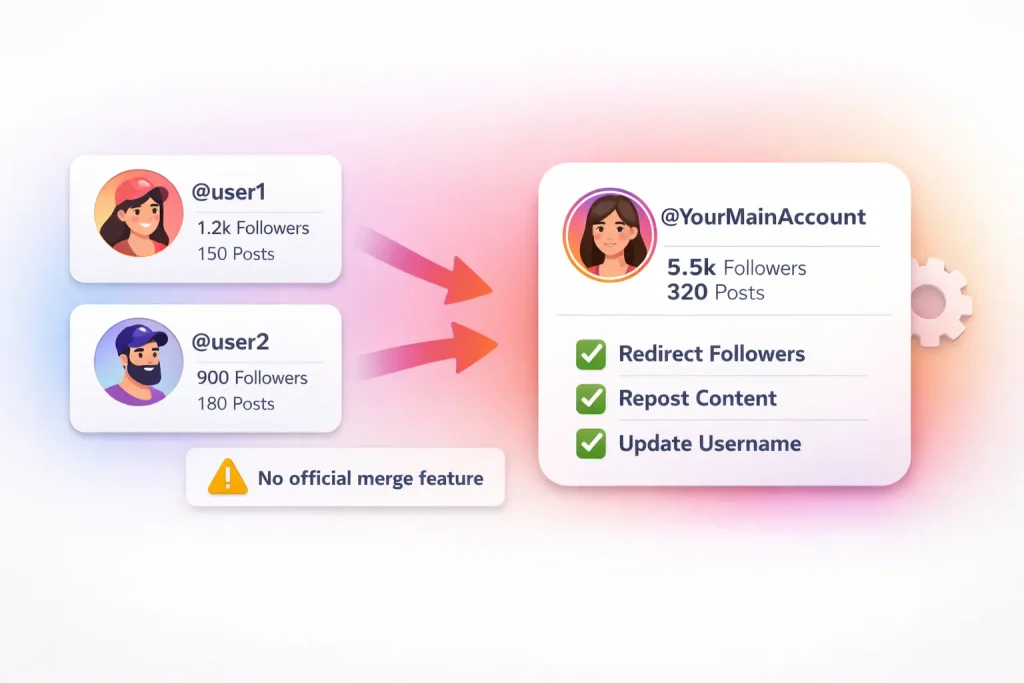

Instagram does not allow you to directly merge two accounts. You cannot combine followers, posts, or messages. However, there are safe workarounds to consolidate your presence without losing your audience.
In this guide, you’ll learn what Instagram allows, what it doesn’t, and the best workarounds to effectively combine your presence. We’ll walk you through practical steps to streamline your Instagram identity without losing followers or content.
Quick Answer — You can’t merge Instagram accounts (but you can consolidate them)
Instagram does not currently allow users to merge two accounts into one. You cannot combine followers, posts, messages, or engagement metrics. However, you can consolidate your presence manually. Common strategies include redirecting followers to a single account, transferring your preferred username, downloading and reposting content, and deactivating unused accounts. These workarounds require planning but can help you maintain your audience and brand identity.
Merge vs Link vs Switch Accounts (what Instagram actually supports)
When users search for how to merge Instagram accounts, they often confuse it with other account management features. It’s important to clarify the differences between merging, linking, and switching accounts—because only some of these are actually supported by Instagram.
Switching between multiple accounts (not merging)
Instagram allows you to log into and switch between up to five accounts within the same app. This is managed through the login settings on your device and does not involve combining content or followers. Switching is convenient for managing multiple accounts, but it does not transfer any data or engagement between them.
To add or switch accounts:
-
Go to your profile
-
Tap your username at the top
-
Select “Add Account” or switch to another logged-in account
This feature is useful for creators, brands, or individuals managing separate personal and professional identities. But it’s not a merging tool in any capacity.
What Accounts Center does and doesn’t do
Instagram’s Accounts Center, which is shared with Facebook and Meta platforms, lets users manage connected experiences across accounts. You can use it to:
-
Share posts and Stories to Facebook automatically
-
Sync name and profile photo across accounts
-
Manage ad preferences and login info
However, Accounts Center does not merge accounts or allow you to consolidate followers, messages, or content. It merely links accounts under one Meta identity for cross-platform management.
Understanding these distinctions helps you avoid wasting time searching for a feature that doesn’t exist. If your goal is to unify your presence or consolidate accounts, you’ll need to use one of the workarounds outlined in the next sections.
Before you start: choose the account you’ll keep (Pre-merge checklist)
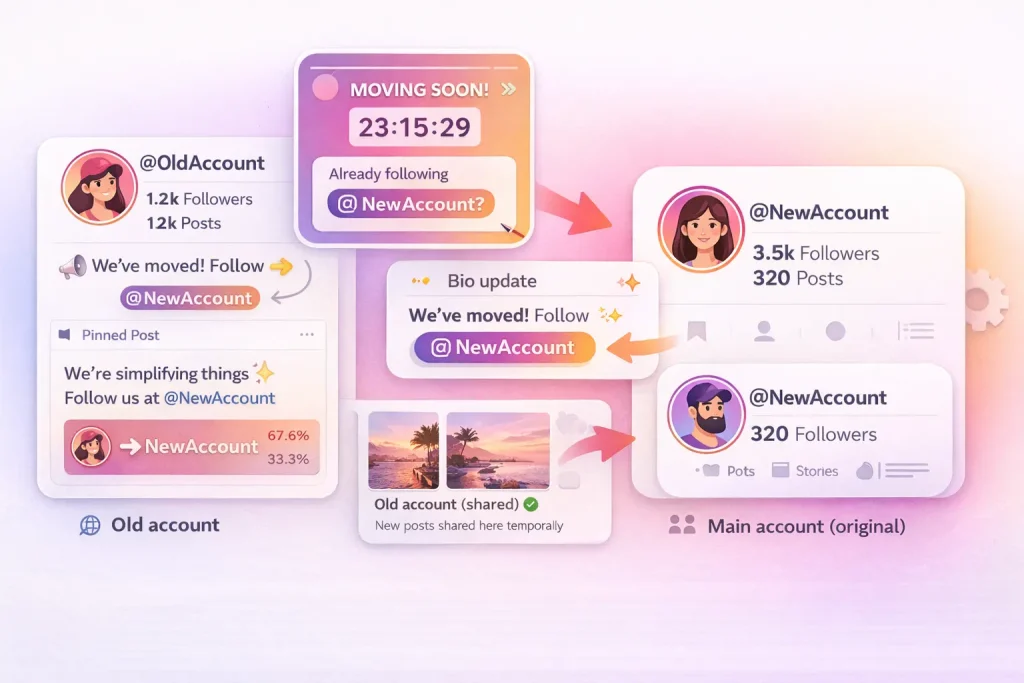
Merging Instagram accounts isn’t automatic, so it’s essential to plan your strategy before taking any action. The first and most important decision is choosing which account to keep. This choice determines where your content, followers, and future activity will live.
Pick the “keeper” account
Evaluate each account based on its:
-
Follower count and engagement rate
-
Content quality and consistency
-
Brand recognition or username value
-
Connected services (such as Facebook Pages or ad accounts)
In most cases, the account with better reach, stronger brand alignment, or deeper integration with business tools is the better one to keep. You can always move select content from the secondary account later.
Backup plan: export your data first
Before making any changes, back up both accounts. Instagram allows you to request a full download of your account data—including posts, Stories, messages, and profile info.
To do this:
-
Go to Settings > Accounts Center > Your Information and Permissions > Download Your Information
-
Request data for each account separately
-
Instagram will email you a downloadable file
Saving this archive protects your content and ensures you can reuse posts or captions even after deleting or deactivating an account.
Security check: email/phone/2FA access
Make sure you have full access to both accounts before making any changes. This includes:
-
A working email address and phone number linked to each account
-
Two-factor authentication (2FA) enabled and accessible
-
Recovery information updated and verified
You may need to log in and out of accounts during the transition. Having secure access prevents you from getting locked out mid-process and allows you to fix issues if Instagram requests verification.
Taking these steps upfront reduces the risk of errors and ensures that your transition to a single account goes smoothly.
Option 1 — Soft merge: move followers to one account (recommended)
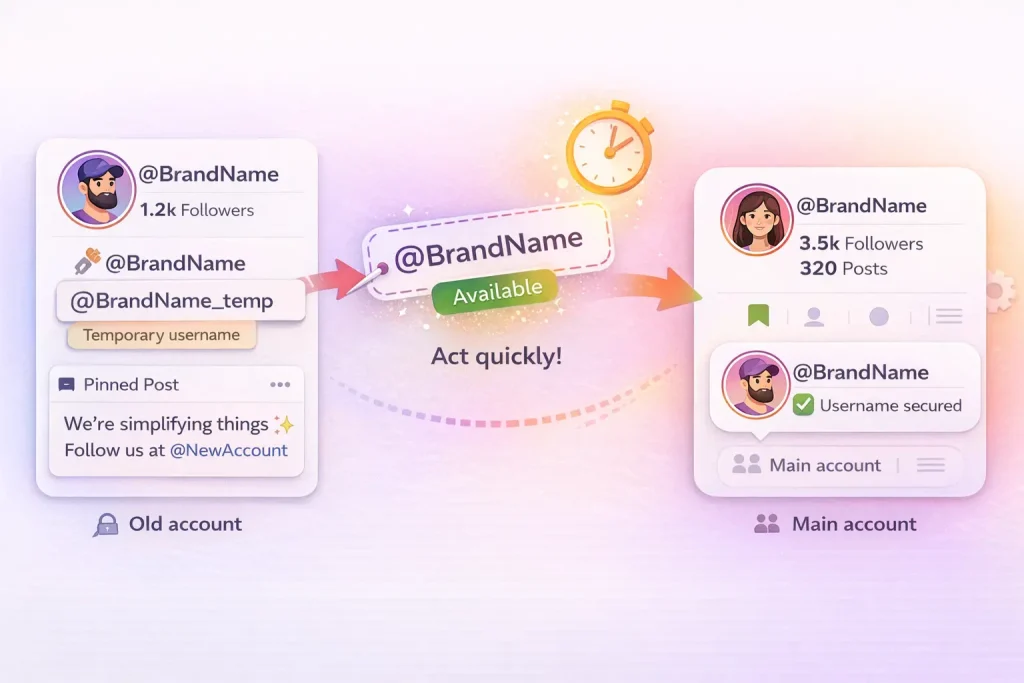
The most practical and secure way to consolidate your Instagram presence is through a soft merge. Instead of combining accounts, you guide followers from one profile to your primary account over time. This method doesn’t require any technical changes, and it allows you to retain your audience without violating Instagram’s policies.
Announcement plan (post + Story + pinned post)
Start by making it clear that you’re transitioning to a single account. Create a feed post and Story on the account you’re retiring that explains the move. Use direct language such as:
“We’re streamlining our content. Follow us now at @yourmainhandle to stay updated.”
Pin the announcement post to the top of your feed so that it’s visible to anyone visiting the account. If your Stories are well-followed, consider using countdown stickers or polls to draw attention to the change and create a sense of urgency.
Bio redirect (old account → new account)
Update the bio of the account you’re phasing out with a clear call to action. For example:
“This account is no longer active. Follow us at @yourmainhandle.”
Use line breaks, emojis, or bold formatting to make the message stand out. If you’re using a link-in-bio tool, update it to point users to your main account or important landing pages associated with it.
Cross-posting schedule (how long to run it)
To increase retention, continue sharing new content on both accounts for a limited time—usually one to two weeks. On the retiring account, these posts should include reminders and links directing followers to your main account. This gradual approach gives your audience time to adjust and reduces the chance of losing followers who missed your initial announcements.
Avoid cross-posting for too long. A prolonged dual presence can cause confusion and dilute engagement. Consistency, not repetition, is key.
What to do with the old account when migration stabilizes
Once you’ve given followers time to move and engagement on the secondary account drops off, you have three main options:
-
Deactivate the account (temporary removal)
-
Delete it permanently (if you’re sure it’s no longer needed)
-
Keep it public with a redirect message in the bio and no new posts
Leaving it active with a redirect message can be useful if the account ranks in search results or has a recognizable name. However, it’s best to remove all outdated content and disable notifications to avoid confusion.
A soft merge is the least risky and most user-friendly option, especially when combined with clear messaging and a focused transition timeline.
Option 2 — Move the username to your main account (handle transfer)
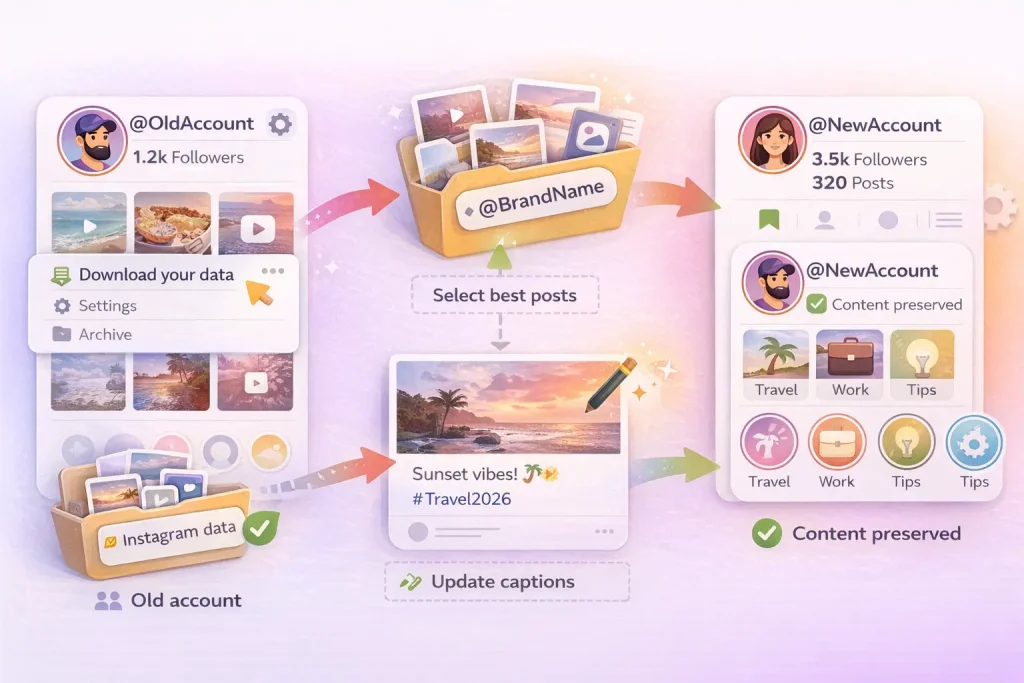
If your older Instagram account has a desirable username that you want to keep, you may be able to transfer that handle to your main account. This option doesn’t merge any content or followers, but it allows you to consolidate your brand identity under a single, consistent name. Timing is critical, and there are risks if not done carefully.
Step-by-step: free the handle → claim it fast
-
Log into the old account that currently holds the username.
-
Change the username to something else (e.g., add a suffix like
_oldor a placeholder name). This frees up the desired handle. -
Immediately switch to your main account, go to “Edit Profile,” and update its username to the one you just released.
This process must be done in one session with no delays. Instagram does not reserve usernames after release, so anyone can claim them—even bots. If you wait too long, you may permanently lose access to the handle.
If you’re unsure about the exact steps involved in changing your Instagram username, this guide explains how the process works and what to watch out for.
“Username not available” problems (holds/cooldowns)
Instagram sometimes holds usernames for a short period after they’re changed, especially on high-activity accounts or those previously reported for impersonation. If you get a “username not available” message immediately after freeing it:
-
Wait a few minutes and try again
-
Ensure there are no typos or spacing errors
-
Try from a different device or browser if issues persist
In some cases, you may have to wait 14 days before you can re-claim a name from the same account if you changed it and didn’t use another account to capture it. That’s why using two accounts in sequence—one to free the handle, one to claim—is essential.
What breaks: links, mentions, discoverability (and how to fix)
Changing your main account’s username affects all links, mentions, and tags associated with the previous handle. Old links may lead to broken pages or unrelated profiles, and people searching for your brand may struggle to find it.
To minimize disruption:
-
Update all links to your Instagram on websites, bios, link-in-bio tools, and social platforms
-
Announce the change in Stories and posts
-
Add the old handle to your bio temporarily, such as “formerly @OldHandle”
This helps people recognize your profile despite the new name and reduces confusion in the algorithm’s suggested profiles.
Transferring a username is a powerful option if you’re rebranding or consolidating multiple Instagram identities—but it must be executed quickly and carefully to avoid conflicts or loss of visibility.
Option 3 — Download and repost content (content consolidation)
If you’re unable to combine accounts but still want to preserve your best content, manually downloading and reposting content from one Instagram account to another is the most direct approach. It requires more time and effort but gives you full control over what gets carried over and how it appears on your main account.
How to export Instagram data (photos/videos/Stories)
Instagram offers a built-in data download tool that lets you export all media and account activity.
To download your content:
-
Go to Settings > Accounts Center
-
Tap Your information and permissions
-
Select Download your information
-
Choose the account and enter the email where you’d like to receive the file
You’ll receive a downloadable file containing photos, videos, messages, and more—typically within 48 hours. You must repeat this process for each account separately.
This export ensures you have offline access to everything you’ve posted, even if you plan to deactivate or delete the original account.
After downloading, review which posts are worth transferring to your main account. These might include high-performing posts, brand visuals, or evergreen content.
When reposting:
-
Use updated captions that reflect your current branding
-
Add fresh, relevant hashtags for visibility
-
Group Stories into Highlights to maintain their value
To recreate Highlights:
-
Upload old Stories as regular posts or Stories again
-
Add them to new or existing Highlight categories
-
Design new cover images to match the aesthetic of your main profile
This helps you retain visual consistency while improving your content’s relevance for new followers and the Instagram algorithm.
What you lose (likes/comments + original post URLs)
While you can retain the visual content, some things do not carry over:
-
Likes, comments, and shares reset with each repost
-
Post URLs will change, breaking any external links to old content
-
Tagged accounts or locations must be manually re-added
Reposted content is treated as new, so don’t expect it to perform identically. Use this as an opportunity to refine how the content fits your strategy today—refresh visuals, update tags, and optimize posting times.
This method takes more effort than a soft merge or username transfer, but it gives you full editorial control and ensures that your most important content continues to live on under a unified brand.
What you cannot transfer (and myths to ignore)
While it’s possible to consolidate your Instagram presence through soft merging, username transfers, or reposting content, there are specific elements that cannot be moved between accounts. Understanding these limitations will help you avoid common pitfalls and protect your account from risky third-party tools.
Followers, DMs, likes/comments
Instagram does not offer any way to transfer followers from one account to another. If you want your audience to follow a new or main account, you must direct them there manually using posts, Stories, or bio updates.
Direct messages (DMs) are also tied to each account and cannot be moved or exported. The same goes for likes, comments, and saved posts. These engagement signals are stored on Instagram’s servers and linked to the specific account where they were generated.
Attempting to duplicate or move this data using third-party methods is both technically unfeasible and violates Instagram’s policies.
Why “merge tools” are risky (security + policy)
Many websites and apps falsely claim they can merge Instagram accounts, move followers, or transfer messages automatically. In reality, these tools are often scams or data harvesting schemes designed to gain access to your login credentials.
Instagram’s Terms of Use strictly prohibit:
-
Sharing your password with unverified services
-
Automating account actions (follows, DMs, post scraping)
-
Using unofficial software to modify your account
Accounts found using such tools may be flagged, restricted, or permanently banned. Even if a tool appears to work at first, it can put your content, personal data, and followers at serious risk.
Instagram does not currently support any official merging method. Any service offering this functionality should be viewed with suspicion, regardless of reviews or claims.
If your goal is to consolidate your presence safely, stick to platform-approved methods: redirecting followers, re-uploading content, or transferring usernames. These options take more effort, but they protect your account and credibility long-term.
Deactivate vs delete the old account (which one should you choose?)
Once you’ve successfully moved followers and content to your main account, you’ll need to decide what to do with the old one. Instagram gives you two options: deactivation or deletion. Each has different consequences, and the right choice depends on your long-term goals.
Temporary deactivation (limits + reactivation)
Deactivation hides your account from the public without deleting it permanently. This option is useful if you want to pause the account but keep the option to return later.
Key points:
-
You can deactivate an Instagram account once per week
-
While deactivated, your profile, posts, and followers are hidden
-
You can reactivate anytime by logging back in
Use deactivation if you’re unsure about deleting the account, want to reserve the username, or may repurpose the account later. It’s a reversible solution with minimal risk.
To deactivate:
-
Log in via a browser (not the app)
-
Go to your profile > Edit Profile
-
Select Temporarily deactivate my account
-
Choose a reason and confirm
You can follow the full instructions in our guide of how to temporarily deactivate your Instagram account with step-by-step walkthrough.
Permanent deletion (grace period + what happens)
Deletion is irreversible. Once completed, all account data is permanently erased—including posts, messages, followers, and username (unless re-claimed elsewhere).
Instagram provides a 30-day grace period after requesting deletion. During this time, your account is inactive, but you can log in to cancel the deletion.
After 30 days:
-
The account is permanently deleted
-
Your username may become available to others
-
Linked data (Insights, ads, and content) is lost
Use this option only if you’re confident the account is no longer needed. It’s best reserved for outdated, duplicate, or inactive profiles that no longer serve a purpose.
If your old account has a recognizable username, consider transferring the name to your main account before deletion, using the method outlined earlier.
Choosing between deactivation and deletion depends on whether you want to leave the door open or close it entirely. Make the decision based on your long-term Instagram strategy—not just short-term cleanup.
After the consolidation: checklist + KPIs (don’t lose momentum)
Successfully moving followers and content to your main Instagram account is only part of the process. After the transition, you’ll need to monitor performance, reinforce the change with your audience, and watch for short-term shifts in engagement. A structured follow-up ensures that your efforts don’t lose traction.
7-day checklist (redirects, pinned post, link cleanup)
Immediately after consolidating:
-
Pin a post or Story on your main account welcoming new followers
-
Update your website, email signature, social bios, and link-in-bio tools with the new or active handle
-
Check Instagram Search to confirm the new username is discoverable
-
Respond to DMs or comments from users who may be confused
-
Remove old links pointing to the retired account (especially from Pinterest, YouTube, LinkedIn, or Google Business)
This short window is critical for cementing your new presence and reinforcing continuity for your followers.
KPIs to track (follower migration %, engagement rate, reach)
Track basic metrics to see how well your merge strategy worked:
-
Follower migration rate: how many followers moved from the old to the new account
-
Engagement rate: likes, shares, and comments per post on the new account
-
Reach and impressions: are your posts being seen more or less since the change?
-
Story views: these often drop temporarily; monitor for recovery
-
Profile visits and link clicks: useful if you’re running promotions or CTAs
Track these weekly for at least a month. A short-term dip is common, especially after a username change, but stable or rising numbers indicate a successful transition.
Expected algorithm turbulence (what’s normal)
Instagram’s algorithm may take time to recalibrate after major changes. You may notice:
-
Slight drops in visibility or reach
-
Followers not seeing your posts immediately
-
Confusion in suggested profiles or search results
This is temporary. Engagement tends to normalize within two to four weeks as the algorithm adjusts to new signals. To speed recovery:
-
Post consistently
-
Engage with comments
-
Use updated hashtags and geotags
-
Encourage profile visits through Stories or links
Staying active during this period helps reinforce to Instagram that your account is current, relevant, and consistent.
With careful monitoring and clear communication, your new account can not only recover but outperform the split accounts it replaced.
Conclusion: How to Merge Instagram Accounts
You can’t directly merge Instagram accounts, but you can consolidate them safely with the right strategy. By choosing one primary account, redirecting followers, transferring your username, and downloading important content, you can streamline your presence without violating Instagram’s rules.
The key is planning the transition carefully and avoiding third-party tools that promise shortcuts. With a structured approach, you can combine your audience, protect your brand, and move forward with a single, stronger Instagram account.
Account Transfers, Ownership, and Marketplace Risks
When consolidating or merging Instagram accounts, questions around ownership and transfer history often surface—especially if one of the accounts was previously bought or is being prepared for sale. Marketplaces such as InstaDeal, which specialize in buying and selling Instagram accounts, operate in a space where secure transfers, verified ownership, and clear documentation are critical to reducing disputes or recovery claims. Accounts acquired from unknown or informal sources carry higher risks, including unauthorized access attempts, payment conflicts, or unexpected restrictions. Understanding these operational realities is essential when managing, merging, or transitioning control of any Instagram profile.
Most common FAQs real users repeat
Is there a way to “move” DMs, likes, or comments to the main account?
No. Those are tied to the original account and can’t be migrated to another account.
Why does Instagram say “username not available” right after I freed it?
Sometimes the handle doesn’t become available instantly, or another user/bot claims it immediately. If it’s important, act fast in one session and have the new handle ready.
If I repost content, will I keep the original engagement?
No. Reposting resets likes/comments because it’s a new post on a different account. Users ask this a lot when they’re trying to “combine accounts.”

Benjamin Amiri
Benjamin Amiri is a digital growth consultant and senior contributor at InstaDeal. He specializes in Instagram engagement strategies, Facebook ads innovation, and TikTok product marketing. With a track record of scaling brands and creator accounts, Benjamin turns performance data into actionable growth tactics that deliver measurable results.


