

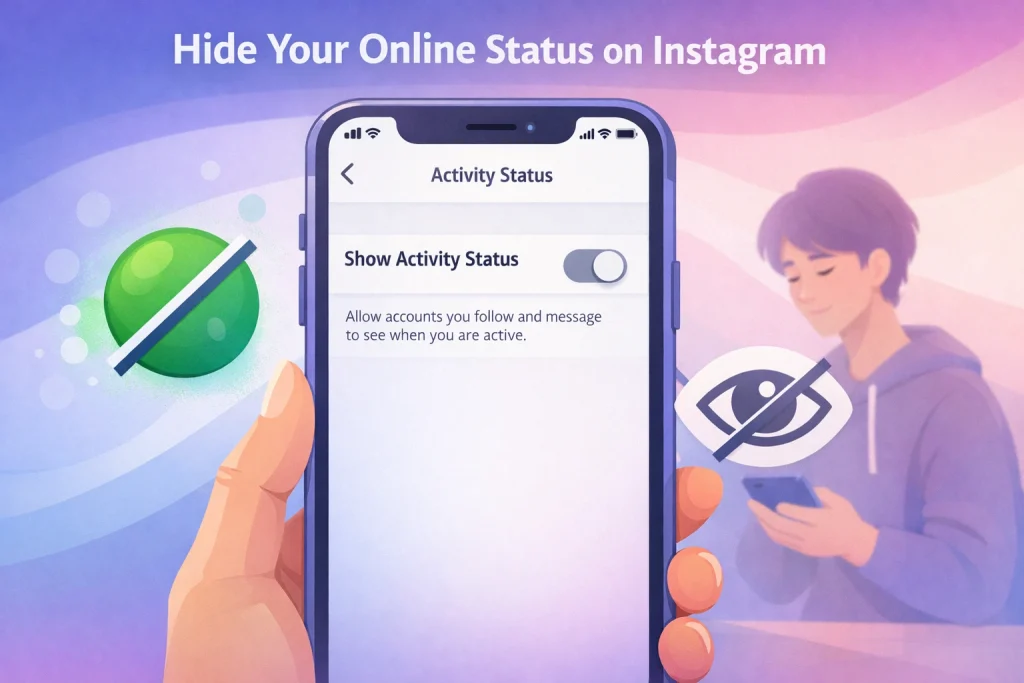

Learning how to hide online status on Instagram is essential if you value your privacy while browsing the app. This feature lets you control who can see when you were last active or currently online, helping you stay discreet during your time on the platform.
In this guide, you’ll discover the exact steps to disable activity status on both iOS and Android. Whether you want more control over your interactions or simply prefer to stay hidden, this walkthrough will help you make the change in just a few taps.
Summary: How to Hide Your Online Status on Instagram
-
You can turn off your activity status in Instagram settings to stop others from seeing when you’re online—this also hides their status from you.
-
The setting works on iOS, Android, and web, but must be turned off separately on each device and account.
-
If the option is missing, try updating the app, checking your account, or reinstalling—especially after major updates.
-
For added privacy, combine with Sleep Mode, Restrict, and DM controls to manage who sees your presence.
-
Instagram doesn’t support hiding your status from specific people, but Restrict offers the closest workaround.
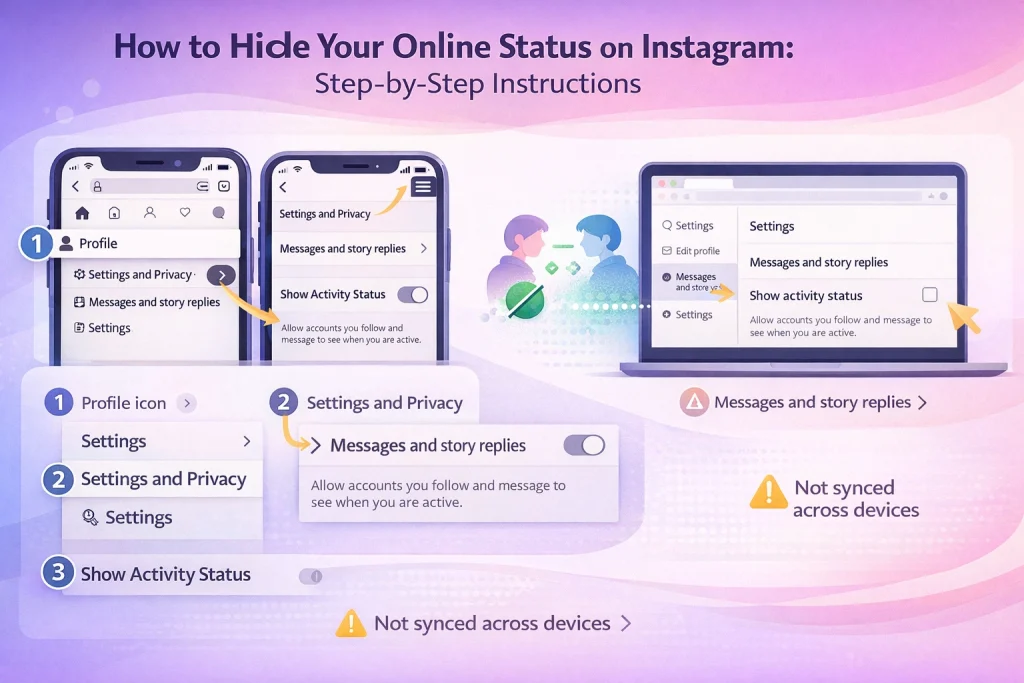
How to Hide Your Online Status on Instagram: Step-by-Step Instructions
To hide your online status on Instagram, go to Settings and Privacy > Messages and story replies > Show activity status, then toggle it off.
This setting stops others from seeing when you’re active or recently online—but it also hides their status from you. It’s a mutual setting and needs to be turned off separately on each device or platform you use.
What Instagram’s Online Status Means — and Why You Might Want to Hide It
Instagram’s online status shows when you’re active or were last active on the app. It appears as “Active now,” “Active X minutes ago,” or similar timestamps in Direct Messages.
By default, this status is visible only to people you follow *and* have messaged. So it’s not public, but it’s also not entirely private. If you’ve ever wondered how someone knew you were “just online,” this is usually why.
Instagram introduced this feature in 2018 to make DMs feel more like real-time chats—closer to how messaging works on Facebook Messenger or WhatsApp (which also share Meta’s infrastructure). The idea was to encourage quicker replies and more engagement between friends, not to broadcast your every move.
How to Hide Your Online Status on Instagram (iOS, Android, Web & Lite)
The steps to hide your online status on Instagram are mostly the same across platforms—but the layout, naming, and menu structure vary slightly depending on the device you’re using.
On iOS:
-
Tap your profile picture (bottom right).
-
Tap the three-line menu (top right).
-
Go to Settings and Privacy → Messages and story replies.
-
Tap Show activity status and toggle it off.
On Android:
-
Open your profile.
-
Tap the menu > Settings and Privacy.
-
You might see either Privacy > Activity status or Messages and story replies > Show activity status—depends on your app version.
-
Turn off the toggle.
On the Web:
-
Click your profile picture (top right).
-
Go to Settings > Messages and story replies.
-
Uncheck Show activity status.
One common misconception: toggling off your activity status on mobile doesn’t automatically disable it on web. Each platform needs to be adjusted manually.
On Instagram Lite:
Instagram Lite does include an activity status toggle, but its location can vary or be unavailable in some regions or versions. If you’re using Lite and don’t see the setting, it may be due to limited feature support—or you’re on an outdated version.
Recent Instagram Privacy Changes (2025–2026): What to Know About Activity Status
Here are the latest changes to Instagram’s privacy controls that affect your online status, visibility, and DMs; For more Instagram account privacy and management resources, you can browse the guides available on InstaDeal.
January 2025: Sleep Mode replaces Quiet Mode
Instagram renamed Quiet Mode to Sleep Mode, giving users better visibility control. When active:
-
Your status becomes “In sleep mode”
-
Your green dot is replaced by a moon icon
-
DMs trigger an automatic “sleeping” reply
You can set it on a schedule to match your downtime.
Read Receipt Controls Introduced (Rolling out late 2025–2026)
Instagram began testing read receipt settings per chat. Some users can now turn off “seen” receipts on individual threads—or globally. It pairs well with activity status if you want more control over what others can see.
Improved time-based status scheduling (2026)
Some users report early access to scheduling activity visibility—e.g., visible during work hours, hidden at night. This is still rolling out and may not be available globally.
Can’t Find the Activity Status Setting on Instagram? How to Fix It
If you’re trying to hide your online status and the option isn’t there, don’t panic. Here are the most common reasons—and how to fix them.
1. You’re looking in the wrong place
Instagram has changed the setting path in recent updates. Try both:
-
Settings and Privacy > Messages and story replies > Show activity status
-
Privacy > Activity Status (older versions)
2. You’re using Instagram Lite or an outdated app
Lite sometimes hides or limits settings. Update to the full app if the option is missing. If you’re using the full app, update it from the App Store or Play Store.
3. You’re in the wrong account
Activity status is per profile. If you’re managing multiple accounts, you’ll need to adjust the setting for each one separately.
4. Still stuck? Try these:
-
Log out and back in
-
In some cases, clearing the Instagram cache can also fix missing or stuck settings after updates.
-
Delete and reinstall the app
Tip: After major Instagram updates, privacy settings—including activity status—may reset. Always double-check your settings after an update.
The History of Instagram’s Online Status (And Why It Affects Your Privacy)
Instagram introduced activity status in 2018 to show when users are online or were last active in Direct Messages. Enabled by default, it made Instagram feel more like a real-time messaging app and raised privacy concerns among users who preferred to browse quietly.
Although visibility is limited to people you follow or message, some still found it intrusive—especially creators and businesses under pressure to respond quickly. Turning off activity status helps, but it doesn’t make you fully invisible, and the setting must be adjusted separately for each account you manage.
Advanced Privacy Tips on Instagram: Go Beyond Hiding Online Status
Turning off your activity status is a strong start—but it’s just one piece of your Instagram privacy toolkit. If you’re serious about staying under the radar, here are a few more settings worth using in combination.
Restrict high-maintenance followers
When you restrict someone:
-
They can’t see your activity status
-
Their comments are hidden from others
-
You don’t get read receipts in DMs
If you’re also concerned about message privacy, it helps to know how unsending messages on Instagram actually works and whether notifications are sent.
Use Sleep Mode (formerly Quiet Mode)
Sleep Mode changes your visible status to “In sleep mode” and auto-replies to DMs. Unlike turning off activity status completely, it shows you’re intentionally unavailable without going fully dark.
Bonus: It replaces the green dot with a moon icon—subtle but effective.
Adjust DM controls
You can limit who can message you, which DMs go to Requests, and mute conversations that don’t need attention.
Review story reply settings
Even with activity status off, replying to a story can give away your presence. Consider limiting who can reply to your stories—or disable replies entirely.
Instagram Activity Status vs Sleep Mode vs Restrict: What’s the Difference?
Each of these privacy tools affects how others see your availability—but they work differently. Here’s how they compare:
| Feature | Hides Online Status | Affects DMs | Visible Indicator | Notes |
|---|---|---|---|---|
| Activity Status (Off) | ✅ | You can still send/receive | No dot, no timestamp | Mutual: you can’t see others either |
| Sleep Mode (Quiet Mode) | ✅ | Auto-reply in DMs | Moon icon + “In sleep mode” | Scheduled or manual |
| Restrict | ✅ (for that user) | Their DMs go to Requests | No read receipts | Only applies to that user |
Want to look offline without giving up all visibility? Combine Sleep Mode with Restrict for selected users.

When and Why to Hide Your Online Status on Instagram
Sometimes hiding your online status isn’t about secrecy—it’s about boundaries. Here are common situations where flipping off that green dot makes a big difference:
Avoiding pressure to reply instantly
If you need space from constant DMs or that one person who texts the moment you open the app, turning off activity status removes that “you’re online, why aren’t you replying?” tension.
Switching off after work
Creators, influencers, or social media managers often use business accounts. Disabling activity status lets you check notifications or monitor posts without looking “available” 24/7.
Quietly browsing
Sometimes you want to scroll or check DMs without alerting others you’re around. Disabling your status gives you breathing room—especially if you’re not ready to engage.
Managing multiple accounts
If you use both personal and business accounts, activity status settings are account-specific. You might want your personal account offline, but your business one “online” during working hours. Also, If you manage multiple profiles or acquired an account recently, understanding best practices for safely purchasing Instagram accounts can help prevent privacy and ownership issues.
Advanced: Can You Hide Online Status from Specific People?
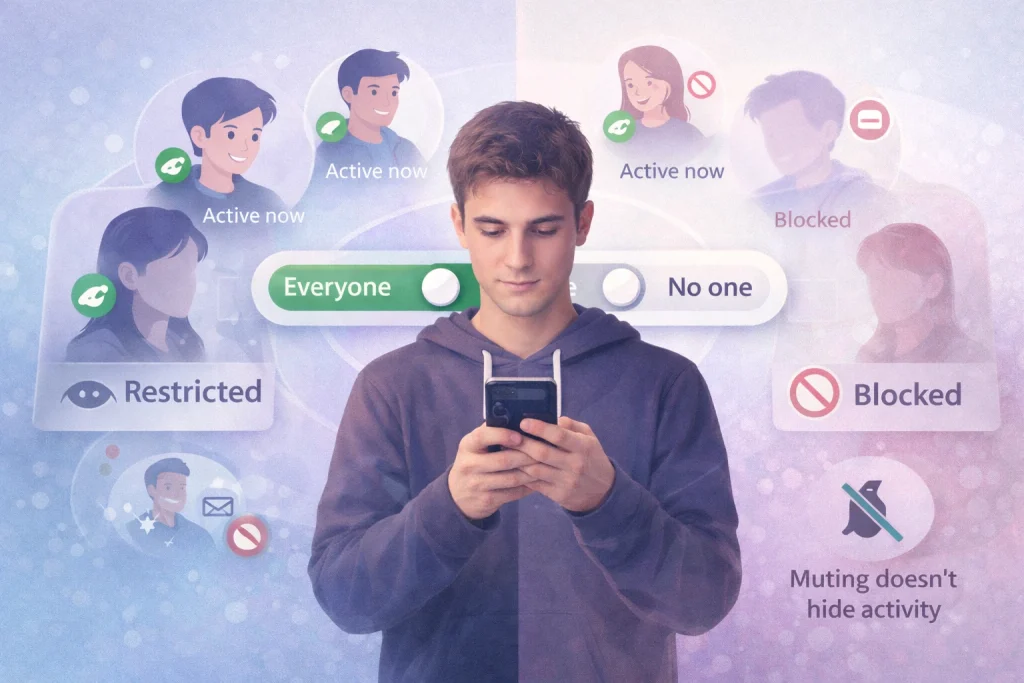
Instagram does not currently let you hide your online status from specific people—it’s an all-or-nothing setting. If you turn off your activity status, it’s hidden from everyone, and you also lose the ability to see when others are active.
This can feel limiting if you’re just trying to avoid one or two people without going completely dark. Unfortunately, there’s no built-in way to make exceptions. Instagram’s Help Center) confirms that the setting applies globally to all users, with no per-user controls.
Best Workaround: Use the “Restrict” Feature
If you’re trying to stay invisible to just one or two people—without disappearing completely—the Restrict feature is your best option.
When you restrict someone:
-
They can’t see when you’re online
-
They won’t know if you’ve read their DMs
-
Their messages go to your Message Requests folder
-
They won’t be notified that they’ve been restricted
It’s a softer, quieter form of privacy control—perfect for high-maintenance contacts or awkward connections.
FAQs: Hiding Your Online Status on Instagram
If I turn off Activity Status, can I still see other people’s status?
No. It’s mutual: when yours is off, you can’t see theirs either.
Why does Instagram show me “Active 5 minutes ago” when I wasn’t online?
This can happen due to background app behavior, session caching, or glitches. If it matters, restart your phone, force-close Instagram, and log out/in.
Why does it show I was active all night while I was asleep?
Often it’s not Instagram “running” — it’s iOS/Screen Time (or background refresh) reporting weirdly. A restart and disabling background activity can help.

Benjamin Amiri
Benjamin Amiri is a digital growth consultant and senior contributor at InstaDeal. He specializes in Instagram engagement strategies, Facebook ads innovation, and TikTok product marketing. With a track record of scaling brands and creator accounts, Benjamin turns performance data into actionable growth tactics that deliver measurable results.


