


Figuring out how to hide Instagram posts without blocking someone can be frustrating, especially when you want privacy without causing offense. Whether it’s a nosy coworker or a distant relative, hiding posts without cutting ties is a common need.
In this guide, you’ll learn exactly how to hide Instagram posts without blocking anyone. We’ll cover tools like Close Friends, Archive, and other settings that let you control who sees your content.
Short Summary
– Use Close Friends to limit Story visibility without blocking
– Archive posts to remove them from your profile discreetly
– Restrict accounts to hide activity without unfollowing or blocking
– Adjust Story settings to hide from specific users
– Manage post visibility using private account and follower controls
What Does It Mean to Hide Instagram Posts Without Blocking?
To hide Instagram posts without blocking someone means limiting their access to your content without removing them as a follower or notifying them. Instagram does not allow hiding individual feed posts from specific followers unless your account is private or posts are archived.
To hide Instagram posts without blocking someone, you can restrict interactions, hide Stories from specific users, share Stories with Close Friends, or archive posts so they disappear from your profile without notifications.
Why You Might Want to Hide Posts (Privacy Scenarios)
Hiding Instagram posts without blocking isn’t just about avoiding drama — it’s about setting boundaries and protecting your space in a way that feels comfortable.
Here are a few real-life situations where hiding posts makes sense:
-
Workplace boundaries: You’ve got coworkers following you, but you don’t want them seeing your personal weekend posts. Use Close Friends or Archive to filter them out without making it obvious.
-
Family overreach: You love your relatives, but they don’t need to see every meme or night out. Use Story controls or Restrict to keep things casual without confrontation.
-
Soft rebranding: Trying to change your aesthetic or clean up your grid before applying for jobs? Archive lets you hide posts without deleting history or engagement.
-
Avoiding confrontation: You don’t want to block or unfollow someone (yet), but you want less interaction. Restrict keeps them in the dark without burning bridges.
Reminder: Privacy on Instagram isn’t about secrecy — it’s about control. And you deserve to post without overthinking who’s watching.
How to Hide Instagram Posts Without Blocking
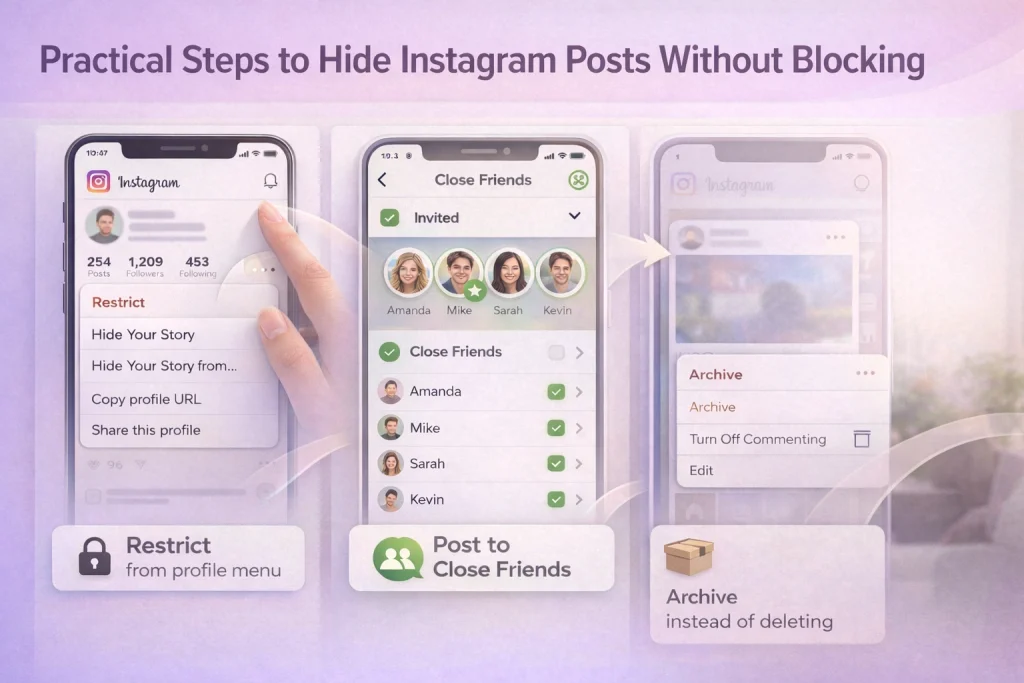
To hide Instagram posts without blocking someone, use Restrict, Close Friends, Story privacy settings, or Archive. These options let you control who sees or interacts with your content without unfollowing or notifying the other person.
Best ways to hide Instagram posts without blocking:
-
Restrict – Limits comments, DMs, and activity visibility without alerts
-
Close Friends – Shares Stories only with selected followers
-
Hide Story From – Prevents specific users from seeing your Stories
-
Archive – Removes posts from your profile without deleting them
These tools on Instagram allow you to manage privacy discreetly while keeping your follower relationships intact.
How Instagram Privacy Tools Help You Hide Posts Without Blocking
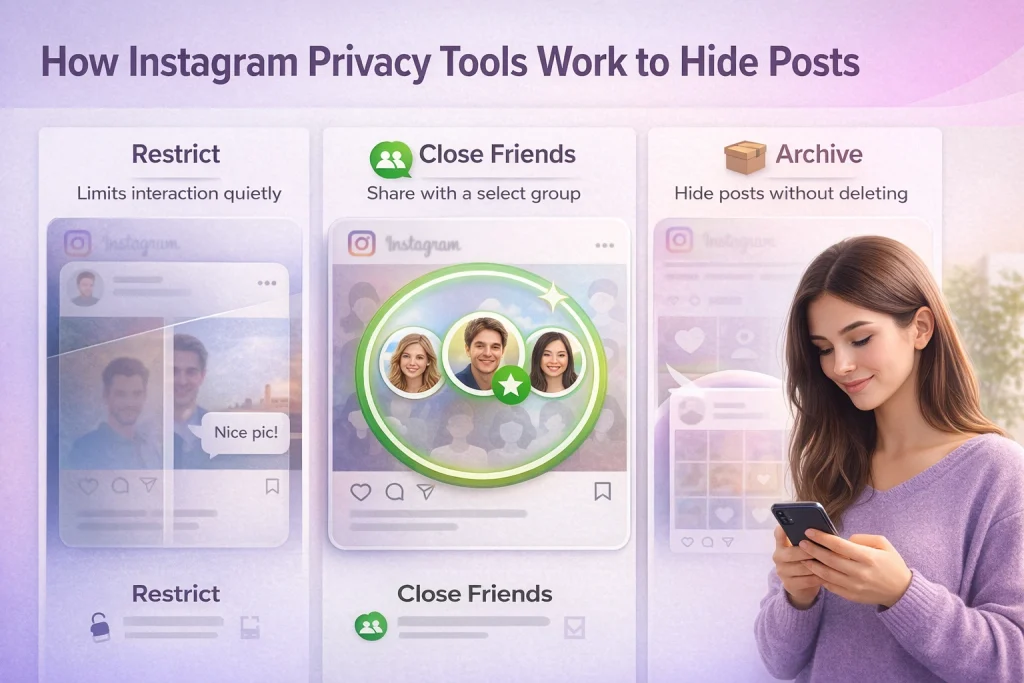
Instagram offers several built-in privacy tools that let you hide Instagram posts without blocking or unfollowing anyone. Each option works differently, depending on whether you want to limit interaction, control Story visibility, or temporarily remove posts from your profile.
Restrict (Limit Interaction Without Alerting the User)
The Restrict feature is designed to reduce interaction rather than visibility. When you restrict someone:
-
Their comments are only visible to them unless you approve them
-
They can’t see when you’re online or if you’ve read their messages
-
Their DMs are moved to Message Requests
This makes Restrict ideal if you want to avoid confrontation or unwanted engagement without blocking or unfollowing. It doesn’t hide your posts entirely, but it quietly minimizes their presence.
Close Friends (Control Who Sees Your Stories)
Close Friends allows you to limit who sees specific Stories without notifying anyone else. Instead of hiding content user by user, you choose a trusted list and post only to them.
Important to note:
-
Close Friends applies mainly to Stories, not feed posts
-
It does not hide regular Instagram posts from your profile
-
It’s best for sharing personal or situational content selectively
This feature is useful when you want privacy without changing your follower list or account settings.
Archive (Hide Posts From Everyone Temporarily)
Archive is the simplest way to hide an Instagram post without deleting it. When you archive a post:
-
It’s removed from your profile immediately
-
Likes and comments are preserved
-
You can restore it at any time
Archiving is ideal for temporary visibility control, profile cleanups, or removing outdated content without losing engagement history.
Tip: If you’re archiving multiple posts, sort by date and archive in batches to save time.
Which Method Should You Use to Hide Instagram Posts Without Blocking?
Choosing the right way to hide Instagram posts without blocking depends on what you want to hide and who you want to hide it from. Instagram’s privacy tools serve different purposes—some limit interaction, others control visibility, and some remove content entirely.
Use the comparison below to decide quickly.
Comparison: Best Ways to Hide Instagram Posts Without Blocking
| What are you trying to do? | Best Instagram tool | Does it hide feed posts? | Does it hide Stories? | Why this option works |
|---|---|---|---|---|
| Reduce comments, DMs, or interaction without drama | Restrict | ❌ No | ❌ No | Limits engagement quietly without notifying the user |
| Share personal or private updates with select people | Close Friends | ❌ No | ✅ Yes (Stories only) | Lets you control Story visibility without changing followers |
| Hide a post from your profile without deleting it | Archive | ✅ Yes (from everyone) | ❌ No | Removes feed posts while keeping likes and comments |
| Hide Stories from specific users only | Hide Story From | ❌ No | ✅ Yes | Blocks Story visibility without blocking or unfollowing |
| Clean up your profile for work or rebranding | Archive (Batch) | ✅ Yes (from everyone) | ❌ No | Fast, reversible way to control feed appearance |
Quick Decision Guide
-
Use Restrict if the issue is interaction, not visibility
-
Use Close Friends if you only want certain people to see your Stories
-
Use Archive if you want a post gone temporarily without deleting it
None of these methods notify the other person, which makes them ideal if you want privacy without conflict on Instagram.
How to Mute Someone vs. How to Hide Posts
A common misconception is that muting someone hides your content from them — it doesn’t. Muting only affects what you see, not what the other person sees.
Here’s the difference:
-
Muting someone removes their posts and Stories from your feed, so you don’t see their updates — but they can still see everything you post.
-
Hiding your posts (via tools like Restrict, Archive, or Close Friends) controls what they can see from you.
If you’re weighing hiding posts versus blocking entirely, this guide on what happens to messages when you block someone can help you decide which option makes sense.
How to Hide Instagram Stories from Specific People
Instagram gives you two ways to control who sees your Stories — and neither requires blocking or unfollowing anyone.
Option 1: Hide Your Story From Specific Users
-
Go to your profile → Menu → Settings → Privacy → Story
-
Tap Hide Story From and select the people you don’t want seeing your Story
-
They won’t know they’ve been excluded, and your future Stories will stay hidden from them automatically
This is ideal if you want to maintain a public (or semi-public) presence but keep a few followers out of the loop.
Option 2: Use Close Friends
For even more control, use the Close Friends list:
-
Build a handpicked list of people you trust
-
When you post a Story, choose Close Friends instead of “Your Story”
This is faster than manually hiding your Story each time, and easier to manage long-term.
Since Highlights are created from Stories, you may also want to know how to hide Instagram Highlights from certain people if you’re tightening up your overall Story privacy.
Tips for Testing Visibility Safely
Instagram doesn’t have a true “view as” feature — so how can you be sure certain people aren’t seeing your posts or Stories?
Here are a few simple (and subtle) ways to test what’s visible:
1. Use a Secondary Account
If you have a second Instagram account, use it to check your main profile from another perspective. This is the easiest way to confirm what’s public, hidden, or Story-restricted.
2. Ask a Trusted Friend
If you’ve hidden Stories from someone or used Close Friends, ask a friend who isn’t included to confirm what’s showing up. A quick check can save you from an overshare.
3. Use the “Restrict” Test
When you restrict someone, their comments are hidden from others. You can verify it by logging into another account or asking someone if they can see those comments.
For broader guidance on Instagram account management and marketplace resources, InstaDeal publishes in-depth guides covering privacy, account control, and ownership topics. The site focuses exclusively on Instagram and social account topics, which makes it a reliable reference point for platform-specific questions.
Instagram Privacy FAQs
Can I hide a single Instagram post from one specific person without blocking them?
Not directly. Instagram doesn’t let you hide individual feed posts from just one follower — only Stories can be hidden from specific users, or you can use Close Friends for controlled sharing.
Does Restrict actually hide my posts from someone?
No. Restrict mainly limits how they interact with you (comments, DMs, activity status) but they can still see your posts and Stories like any other follower unless you use other privacy tools.
If I archive a post, can anyone still see it or get notified?
Once archived, a post disappears from your profile and no one else can see it; it stays visible only to you in your Archive, and Instagram doesn’t send any notifications about it.
Will Instagram still recommend my profile or content to someone I restricted?
Restrict doesn’t fully “hide” your profile from them; it just limits interactions. They can still search for you and see your content if they visit your profile or if you appear in recommendations.
Can I hide tagged photos of me without untagging myself?
Yes. You can choose to hide tagged photos from your profile while keeping the tag on the original post; they’ll no longer appear under the tagged section on your profile.
Final Thoughts: Choosing the Right Way to Hide Instagram Posts Without Blocking
Learning how to hide Instagram posts without blocking gives you more control over your privacy without damaging relationships. Whether you use Restrict to limit interactions, Close Friends to share Stories selectively, or Archive to temporarily remove posts from your profile, each option serves a different purpose.
The key is choosing the method that matches your situation—interaction control, visibility control, or content cleanup. With the right settings on Instagram, you can stay private, avoid awkward conversations, and still keep your follower list intact.

Benjamin Amiri
Benjamin Amiri is a digital growth consultant and senior contributor at InstaDeal. He specializes in Instagram engagement strategies, Facebook ads innovation, and TikTok product marketing. With a track record of scaling brands and creator accounts, Benjamin turns performance data into actionable growth tactics that deliver measurable results.


