


Table of Contents
hide
The fastest way to hide likes on Instagram (4 quick taps)
You can hide Instagram likes in under 30 seconds. And no, it won’t tank your reach — the algorithm still sees engagement even if other people can’t.
Here’s the quick path:
-
Open Instagram → tap your profile picture in the bottom right.
-
Hit the menu icon (☰) at the top right → go to Settings.
-
Scroll down to the section called What you see.
-
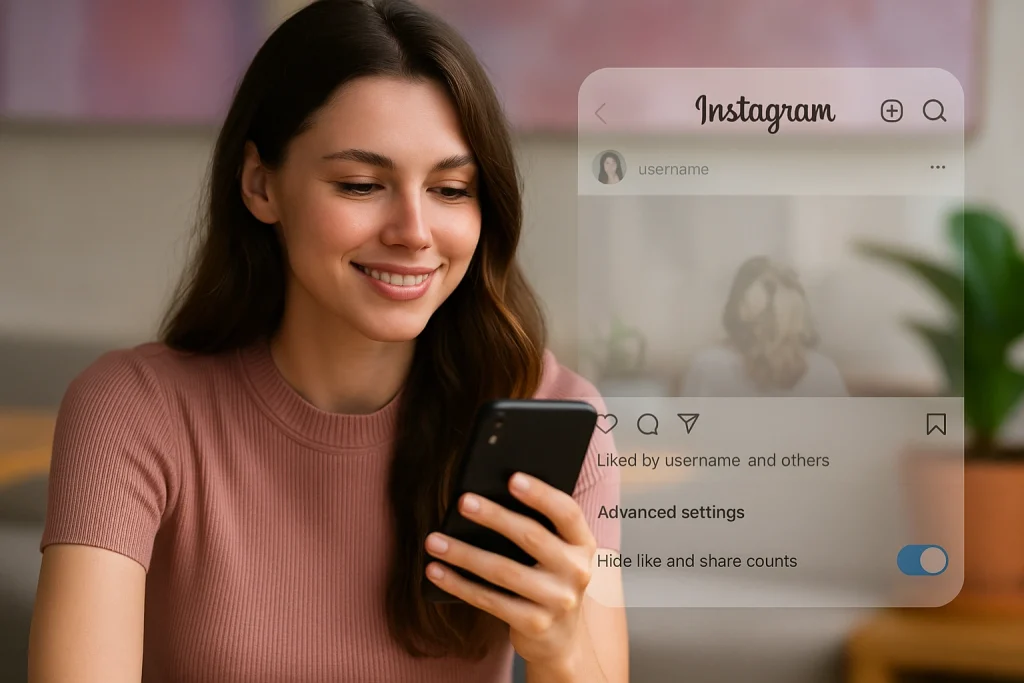
Tap Like and share counts → toggle on Hide like & share counts.

Done. From now on, you won’t see the running total of likes on other people’s posts in your feed. Instead of numbers, you’ll get a softer label like “Liked by [username] and others.” That’s it — no more comparison trap every time you scroll. For more information, check out Instagram Help Center: Hide or unhide like counts.
Now, if you want to hide likes on your own posts or Reels, the steps are slightly different. You’ll either flip a switch before you publish (via Advanced settings) or after posting (via the three-dot menu). We’ll break those down next.
How to hide likes on Instagram posts & Reels before publishing
If you’d rather set things up right at the start, Instagram lets you hide likes before you hit publish. That way, you don’t have to circle back later.
Here’s how it works:
-
Tap the + button at the bottom to create a new post or Reel.
-
Edit your photo or video as usual, then tap Next.
-
On the final screen, scroll down and tap Advanced settings.
-
Under Like and view counts (or Likes and plays for Reels), flip the switch for “Hide like count on this post.”

Once you toggle it, share your post as normal. Everyone will see your content, but the like number won’t show under it. Instead, Instagram replaces the count with a generic “Liked by [username] and others.”
This option is especially handy if you want to keep your content free of the “numbers game” pressure right from the start. Many creators use it for posts where they’d rather highlight the message than the metrics.
How to hide likes on Instagram posts & Reels after publishing
Forgot to toggle likes off before posting? No problem. Instagram lets you hide the like count on any post or Reel that’s already live. It takes maybe five seconds.
Here’s how:
-
Go to your profile and open the post or Reel.
-
Tap the three-dot menu in the top right.
-
Select Hide like count.
That’s it. Your followers will no longer see the total likes on that post, just the softer “Liked by [username] and others.” If you change your mind later, repeat the process and tap Unhide like count — the numbers come back instantly.
A couple of things worth noting:
-
Bulk hiding isn’t possible. You’ll need to do this one post at a time.
-
Your data isn’t lost. Likes still show up for you in Insights or by tapping into the list of people who liked the post.
This after-the-fact option is useful if you publish something that starts to attract unwanted comparison, or if you just decide later you’d prefer the focus to stay on the content itself. Think of it as a quick “reset button” for your audience’s perspective.
How to hide likes on other people’s Instagram posts (stop the comparison loop)
Sometimes the stress isn’t about your own posts at all. It’s about scrolling through your feed and seeing everyone else’s numbers. That constant “who’s getting more likes than me?” loop. Instagram gives you a way out.
Here’s the path:
-
Open Instagram → tap your profile picture in the bottom right.
-
Hit the menu (☰) in the top right → select Settings.
-
Scroll to the What you see section.
-
Tap Like and share counts → toggle on Hide like & share counts.
From that point on, like totals disappear across the app — at least for you. Instead of seeing “1,242 likes,” you’ll just get the lighter version: “Liked by [username] and others.” Everyone else’s experience stays the same; this setting only changes your feed.
Why use it? Simple: it removes the temptation to measure yourself against others. For some people, that small shift can make Instagram feel less like a scoreboard and more like, well, a space for connection. Even the American Psychological Association has flagged how social media’s metrics can affect mental well-being — so toggling this off is basically a self-care move.
Moreover, If you’re trying to make Instagram less distracting overall, you can also remove suggested Reels on Instagram to clean up your feed further.
How to see your like counts after hiding likes on Instagram
Hiding likes doesn’t mean you lose them. It only hides the public count from other people (or from you when you toggle off others’ likes). Behind the scenes, Instagram still records every single tap. And you’ve got two simple ways to check your own numbers:
Method 1: Use Insights
-
Open your post or Reel.
-
Tap the three-dot menu in the top right.
-
Select Insights.
That will pull up the full performance panel — likes, comments, saves, reach, and so on. If you’re running a Creator or Business account, Insights are even richer, breaking down demographics and actions.
Method 2: Tap through the “others” list
Even with hidden counts, you’ll still see a line under your post that says “Liked by [username] and others.” Tap the profile photo or that phrase, and you’ll open the full list of people who liked the post. At the top of that panel, Instagram shows the total number of likes — visible only to you.
Pro tip: if you’re serious about growing, keep an eye on comments, shares, and saves in Insights. Those are stronger signals of engagement than likes anyway.
Does hiding likes on Instagram affect reach or the algorithm?
No. Hiding likes doesn’t hurt your reach, and it doesn’t confuse Instagram’s algorithm. The algorithm doesn’t rely on visible numbers. It looks at the raw engagement behind the scenes — likes, comments, saves, shares, watch time, even profile taps. Whether the like count shows on your post or not, the system still tracks it. So your content can still reach to Explore and bring engagement. Visible likes can act as a subtle trust signal as “Social Proof”. When a post racks up thousands of likes, it often pushes people to pause, click, and maybe engage themselves. If you hide that number, you remove that nudge. For some creators and brands, that matters — especially when they’re courting new followers or pitching to potential partners. Back in 2019, Instagram tested hiding likes platform-wide in a few countries. Some influencers reported a dip in engagement, but researchers couldn’t pin down a direct cause. Was it the missing social proof? Was it the test period itself? Hard to say. What we do know: the algorithm still worked as normal. So the real risk is mainly psychological rather than technical. Your followers may engage differently when they can’t see how “popular” a post is. If you’re more concerned about what shows up in your feed, you might actually want to reset your Instagram algorithm instead of just hiding likes.When to hide likes on Instagram (and when you shouldn’t)
Hiding likes is about intent. The feature is there so you can shape your own Instagram experience — not follow a one-size-fits-all rule. Here are a few times it makes sense to hide them:- To cut down on comparison: If scrolling gives you anxiety because everyone else’s numbers feel higher, hiding numbers can help. Source: APA’s Social Media Health Advisory for Adolescents.
- To focus on content, not engagement: Creators often use it when posting personal updates.
- For sensitive posts: Announcements, apologies, or community updates are some examples.
- When prioritizing mental health: Likes are a dopamine loop. Turning them off can put you in control.
- Launching a product or campaign. Visible likes can signal traction and build hype.
- Influencer partnerships. Brands still value social proof. If they can’t see it at a glance, they may ask for screenshots or pass on collabs.
- Audience transparency. Some followers view hidden metrics as evasive — especially if the topic is controversial.
How to test hiding likes on Instagram: a 2-week experiment
You won’t know if hiding likes helps or hurts your account until you actually try it. Everyone’s audience reacts differently. The only way to know? A quick test drive.
Here’s a dead-simple way to run it:
Week 1
-
Post as usual, but leave likes visible.
-
Pick 2–3 posts (mix of Reels and feed if you can).
-
Write down the numbers that actually matter: comments, saves, reach, profile visits. Not just likes.
Week 2
-
Post a similar mix — but this time, hide likes before publishing.
-
Track the same metrics.
At the end, compare. Did your comments dip? Did saves go up? Did reach hold steady? Sometimes engagement even shifts from passive (just liking) to active (commenting, sharing). That’s not a bad trade-off.
And if the results are mixed? Great. You’ve learned when likes matter for you and when they don’t. Plenty of creators toggle the setting on and off depending on the vibe of a post.
Troubleshooting: why can’t I hide likes on Instagram?
So, you’ve read all the steps and… the option just isn’t there. Don’t panic — it’s usually something small. Here are the common culprits:
-
Your app’s outdated. Instagram moves things around a lot. If you don’t see “Hide like & share counts” or “Advanced settings”, head to the App Store/Google Play and update. Nine times out of ten, that fixes it.
-
You’re looking in the wrong spot. Instagram recently tucked the global option under Settings and activity → What you see → Like and share counts. Easy to miss if you’re used to older guides.
-
Per-post vs. global confusion. The universal toggle only hides other people’s like counts from your feed. To hide likes on your own posts, you’ll always need to do it individually (before or after posting).
-
Region rollouts. Very rarely, a feature may hit some countries later than others. If you’re updated and still don’t see it, check Instagram’s Help Center
FAQs about hiding likes on Instagram (desktop, Reels, engagement)

Alex Morris
Alex Morris is a social media strategist and lead writer at InstaDeal. He specializes in Instagram, TikTok, and creator monetization trends, helping influencers and brands grow smarter online. With over 10 years of digital marketing experience, he simplifies complex topics into practical insights.


