



Does Instagram suggest users who search for you? It’s a question many people ask after noticing unfamiliar profiles suddenly appear in their suggestions—especially after searching for someone themselves. This often leads to concerns about whether Instagram can see who you look up and if those searches influence who sees you in return.
In this article, we explain the truth behind Instagram’s suggestion system. You’ll learn whether search activity affects recommendations, what actually triggers “Suggested for You” profiles, and how Instagram’s algorithm handles privacy. By the end, you’ll know exactly what Instagram does—and doesn’t—track when it comes to searching for other users.
Quick Answer: Does Instagram suggest users who search for you?
No, Instagram does not suggest users based on who searches for them.
Instagram does not notify users when someone searches their name, nor does it directly use individual search actions to suggest accounts to other people. If you search for someone on Instagram, that action stays private and does not automatically cause your profile to appear in their “Suggested for you” list.
What often creates confusion is timing. When someone searches for a profile, they may also share mutual connections, follow similar accounts, or engage with overlapping content. Those signals can influence Instagram’s recommendation system independently of the search itself, making it feel like the search caused the suggestion when it did not.
The key takeaway is simple: searching for someone does not expose you, notify them, or directly trigger Instagram to suggest you to that person.
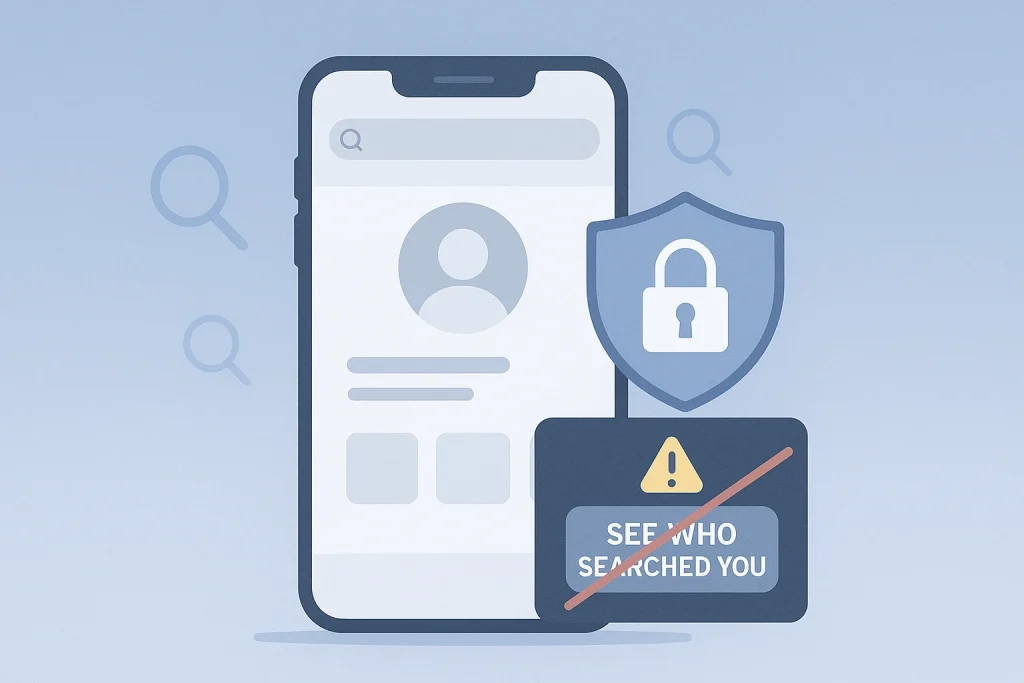
Does Instagram suggest you to someone who searches your name? (What’s true vs what it feels like)
The idea that Instagram suggests your profile to someone simply because they searched your name is a common misconception—but it’s not how the system works.
The short reality
Instagram does not directly suggest your account to someone just because they searched for you. Your search activity stays private, and Instagram does not share it with the person you searched or use it as a primary trigger in their suggestion feed. There is no feature that links a search to an automatic “Suggested for you” placement.
Why it can feel like search triggers suggestions
Instagram’s algorithm evaluates a wide range of engagement and connection signals. This includes mutual followers, accounts you both interact with, shared interests, and other subtle behavioral overlaps. These factors may cause two people to appear in each other’s suggestions around the same time—even if no one searched for the other.
For example, if you search for someone and also follow people in their network, like similar posts, or recently engaged with related content, Instagram may prioritize that person as a relevant recommendation. But it’s not the search action alone doing this—it’s the broader context of how your profiles intersect in the ecosystem.
Instagram’s goal is to connect people with accounts they are likely to engage with, not to expose search behaviors. While search might correlate with a suggestion in some cases, it’s almost always coincidental—not causal.

Can you see who searched for you on Instagram?
No, Instagram does not allow users to see who searched for them. This applies to personal, business, and creator accounts alike. This aligns with the broader question of whether Instagram shows profile viewers, which the platform also keeps private.
This limitation is intentional and aligned with Instagram’s broader privacy policies. While the app offers features like Story Views, which let you see who watched your content, it does not extend this visibility to searches or profile visits.
Third-party apps and privacy risks
Many apps and services claim to show you who has searched for you or viewed your profile. These tools are unreliable at best—and dangerous at worst. Instagram does not share search data with external platforms, so any app offering this type of insight is likely using misleading tactics or requesting inappropriate permissions.
Granting third-party apps access to your Instagram account puts your data, privacy, and even account ownership at risk. In some cases, these apps have been linked to phishing schemes, credential theft, or permanent account bans. For security, it’s best to avoid any tool that promises to reveal private Instagram behavior.
If your concern is managing visibility, your time is better spent adjusting your account’s privacy settings than chasing unverifiable tracking apps.

What Instagram (officially) uses to power “Suggested Accounts”
Instagram’s “Suggested for You” recommendations are powered by a machine learning system that prioritizes relevance and engagement—not individual search behavior. According to official statements from Meta, Instagram uses a variety of signals to decide which accounts to suggest, and these signals are constantly evolving.
While the exact formula isn’t public, Instagram has disclosed that suggestions are influenced by:
-
Accounts you follow and those followed by people you follow
-
Posts you’ve liked, saved, or commented on
-
Shared interests based on your in-app behavior
-
Mutual friends or connections
-
Your activity across Meta platforms (e.g., Facebook, if accounts are linked)
In other words, Instagram’s goal is to show you accounts you’re likely to interact with—not simply accounts you’ve searched for.
The platform also makes clear that these suggestions are algorithmic and dynamic, meaning they adapt as your behavior changes. A new follow, a set of likes on similar content, or even browsing a certain niche can shift your suggestions quickly.
Search history, if it plays a role at all, is just one of many minor inputs, and it does not lead to your account being recommended to the person who searched for you. The algorithm favors patterns of behavior over isolated actions.
Understanding these signals helps clarify why suggestions may appear “uncanny” at times—but they’re rooted in shared engagement, not in any kind of search surveillance.
What actually triggers “Suggested for You” profiles
Instagram’s “Suggested for You” section isn’t random—it’s designed to surface accounts you’re likely to follow based on behavioral and network signals. While search activity might loosely shape your own experience, it does not directly trigger someone else to appear in your suggestions, or yours in theirs. The system relies on broader, repeated patterns of interaction.
One of the most influential factors behind suggestions is mutual followers. If you and another user follow many of the same accounts, or are both followed by a common group, Instagram considers that overlap a strong indicator of relevance. This applies whether or not either of you has searched for the other.
Engagement signals: likes, comments, DMs, follows
Interactions—especially frequent or reciprocal ones—can increase the chance of being suggested. Liking someone’s posts, replying to their stories, exchanging DMs, or following similar content creators all serve as engagement signals that strengthen the perceived link between two accounts.
Contact syncing and the Meta ecosystem
If you’ve synced your contacts or linked Instagram with Facebook, the platform may use that information to suggest people you know—or suggest you to them. This connection can extend across Meta services, influencing visibility even if no direct interaction has occurred on Instagram.
Search history shapes your feed, not others’
Your own search and profile viewing habits help refine what Instagram shows you—but they don’t notify the person you searched for or automatically push you into their suggestion list. Actions such as clearing Instagram’s cache and data can refresh your app experience, though they don’t change how others see or find you.
Ultimately, suggestions emerge from behavioral patterns across multiple dimensions, not from isolated actions. This is why suggestions may feel oddly accurate—they often are, but not for the reasons people assume.
Suggested Accounts vs Search Suggestions vs Explore — What’s the Difference?
Instagram offers several discovery surfaces, each powered by a different system. While they may feel similar, “Suggested Accounts,” “Search Suggestions,” and “Explore” are separate features, each using distinct types of data and signals. Understanding the differences can help you interpret what you’re seeing—and what it means for your visibility.
Suggested Accounts
This feature typically appears when you follow someone, view a profile, or navigate to the “Suggested for You” section. It’s driven by Instagram’s algorithm, which looks at mutual connections, shared interests, and engagement history. Suggested Accounts are tailored to help you build your network with profiles Instagram believes are relevant to your activity.
These suggestions may also appear in your feed, DMs, or profile screens, and they can include people from your contacts if syncing is enabled.
Search Suggestions
These are the predictive results that appear as you type in the search bar. They are shaped by:
-
Your own past searches
-
Popular accounts or hashtags
-
Accounts you’ve interacted with
-
Trending content in your region or niche
Search suggestions are personalized to your behavior and interests, but they’re not visible to others. Typing someone’s name in search won’t cause your profile to show up in their suggestions.
Explore Page
Explore is a content-discovery tab filled with posts, Reels, and stories that Instagram’s recommendation system believes you might find interesting. It’s less about accounts you know and more about surfacing new content based on your engagement patterns.
While Explore and Suggested Accounts both use machine learning, Explore is more focused on themes, media engagement, and real-time trends, not relationship mapping.
How to reduce being suggested to others (settings that actually work)
If you want to minimize how often your account is suggested to others on Instagram, there are several practical settings you can adjust. Settings like hiding your online status can further reduce passive signals that contribute to how Instagram connects accounts.
Set your account to private
Switching to a private account limits your content to approved followers and removes your profile from most public-facing suggestion lists. To do this:
-
Go to your profile
-
Tap the menu icon (≡) > Settings and privacy
-
Tap Account privacy
-
Toggle on Private account
Private accounts are still visible to people you’ve previously interacted with, but you won’t appear in suggestion slots like “Discover People” or “Suggested for You” to strangers.
Disconnect contact syncing
Instagram may suggest you to people who’ve saved your number or email in their phone, especially if you’ve allowed contact syncing. To disable this:
-
Go to Settings and privacy
-
Tap Accounts Center > Your information and permissions
-
Select Upload contacts
-
Turn off syncing for Instagram and Facebook
This will prevent Instagram from using your device’s contacts to suggest your account to others—or theirs to you.
Turn off account suggestions on your profile
Instagram allows your account to be suggested to others on follow screens by default. You can opt out via the desktop site:
-
Visit Instagram.com in a browser
-
Go to your profile > Edit Profile
-
Uncheck the box next to “Include your account when recommending similar accounts people might want to follow”
-
Save changes
This setting isn’t currently accessible via the mobile app.
Reset suggested content
If you’ve been interacting with content that could increase visibility within a certain niche, you can reset your suggested posts and clean up your activity history:
-
Go to Settings and privacy
-
Tap Suggested content
-
Choose Reset all or manage topics you no longer want to see or be associated with
Learning more about reducing suggested content on Instagram can help limit how strongly your activity influences recommendations.
Clear your search history (optional)
While not a major factor, clearing your search history helps minimize associations with profiles or topics you no longer want influencing your experience:
-
Go to your profile > Menu
-
Tap Your activity > Recent searches
-
Tap Clear all
Myths vs Facts (Fast Debunk Section)
There’s a lot of confusion around how Instagram suggestions work—especially when it comes to privacy and search activity. Below are common myths and the facts that clarify what’s really going on.
Myth: If someone shows up in “Suggested for you,” they’ve searched for you
Fact: Instagram does not track or expose search activity. Suggestions are based on mutual connections, engagement, and shared interests—not individual searches.
Myth: You can find out who searched for your profile using third-party apps
Fact: No app can access Instagram’s private data on searches. Tools that claim to do so are either scams or violate Instagram’s terms and may jeopardize your account.
Myth: Private accounts are never suggested
Fact: While private accounts are harder to discover, they can still be suggested based on mutual followers or past interactions. Privacy settings reduce visibility but don’t eliminate it entirely.
Myth: Instagram suggestions are random
Fact: They’re algorithmically generated using data points like your follows, likes, contacts, and linked accounts. What seems random is often the result of hidden shared signals.
Conclusion: Does Instagram Suggest Users Who Search for You
Instagram does not suggest users based on who searches for them, and it does not reveal search activity to other users. Searches remain private and are not a direct factor in account recommendations.
What influences suggestions instead are mutual followers, shared interests, engagement patterns, and connected accounts across Meta’s platforms. These overlapping signals can make suggestions feel personal, even when no search triggered them.
If privacy matters to you, adjusting your account settings—such as disabling contact syncing or limiting discoverability—offers far more control than worrying about searches.
Account ownership, control, and visibility considerations
Questions around Instagram suggestions and privacy often become more relevant when account ownership or access changes hands. For users involved in buying or selling Instagram accounts, understanding how visibility, interactions, and connected data affect recommendations is part of maintaining control after a transfer. Platforms like InstaDeal operate in this space by focusing on the operational side of account ownership, where privacy settings, linked information, and activity history can influence how an account appears to others. In these cases, awareness of Instagram’s recommendation mechanics helps ensure expectations around discoverability and control are properly managed.
FAQ:
Is there a way to hide from Instagram suggestions altogether?
There’s no way to completely hide from suggestions, but adjusting privacy settings, disabling contact syncing, and turning off “account suggestions” significantly reduces how often your account appears in others’ recommendations.
Clearing your recent search history removes those query items from your search tab, but it does not guarantee that those profiles won’t appear in suggestions; the recommendation system uses broader patterns.

Benjamin Amiri
Benjamin Amiri is a digital growth consultant and senior contributor at InstaDeal. He specializes in Instagram engagement strategies, Facebook ads innovation, and TikTok product marketing. With a track record of scaling brands and creator accounts, Benjamin turns performance data into actionable growth tactics that deliver measurable results.


