Before we get deep into the nuances, let’s get one thing straight: people worry about this feature because nobody wants an unsent message to create more drama than the original DM. So let’s clear up the biggest question right away.
Does Instagram Notify When You Unsend a Message? (Quick 2025 Answer)
No — in 2025, Instagram does not notify the other person when you unsend a message.
There’s no push alert, no “@username unsent a message” banner, and nothing new appears inside the chat just because you tapped Unsend.
What actually happens is much quieter. When you unsend a message, Instagram removes it from the conversation on both sides. It disappears from your chat, from theirs, and—under normal circumstances—from their notification center as well. If they hadn’t opened the DM yet, they’ll usually just see one fewer message than their notification suggested. No explanation, no label, nothing.
So why do people still think Instagram tells on you? A few years back, Instagram tested (or briefly showed) versions where users saw phrases like “X unsent a message.” You’ll still see old screenshots and outdated articles referencing it. Plus, Reddit threads occasionally mention “unsent” labels inside chats — but those cases almost always trace back to older app builds, regional tests, or simple memory distortion.
In the current 2025 experience, the only ways someone can tell you unsent a message are indirect:
-
They saw the notification preview before you unsent it.
-
They were already in the chat and watched the bubble disappear.
-
They took a screenshot or use device-level notification logs that caught it earlier.
So yes, unsending is discreet — miles better than it used to be — but it’s not a time machine. Anything someone already saw or saved is still out there.
What Actually Happens When You Unsend a Message on Instagram?
When you hit Unsend, Instagram doesn’t half-do it: the message disappears from the chat for everyone included in that conversation. It’s removed from your thread, from their thread, and—on current versions—from their notification bar as well in most normal cases.
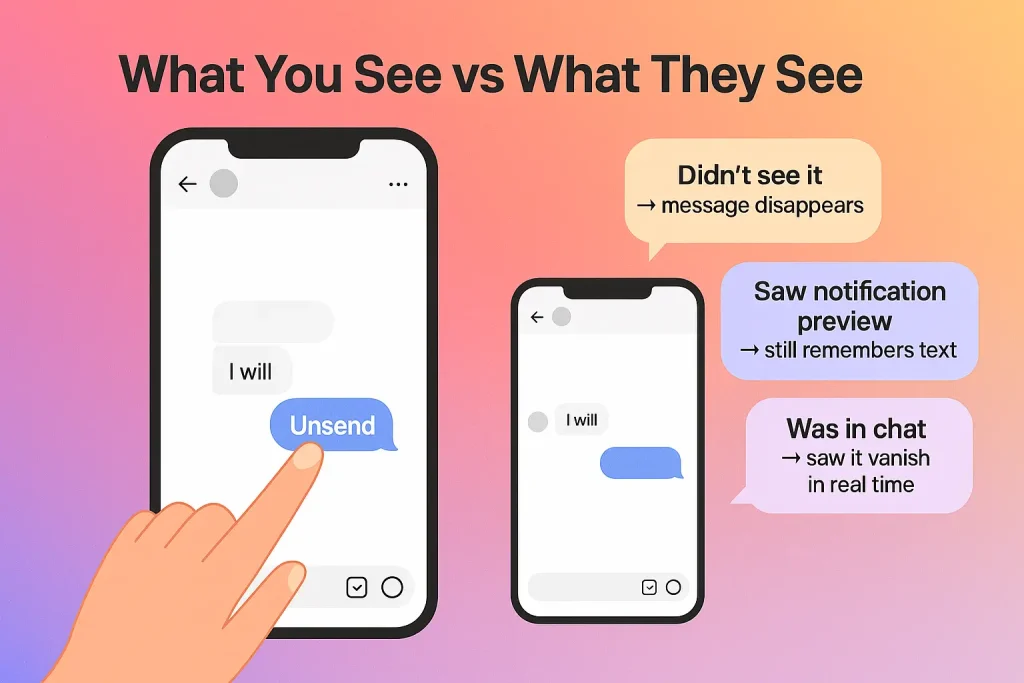
What you see vs what they see
On your side, the flow is simple:
-
You tap and hold your message.
-
Tap Unsend.
-
The message vanishes from the chat immediately.
On their side, one of three things happens:
-
They hadn’t opened the DM yet: the message is pulled from their inbox and their push notification list in most cases, so if they didn’t glance at it in time, they’ll just never see it.
-
They saw the notification preview but didn’t open the chat: the chat will look clean, but the text they glimpsed is still in their head. That part you can’t delete.
-
They were already inside the conversation: they’ll literally watch your message disappear from the thread, like it blinked out of existence.
From a user-facing perspective, unsending is final. You can’t retrieve that DM. It doesn’t show up in your Instagram Data Download file either, which is a decent clue that unsent messages are excluded from the exportable chat history.
In the past, Instagram was caught retaining deleted photos and DMs on its servers longer than it should have, which triggered GDPR criticism and a bug bounty payout. Meta now states it doesn’t keep data “for law enforcement purposes” unless there’s a valid preservation request. That means: for everyday users, the unsent message effectively drops out of the visible system—but you should still treat anything sensitive as if a copy could exist somewhere for a while (backups, abuse reports, legal holds).
When Can Someone Still Tell You Unsent a Message on Instagram?
People can’t see a “unsent” alert, but they can often tell something vanished. Instagram doesn’t send a direct notification in 2025… yet real humans still notice in certain situations. Let’s consider the following scenarios:
Scenario 1 – They saw the notification preview
If your message triggered a push notification, there’s a good chance a snippet of your DM showed up on their lock screen or notification shade. If they glanced at it—even for a second—unsending later won’t erase their memory.
What usually happens:
-
You send the DM.
-
They get a notification with a short preview.
-
You panic, hit Unsend.
-
The message disappears from the chat and, in most cases, from their notification list going forward.
Some Android users even use notification history or third-party notification log apps, which can capture that preview text before you unsend it. So while Instagram cleans the chat, the notification system may have already done its job.
Scenario 2 – They were literally in the chat
If they had the conversation open when you unsent, it’s obvious. The message shows up… then it doesn’t. No system label, no graceful explanation. It just blinks out.
This is especially noticeable when:
Scenario 3 – Screenshots, logging tools, and “receipts”
Then there’s the stuff Instagram can’t control at all:
-
They screenshotted the chat earlier.
-
They’re using a device-level tool that backs up notifications.
-
They copied or forwarded the content somewhere else before you unsent it.
In all of those situations, unsending only cleans Instagram’s view of the conversation, not the copies that already exist.
How to Unsend a Message on Instagram (iPhone, Android, Desktop)
Unsending a message on Instagram is almost the same on every device. The exact icons may move around with updates, but the core flow hasn’t changed in 2025.
Here’s the simple version:
Tap and hold the message → choose “Unsend” → confirm.
That’s it. The message disappears for everyone in that chat.
A few quick notes while you’re doing this:
-
You can unsend text, photos, videos, voice notes, and shared posts in regular chats and group chats.
-
There’s currently no official time limit for unsending, but older messages can sometimes behave a bit slower to disappear, especially on weak connections.
-
If you don’t see the Unsend option, you’re either on a very outdated app version or looking at a message you didn’t send (you can only unsend your own messages).
What About Group Chats, Photos, Reels and Voice Notes?
Yes, you can unsend almost everything in almost every chat – including groups – and it disappears for everyone. Text, photos, videos, Reels shares, voice notes, GIFs, stickers, all follow the same basic rule: if you sent it, you can pull it back with Unsend.
For photos and videos, including posts and Reels you shared inside DMs, unsending removes the message container from both sides. The media itself stops showing in that chat, and they can’t tap back into it from that message anymore. Same story with stickers, GIFs and links – the bubble vanishes from the conversation, so there’s no direct way to access it through that DM after the fact.
Voice notes behave the same under the hood: once you unsend, the audio message disappears from the chat history. Practically though, they’re often more memorable, because people tend to listen actively and remember tone and emotion. If someone was in the chat and already tapped play, you can’t “un-hear” what they heard, even if the bubble is now gone.
Is Unsending a Message on Instagram Really Private? (What Most Users Miss)
Unsending is private on the surface, but not absolute. It hides the message inside Instagram chats, which is what most users care about—but it doesn’t guarantee that no trace exists anywhere else.
Screenshots, copies, and “offline” receipts
The biggest blind spot? Anything the other person did before you unsent.
Once your message is delivered, they can:
When you later tap Unsend, Instagram cleans what it controls: the message bubble and its link to content in that thread. It can’t roll back what happened outside the app or on their device. So while the chat looks like it never contained that message, the proof may still live in their gallery, notes app, or notification logs.
If disappearing content in general confuses you, you might also want to check why Instagram sometimes shows that a story is unavailable.
Reports, safety tools, and server-side reality
Instagram lets users report messages, and Meta has to be able to review those reports. If someone reports your DM for abuse or harassment, that content—and related data—can be preserved even if you later unsend it. In other words, the message can be removed from both inboxes but still exist in Meta’s systems for a while for moderation, security, or legal reasons.
On top of that, large platforms routinely keep short-term backups and logs. They’re not supposed to be rifling through your unsent DMs for fun, but if law enforcement comes with a valid request, some data may still be accessible for a period of time. You won’t see any of that in your account—your chat still looks clean—but that doesn’t mean the message never touched a server.
Parents & Creators: What to Know About Unsent Instagram Messages
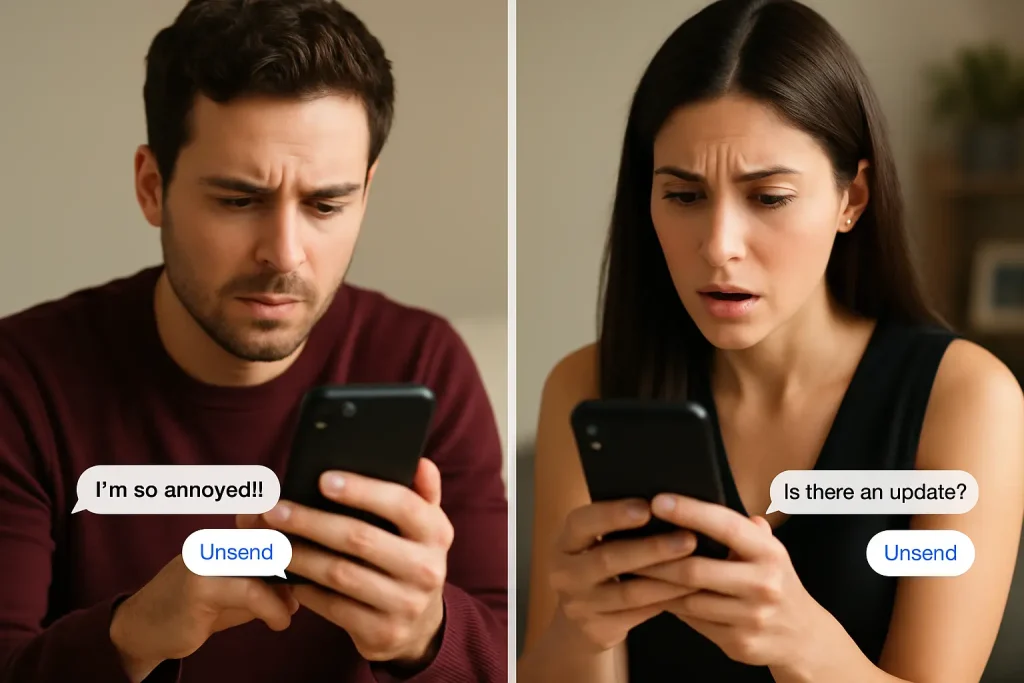
Unsent messages can disappear from the chat, but the impact of those messages doesn’t always vanish with them. That matters a lot more if you’re a parent or you run a creator/brand account.
For parents and guardians
If you’re worried about bullying, grooming, or harassment, unsend is a double-edged sword. Kids can receive something awful, and the sender can then unsend it so there’s no obvious trace in the conversation later. That doesn’t mean it “didn’t happen”; it just means it’s harder for you to see.
A few practical habits to teach:
-
Screenshots are evidence. If your child sees something threatening or creepy in DMs, they should screenshot first, then consider blocking or reporting.
-
Use Instagram’s safety tools. Features like limits, hidden words, “who can message you,” and blocking matter more than unsend. They reduce exposure instead of trying to clean it up after.
-
Talk about “disappearing” messages honestly. Let them know that unsent or disappearing messages can still be saved by screenshots, and that they should tell you about repeated patterns, not just single messages.
You don’t need to spy on every DM, but you do need your kid to understand that “it was unsent” doesn’t mean “you’re overreacting.”
For creators and brands
For creators, unsend is less about privacy and more about reputation and workflow.
A few angles to keep in mind:
-
Angry DMs can be unsent after someone cools down, but you may still have seen them – take a screenshot if it crosses a line or feels like a pattern.
-
If you unsend a DM from a brand or professional account, assume the other person might have a screenshot. Don’t send anything you wouldn’t want forwarded.
-
Keep using filters, hidden words, and message requests as your main defense. Unsending is cleanup, not moderation.
In both roles, think of unsent messages as “less visible,” not “never existed.” That small mindset shift changes how seriously you treat what happens in DMs.
FAQ: Common Questions About Unsending Messages on Instagram
Let’s hit the questions people keep arguing about on Reddit, forums, and Q&A sites; collected by InstaDeal:
Can you recover an unsent Instagram message?
No. From a user perspective, unsending is permanent. Instagram’s own help docs say deleted messages can’t be restored, and third-party guides agree that vanish-mode and unsent DMs aren’t recoverable once removed.
Do unsent messages show up in my Instagram data download?
Generally, no. When you request your data, the messages file contains active chat history, not messages you’ve already unsent
Is there any app that lets you see someone else’s unsent messages?
Not reliably, and not through Instagram’s API. Apps that claim “see anyone’s unsent DMs” are either misleading or risky. The only real methods that work are local: notification-logging apps, jailbreak tweaks like Rhino, or mods that save messages on your device before they’re unsent. Those have to be installed in advance and often violate Instagram’s terms or your own security.
Is there a time limit to unsend a message on Instagram?
As of 2025, there’s no fixed time limit. You can unsend messages minutes, days, or even months later, as long as the chat and your account still exist.
Can you still unsend messages if you’ve blocked them (or they blocked you)?
Usually yes. Current documentation and testing show that blocking doesn’t disable the unsend option; you can still open the chat and pull your own messages, and they’ll disappear from that conversation on their side too. If you’re also wondering what happens to old chats once you block someone, here’s a breakdown of what happens to your messages when you block someone on Instagram.
Alex Morris
Alex Morris is a social media strategist and lead writer at InstaDeal. He specializes in Instagram, TikTok, and creator monetization trends, helping influencers and brands grow smarter online. With over 10 years of digital marketing experience, he simplifies complex topics into practical insights.