


Wondering can people see when you look at their Instagram? You’re not the only one. Whether you’re checking an ex’s profile, researching a creator, or just curiosity-scrolling, it’s normal to worry Instagram might “snitch” and expose you.
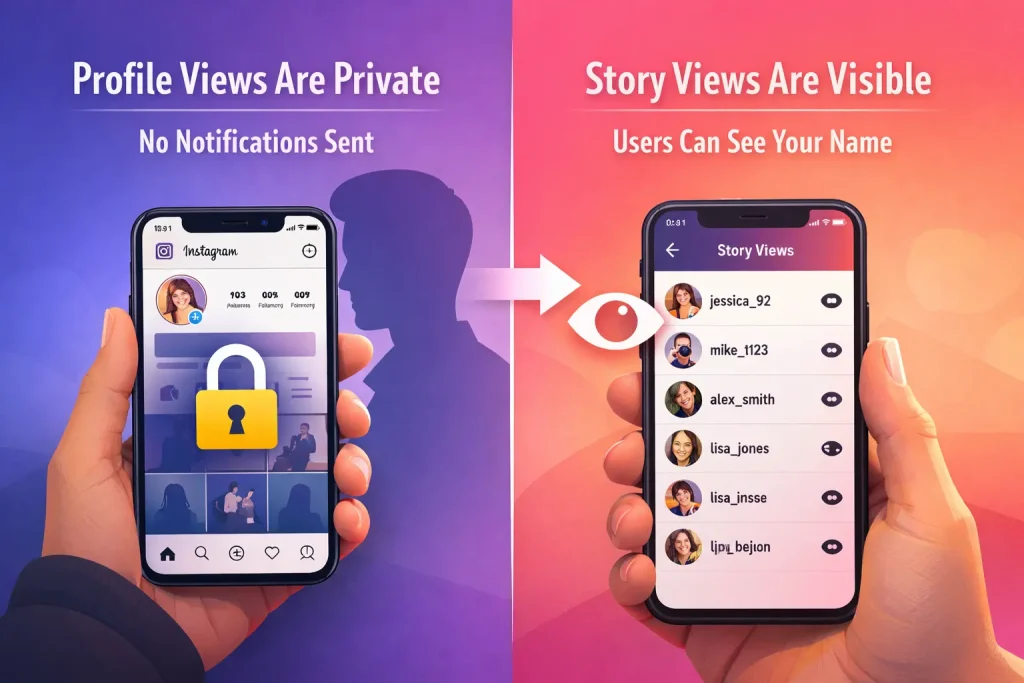
Here’s the reality: Instagram does not notify someone when you view their profile, and there’s no built-in feature that shows a list of profile visitors. But your activity can become visible in specific places—especially if you watch someone’s Stories, view certain Highlights, join an Instagram Live, or interact through likes, comments, follows, or DMs.
In this guide (updated February 2026), you’ll learn exactly what Instagram shows and what it keeps private. By the end, you’ll know how to browse with confidence—and how to avoid the few actions that do leave a trail.
Can People See When You Look at Their Instagram Profile?
No. People cannot see when you look at their Instagram profile. Instagram does not notify users about profile views, and there is no feature that shows a list of profile visitors.
Browsing someone’s profile—scrolling through posts, checking their bio, or viewing their follower list—remains private. Your visit does not trigger alerts, notifications, or visible activity indicators.
However, visibility changes when you interact with content. Certain actions are designed to be visible to the other person, but profile viewing alone is anonymous.
Does Instagram Notify Someone When You View Their Profile?
Instagram does not send push notifications, in-app alerts, or activity updates when someone opens a profile page. There is no hidden setting that enables profile-view tracking, and users cannot opt in to receive such alerts.
This applies across all regions and app versions. If a user updates the app or switches account types, the policy remains the same—profile visits are not disclosed.
Any claim suggesting that Instagram recently introduced profile-view notifications is inaccurate. The platform has consistently avoided adding this feature, and there is no official announcement indicating a change.
Can Anyone See Who Viewed Their Instagram Profile (Personal vs Business vs Creator)?
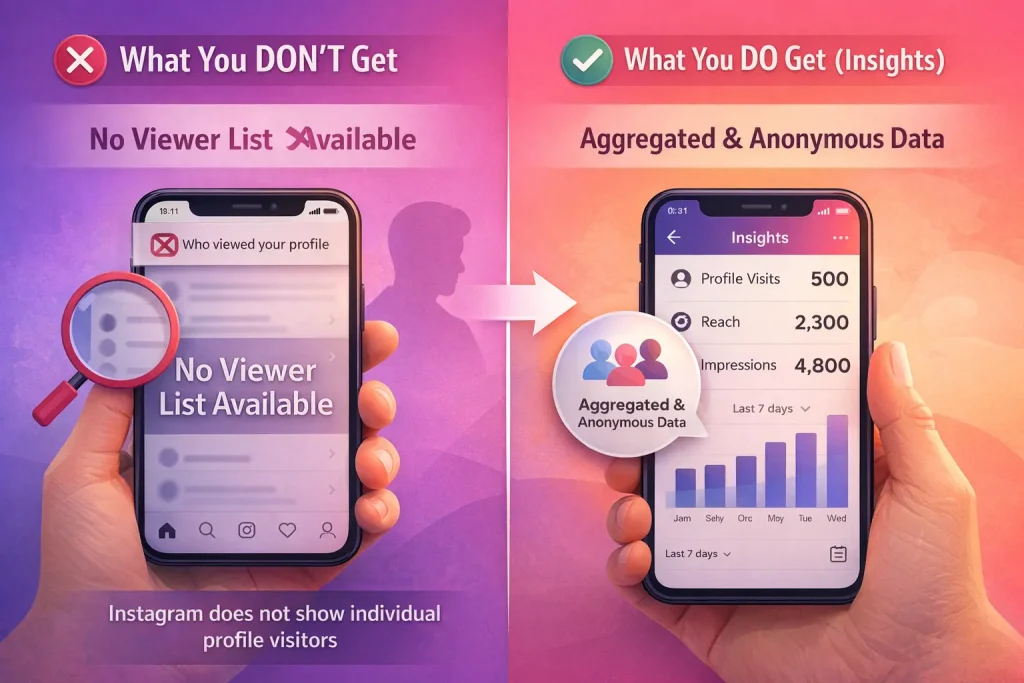
No Instagram account type can see the identities of people who visit their profile.
Personal accounts have no access to visitor analytics. Business and Creator accounts have access to Insights, but those Insights only display aggregated data such as total profile visits within a selected time period. They do not reveal usernames, profile links, or any identifying details of individual visitors.
Professional dashboards may show metrics like reach, impressions, and profile visits. These numbers help track performance trends, but they are statistical summaries, not visitor logs.
Switching to a business or creator account does not unlock a hidden list of profile viewers. The visibility limitations remain the same across all account types.
When Your Name Will Show Up on Instagram
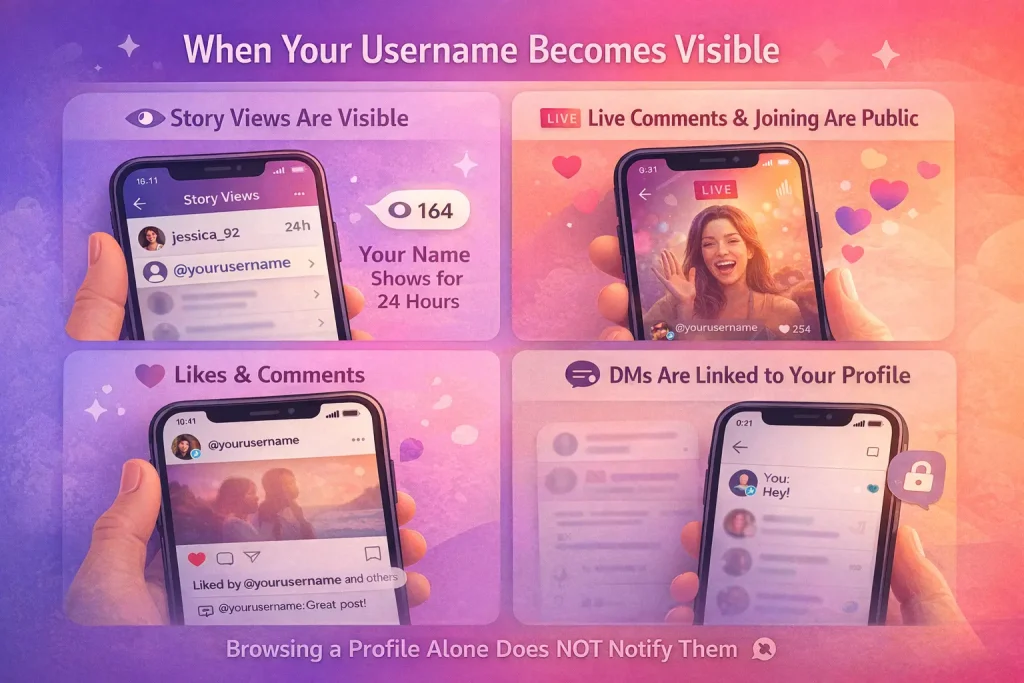
While profile viewing is private, your username becomes visible the moment you interact in ways Instagram is designed to track. These actions are intentionally public or participant-based — meaning the other person can see that you engaged.
Your name appears when you:
-
Watch an active Instagram Story
If you view someone’s Story while it’s live (within the 24-hour window), your account appears in their Story viewer list. They can tap that list and see your username. -
Join an Instagram Live
When you enter a Live broadcast, your username briefly appears to the host and viewers as a participant. If you comment or send reactions, your name is displayed publicly in the chat. -
Like a post or Reel
Your username is added to the visible like list. The account owner may also receive a notification that you liked their content. -
Leave a comment
Comments are public by default (unless limited by privacy settings). Your username is permanently attached to that comment unless you delete it. -
Follow an account
When you follow someone, they receive a notification. Your profile is also visible in their follower list. -
Send a Direct Message (DM)
Your username appears in their inbox. If Activity Status is enabled, they may also see when you were last active. -
React to a Story
Story reactions (emoji responses) are delivered as direct messages and clearly show your account. -
Screenshot disappearing DM media
If you screenshot a “view once” or “allow replay” disappearing photo or video sent via DM, the sender is notified inside the chat.
Important Distinction: Passive vs. Active Behavior
Instagram separates passive viewing from active engagement.
| Action | Is Your Name Visible? |
|---|---|
| View profile | No |
| Scroll posts | No |
| Watch Reel without interacting | No |
| Watch active Story | Yes |
| Like or comment | Yes |
| Join Live | Yes |
| Send DM | Yes |
If you are simply browsing someone’s Instagram profile without tapping interactive features, your visit remains anonymous. Visibility only begins when you take actions that are designed to create engagement signals.
Can People See If You Viewed Their Posts, Reels, or Videos?
No. Instagram does not show users who viewed their regular posts, Reels, or standard video uploads.
Creators can see engagement metrics such as total views, likes, comments, and shares. However, they cannot access a list of accounts that simply watched the content without interacting.
For example, when a Reel gains 1,000 views, the creator sees the number increase, but not the identities behind those views. Your account is only visible if you take a visible action like liking or commenting.
Watching posts, Reels, or videos without interacting remains anonymous.
Can People See If You Viewed Their Instagram Highlights?
Viewer visibility for Highlights depends on the status of the original Story.
If the Highlight is still within the active Story viewing period, your username can appear in the viewer list associated with that Story. Once that period ends, the account owner can no longer see new viewer identities tied to it.
Highlights themselves do not generate independent notifications when someone taps them. There is no alert sent to the account owner simply because you opened a Highlight.
Tapping a Highlight is not treated the same as liking or commenting; it does not create a public interaction record.
Screenshot Notifications: What Triggers an Alert (and What Doesn’t)
Instagram does not notify users when someone screenshots a profile, post, Reel, or standard Story. You can capture regular content without triggering a notification.
The exception applies to disappearing photos or videos sent through direct messages using the view-once or allow-replay options. If you screenshot that type of disappearing content, the sender is notified inside the chat. For similar concerns around message privacy, this guide explains what happens when you unsend a message and whether notifications are involved.
There are no screenshot alerts for regular feed content or archived Stories. Notifications are limited specifically to temporary, disappearing media sent in private messages.
Do Third-Party Apps Really Show Who Viewed Your Profile?
No. Third-party apps cannot access a list of people who viewed your Instagram profile because Instagram does not make that data available through its official systems.
Applications that claim to reveal profile visitors typically rely on fabricated data, engagement guesses, or deceptive interfaces. Some request login credentials, which can expose your account to unauthorized access, spam activity, or suspension.
Since Instagram does not provide an API endpoint or dashboard that shares profile viewer identities, any service promising that information is not using legitimate access. If profile-view tracking were available, it would exist within Instagram’s native app—not through external tools.
Common Myths (Debunked)
-
Story viewer order shows who stalks your profile.
Instagram does not confirm that Story viewer order reflects profile visits. The sequence is influenced by engagement signals and interaction patterns, not by who views your profile most often. -
Instagram is secretly testing profile-view notifications.
There is no verified feature, beta release, or regional rollout that allows users to see who viewed their profile. No official update supports this claim. -
Repeatedly viewing someone’s content makes you visible in suggestions or alerts.
Instagram’s recommendation systems use multiple behavioral signals, but repeatedly watching content does not create a direct notification or visible alert to the account owner.
If you’re wondering whether profile searches affect visibility, this breakdown of how Instagram suggestions work explains what signals actually influence account recommendations.
How to Reduce What Others Can See About Your Activity
-
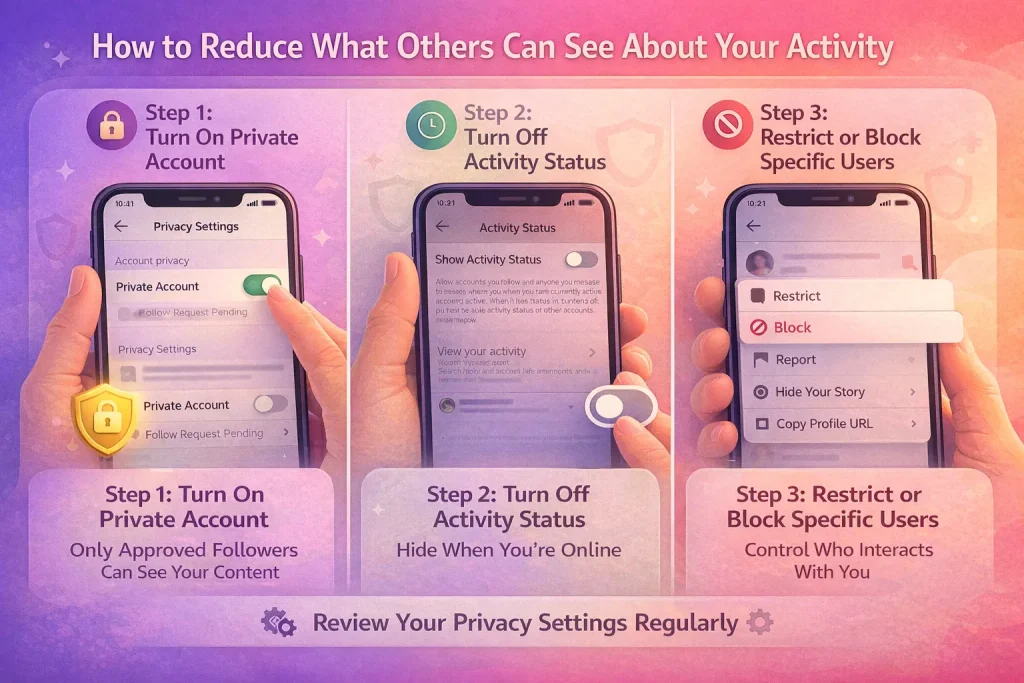
Switch to a private account.
A private account limits your posts and Stories to approved followers only. New users must send a follow request before accessing your content. This reduces overall visibility but does not hide interactions from people you actively engage with. -
Turn off Activity Status.
Disabling Activity Status prevents others from seeing when you are online or when you were last active in direct messages. Once turned off, you also lose the ability to see others’ activity status. If you want more control over your visibility, here’s a step-by-step guide on how to hide your online status on Instagram. -
Use Restrict for controlled interactions.
Restricting an account limits how that person interacts with you. Their comments become visible only to them unless you approve them, and their messages move to message requests without read receipts. -
Block when necessary.
Blocking completely prevents a user from viewing your profile, posts, Stories, and Highlights. It also stops them from interacting with you through comments or direct messages.
These controls allow you to limit exposure and manage who can see or interact with your account.
Final Verdict: Can People See When You Look at Their Instagram?
People cannot see when you look at their Instagram profile. Profile browsing is private across all account types. Your identity becomes visible only when you interact with content in ways designed to be public or participant-based. Understanding the difference between passive viewing and active engagement allows you to control what others can see about your activity.
FAQs:
Does Instagram notify screenshots of posts, profiles, or Stories?
No for normal posts/profiles/most Stories. Yes only for disappearing DM photos/videos (view once/allow replay).
If I like a post and unlike it fast—will they still know?
Maybe. The notification can still appear briefly (especially if they have push notifications enabled), even if it later disappears from the activity feed.
Can someone tell I viewed their follower/following list?
No. Viewing someone’s followers/following lists doesn’t notify them (but if you accidentally follow/like, that does).

Benjamin Amiri
Benjamin Amiri is a digital growth consultant and senior contributor at InstaDeal. He specializes in Instagram engagement strategies, Facebook ads innovation, and TikTok product marketing. With a track record of scaling brands and creator accounts, Benjamin turns performance data into actionable growth tactics that deliver measurable results.


