

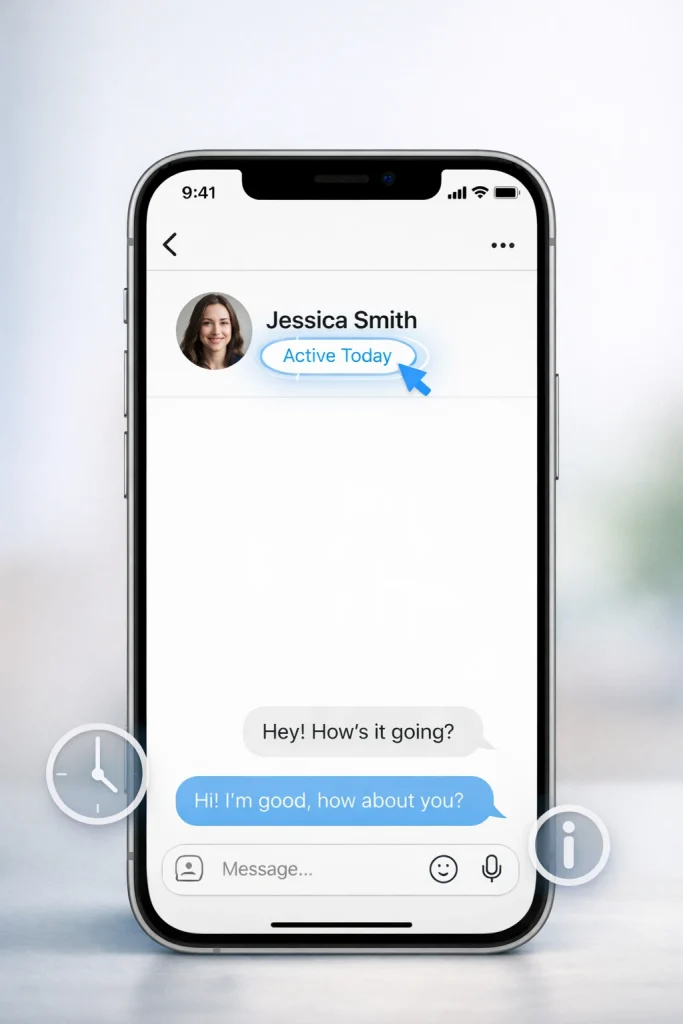

Wondering what does active today mean on Instagram? If you’ve seen this status under someone’s name and felt confused or even anxious, you’re not alone. Many users worry it reveals too much or misleads them about someone’s actual activity.
In this article, you’ll learn exactly what Instagram means by ‘active today’ and how it determines that status. We’ll also clear up common misconceptions so you can better understand what others see about your online presence.
Quick Answer: What “Active Today” Means
On Instagram, “Active Today” means that a user has opened the app at least once within the past 24 hours. It is not a real‑time indicator of activity and does not show the exact time someone was online, only that they were active at some point during that period.
“Active Today” Time Window: How Many Hours Ago Is It?
Instagram doesn’t officially publish the exact hour range that triggers the “Active Today” label. However, most users observe that it typically appears when someone was last active between 8 to 24 hours ago. Before that range—usually within the first 8 hours—the app shows a more specific label like “Active 2h ago.”
Where You’ll See “Active Today” on Instagram
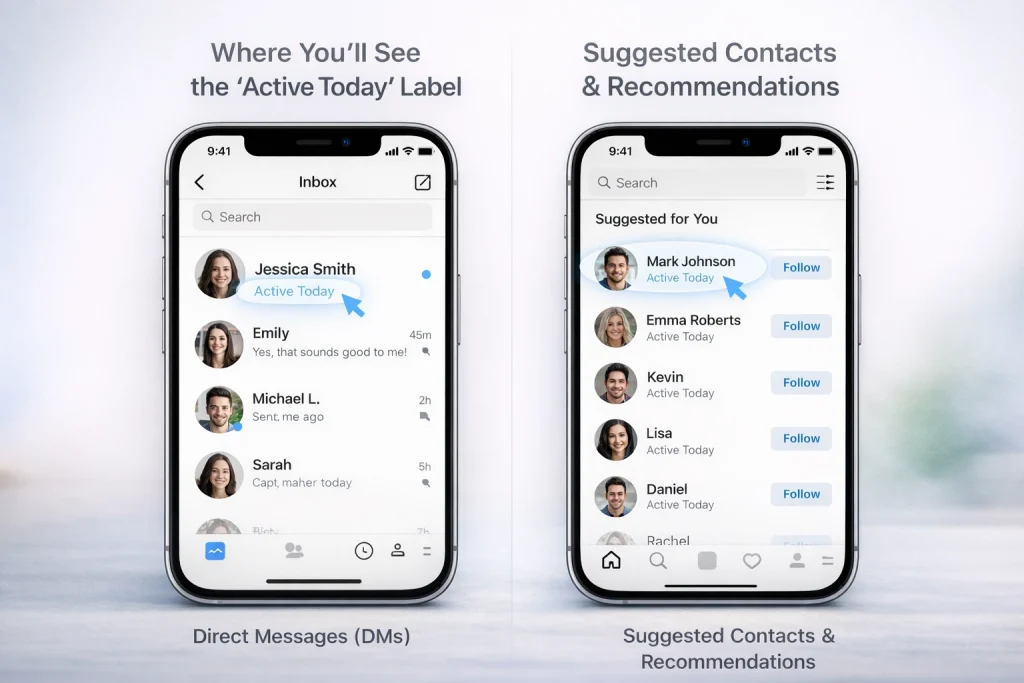
The ‘Active Today’ label is most commonly visible in Instagram’s Direct Messages (DMs) section. When you open a conversation with someone in your inbox, you may notice this label beneath their username, indicating they’ve been active on Instagram within the past 24 hours. This is particularly useful for gauging whether someone might respond promptly to a message.
Direct Messages (DMs)
In the DMs section, the ‘Active Today’ label appears in real-time for users who meet specific criteria. Both parties must follow each other and have their activity status enabled in the app settings. If either user disables their activity status, the label won’t appear for either of them. This mutual setting ensures privacy and control, so users can decide whether or not to share their activity status.
Other areas where activity status appears
In addition to DMs, the ‘Active Today’ label may occasionally appear in other sections, such as friend suggestions or follow recommendations. For example, you might see this indicator next to a suggested contact who has been active recently. However, like in DMs, this visibility depends on mutual following and enabled activity statuses. Users who have turned off their activity status will neither see nor be seen in these indicators, maintaining consistent privacy settings across the platform.
Who Can See Your Activity Status
Only people you follow and those you’ve messaged on Instagram can see your activity status, including the “Active Today” label. Both you and the other person must have the Activity Status feature turned on; otherwise, no status will appear for either side.
If you prefer more privacy, you can also hide your online status on Instagram so others can’t see when you were last active.
How Instagram’s Activity Status Works (Active Today Explained)
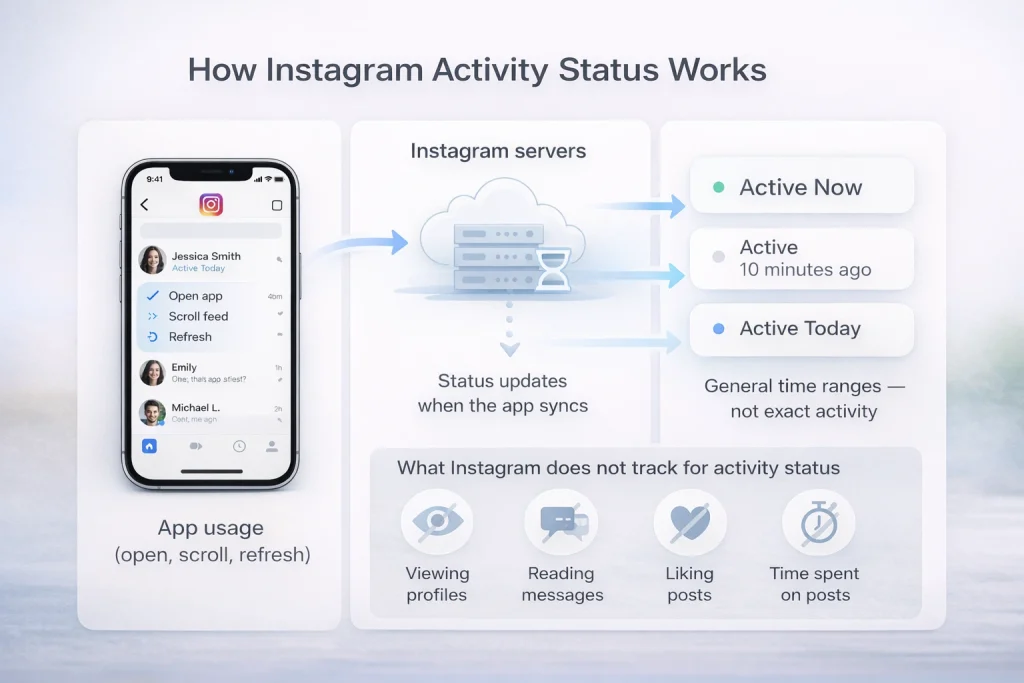
Instagram’s activity status relies on tracking app usage to determine when a user was last active. This status updates whenever you open or refresh the app, which signals to Instagram that you are currently using the platform. However, it’s important to note that this system does not operate in real time and may occasionally show delays.
What Instagram Tracks
Instagram monitors basic app usage to determine activity status. For example, opening the app or interacting with Instagram’s servers through actions like scrolling or refreshing the feed updates your status. This is what allows other users to see labels like “Active 10 minutes ago” or “Active Today.” However, the platform does not track granular details like how long you spent on a specific post or whether you viewed someone’s profile.
What the Status Doesn’t Reveal
A common misconception is that Instagram tracks every interaction, such as reading messages or viewing profiles. This is not true. The activity status only reflects app usage and does not provide specific insights into your actions while using the app. For instance, someone could be marked as “Active Today” even if they haven’t replied to messages or engaged with posts.
Technical Limitations or Delays
The activity status feature is not always perfectly accurate. Status updates depend on when the app communicates with Instagram’s servers, which can sometimes result in delays or minor inaccuracies. For example, the “Active Today” label might linger longer than expected even after someone has stopped using the app. These inconsistencies are usually tied to technical limitations, such as server lag or connectivity issues.
Active Now vs Active Today vs Active Yesterday (All Labels Explained)
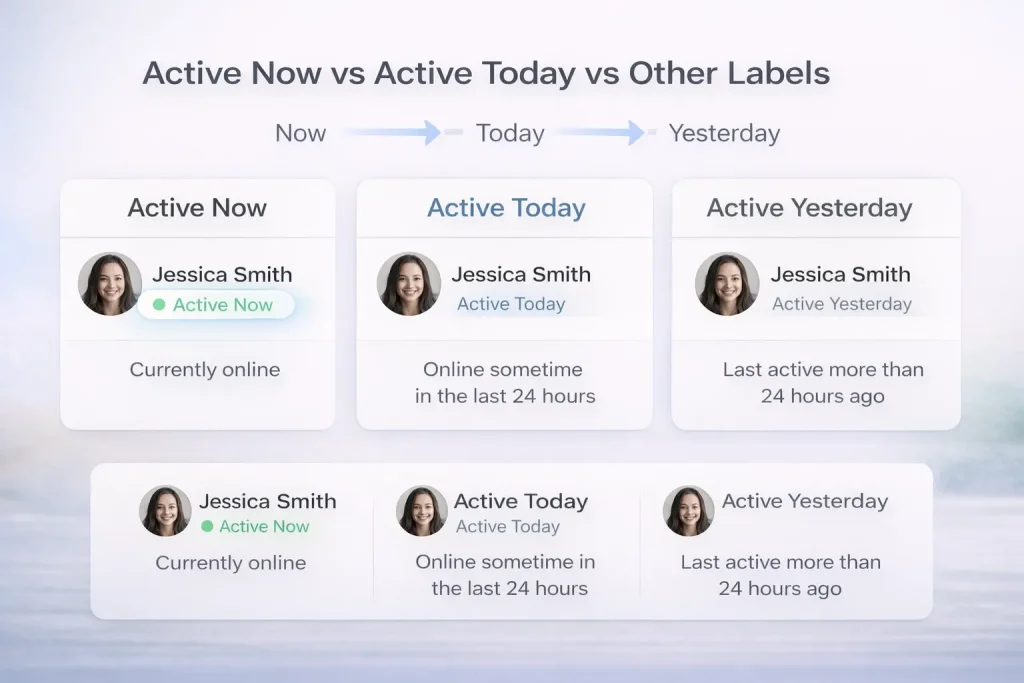
Instagram Activity Status Labels Explained
-
Active Now – The user is currently using Instagram in real time.
-
Active Today – The user opened Instagram sometime within the last 24 hours.
-
Active Yesterday – The user was last active more than 24 hours ago.
-
No status shown – Activity status is turned off or visibility is restricted.
Differences between activity labels
The ‘Active Now’ label means that the user is currently online and actively engaging with the app. This could involve scrolling through their feed, replying to messages, or interacting with posts. It’s the most immediate indicator of activity, suggesting real-time presence.
On the other hand, ‘Active Today’ indicates that the user has accessed Instagram at some point within the last 24 hours but is not currently online. This label is less specific about the exact time of activity but still confirms recent use.
Labels like ‘Active Yesterday’ or similar variants refer to longer periods of inactivity. For example, ‘Active Yesterday’ means the user last accessed the app more than 24 hours ago but within the past two days. These labels help provide a general timeline of a user’s activity without pinpointing exact times.
Does “Active Today” Mean They Read Your Message or Viewed Your Profile?
No, “Active Today” does not confirm whether someone read your message or visited your profile. It only shows that they were active on Instagram within the past 24 hours, without tying that activity to specific actions like viewing posts or opening DMs.
This often comes up alongside questions about whether Instagram notifies when you unsend a message, which is a separate feature from activity status.
Why You Might Not See Someone’s Activity Status
Instagram’s activity status feature can sometimes seem inconsistent, but there are clear reasons why you might not see someone’s status. Understanding these scenarios can help you troubleshoot or manage your expectations.
Privacy settings
One of the most common reasons is the user’s privacy preferences. If someone disables their activity status in Instagram’s privacy settings, their online visibility is hidden. Additionally, this setting works both ways—when they turn off their activity status, they also lose the ability to see others’ statuses. This is a deliberate privacy feature designed to give users more control over their interactions.
Other reasons for missing activity status
Outside of privacy settings, technical issues can also play a role. Server delays, app glitches, or an outdated Instagram version might prevent activity labels from displaying accurately. Ensuring your app is up to date and clearing the app cache can often resolve these problems.
Why “Active Today” Isn’t Always Accurate
The “Active Today” label can sometimes appear misleading due to delays in app syncing, background activity, or multi-device usage. For example, someone might briefly open the app on another device without actually engaging, which can still trigger the label to update.
In some cases, issues like outdated data can be reduced by clearing the Instagram cache, especially if activity labels seem stuck.
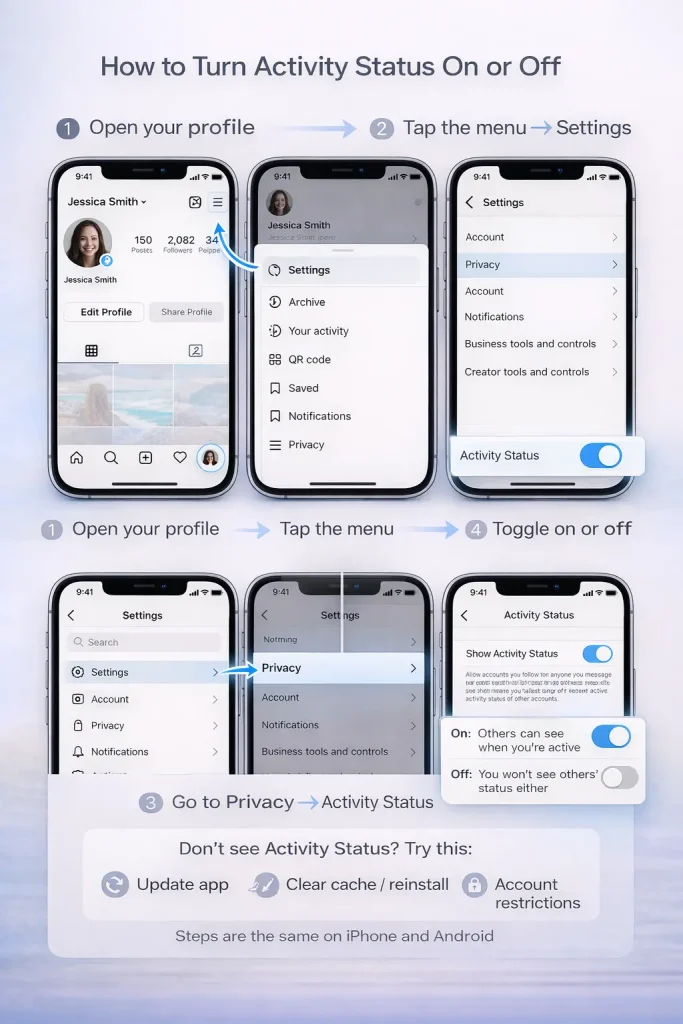
How to Turn Activity Status On or Off
On iPhone
-
Open the Instagram app.
-
Tap your profile icon in the bottom-right corner.
-
Tap the menu icon (three lines) in the top-right.
-
Select Settings and privacy.
-
Under How others can interact with you, tap Messages and story replies.
-
Tap Show activity status.
-
Toggle the switch on or off. Blue means it’s enabled; gray means disabled.
If you disable it:
-
You won’t see others’ activity status.
-
They won’t see yours.
On Android
-
Open the Instagram app.
-
Tap your profile picture at the bottom right.
-
Tap the menu icon (☰) in the top right.
-
Go to Settings and privacy.
-
Tap Messages and story replies.
-
Choose Show activity status.
-
Use the toggle to enable or disable it.
The steps mirror iOS almost exactly, but button placement may vary slightly depending on screen size or device version.
Conclusion: What Does “Active Today” Mean on Instagram?
“Active Today” on Instagram simply means someone used the app within the last 24 hours—it does not show real-time activity, message reads, or profile views. Understanding how this status works can help you avoid misinterpretations and manage expectations when messaging others. If privacy is a concern, Instagram lets you control or disable your activity status at any time through settings, giving you full control over what others can see.
FAQs: About Instagram “Active Today”
Does “Active Today” mean they’re online right now?
No. It only means they used Instagram at least once within the last 24 hours, not that they’re currently online.
How many hours ago does “Active Today” actually mean?
Instagram doesn’t publish an exact cutoff, but users commonly report it shows after roughly 8+ hours since last activity (up to 24 hours).
Why does it say “Active Today” instead of “Active X hours ago”?
Many users observe Instagram shows “Active X hours ago” for the earlier window (often up to ~7–8 hours), then switches to “Active Today” later.
Why does someone show “Active Today” for days / it never changes?
People report this when the label is “sticky” due to delays, background activity, or syncing issues; it can look wrong even when someone isn’t actively using the app.

Benjamin Amiri
Benjamin Amiri is a digital growth consultant and senior contributor at InstaDeal. He specializes in Instagram engagement strategies, Facebook ads innovation, and TikTok product marketing. With a track record of scaling brands and creator accounts, Benjamin turns performance data into actionable growth tactics that deliver measurable results.


