

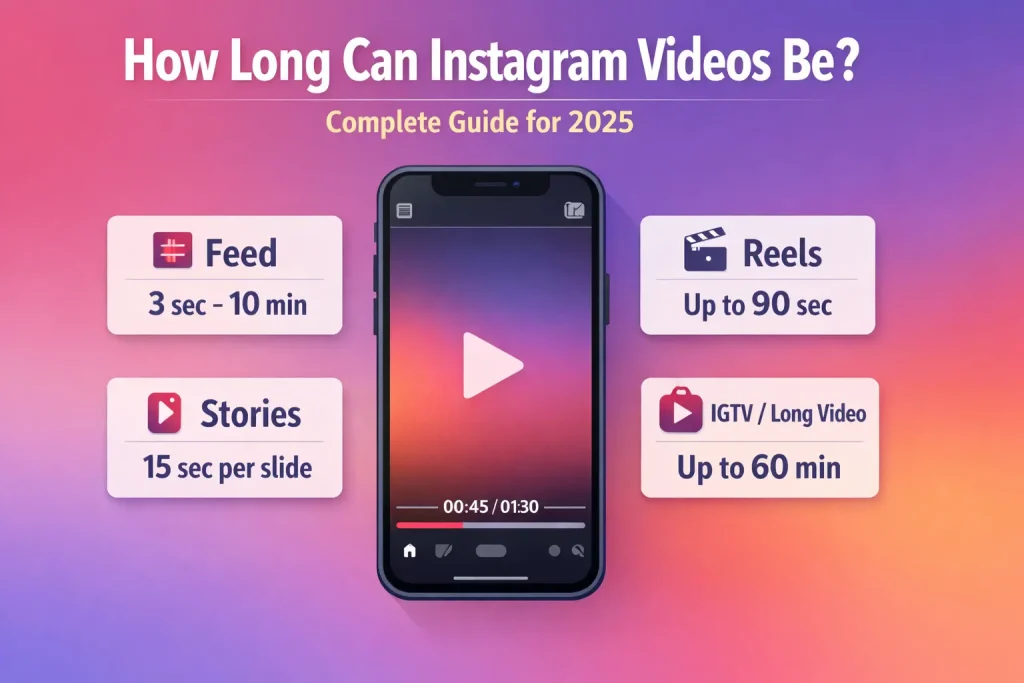

Knowing how long Instagram videos can be in 2026 helps you choose the right format, avoid upload errors, and maximize reach. Whether you’re creating Reels, Stories, long-form video posts, or going Live, each format comes with specific time constraints—and these limits can vary depending on your account type, app version, or even regional rollout.
This guide provides the most current video duration limits across every major Instagram format as of 2026, including what Instagram officially allows, what actually works in practice, and how your content may be affected by recommendation or boosting rules. You’ll also learn how to avoid upload errors, trim videos effectively, and plan content with confidence.
Instagram video limits by format (2026)
Instagram video length depends on the format. Reels are up to 90 seconds, Stories allow 60 seconds per clip, Feed videos support 10–60 minutes, and Live videos can run up to 4 hours.
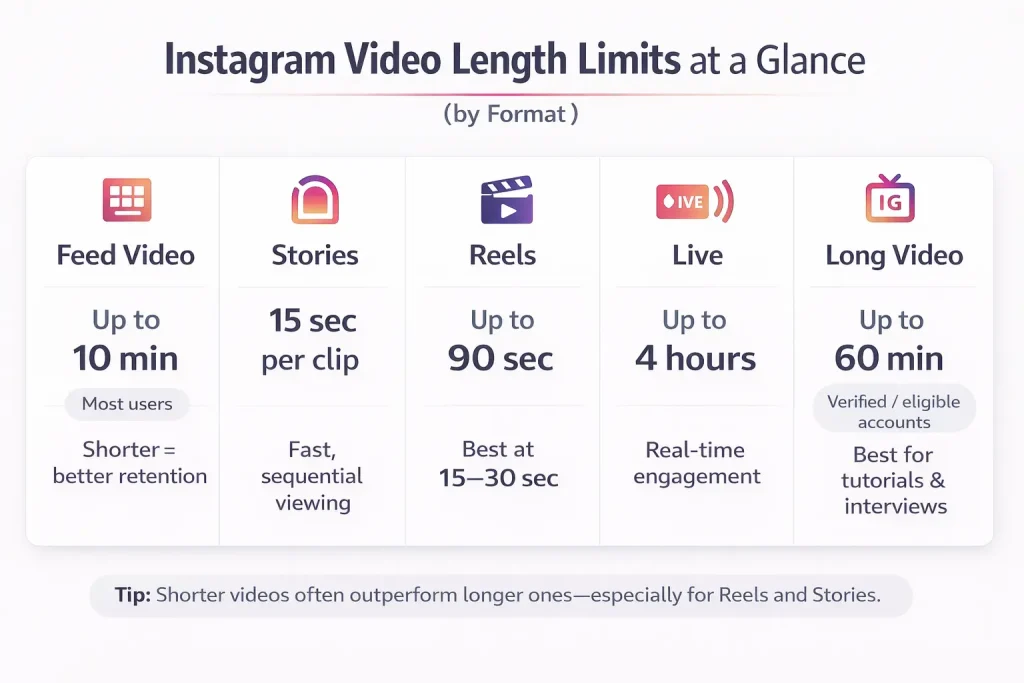
Here’s a current overview of video length limits across Instagram formats as of 2026:
| Format | Max Length | Notes |
|---|---|---|
| Reels | Up to 90 seconds (upload) | Reels longer than 90 sec aren’t eligible for boosting |
| Up to 20 minutes (recording) | In-app camera allows extended Reels, but they may not be promoted | |
| Stories | 60 seconds per clip | Videos over 60 sec are trimmed or split automatically |
| Feed Video Posts | Up to 10 minutes (standard users) | Most personal accounts |
| Up to 60 minutes (larger accounts) | Creator/business accounts, depends on follower size & access | |
| Live Video | Up to 4 hours | Can be saved after broadcast and repurposed |
| Carousel Posts | 10 videos max | Each video can follow standard Feed limits |
| Ads (Reels/Feed) | Varies (up to 60 sec common) | Reels ads must be under 90 sec; Story ads capped at 15 sec per slot |
These limits reflect what most users experience, but exceptions can occur depending on feature availability and platform testing. When in doubt, check directly in the Instagram app during upload to see what’s currently supported.
How Long Can Instagram Reels Be? (Recording vs Uploading)
Instagram Reels are designed for short-form, vertical videos that prioritize quick engagement and visual storytelling. However, not all Reels are treated the same—especially when it comes to how long they can be. There’s a distinction between what you can record using the in-app Reels camera and what you can upload from your device.
If Reels performance or visibility feels inconsistent, learning how to remove suggested Reels from your feed can help you better understand how Instagram personalizes and surfaces short-form content.
Max Reel length you can record in the Reels camera
As of 2026, Instagram allows users to record Reels up to 20 minutes long using the in-app camera. This expanded duration gives creators more flexibility, particularly for tutorials, storytelling, or educational content. You can adjust the maximum recording time within the Reels timer settings before you start filming.
While you can record a full 20-minute Reel, longer videos are less likely to perform well unless they’re tightly edited and hold the viewer’s attention throughout.
Instagram Stories video length limit
Instagram Stories are built for short, ephemeral content that disappears after 24 hours. Each Story is limited by duration, but Instagram automatically adjusts longer videos to fit within its time constraints—up to a point.
What happens when your Story is longer than the limit
As of 2026, Instagram supports video Stories of up to 60 seconds per individual clip. If your video exceeds that duration, the platform will either:
-
Prompt you to trim it manually before uploading, or
-
Automatically split it into multiple consecutive 60-second clips, shown back-to-back
This seamless splitting helps maintain narrative flow for longer videos, but it’s not always perfect. Transitions between clips can sometimes result in audio or visual stutters, especially with fast-paced content.
To avoid disruptions, plan your Stories with the 60-second limit in mind. If you’re filming a message, announcement, or behind-the-scenes video, structure it into self-contained segments that work independently or in sequence.
Interactive features like polls, sliders, or links still apply to each clip individually. That means if your Story is split into three 60-second segments, each one can carry its own engagement element—but viewers will need to interact with each one separately.
While Instagram does much of the technical work automatically, creators who tailor their content to these time frames tend to deliver smoother, more engaging experiences.
Instagram Feed video length limit (Video posts)
Feed videos are designed for content that lives permanently on your profile and appears in your followers’ main feed. These can range from short clips to long-form videos, depending on your account type and how Instagram categorizes the upload.
Standard vs extended limits
As of 2026, Instagram supports up to 10 minutes for most feed video uploads. This is the default limit for personal accounts or those with a moderate following.
However, some creator and business accounts have access to longer uploads—up to 60 minutes. These extended-length videos often result from legacy IGTV capabilities now integrated into the standard video post experience.
The threshold for extended uploads isn’t published officially, but accounts with strong engagement, a history of video content, or verification are more likely to qualify.
How long videos appear in the feed
Even when you upload a long video, Instagram often shows only a short preview in the main feed—typically 60 seconds—before prompting viewers to tap and watch the full video. This means the first minute is critical for capturing attention.
To make the most of that preview:
-
Open with a bold visual, intriguing statement, or engaging question
-
Use captions or subtitles for silent viewers
-
Avoid long fades or slow build-ups in the opening frame
Instagram treats Feed videos as a blend between permanent content and discovery-friendly posts, so a sharp hook combined with smart pacing can boost retention and reach.
Instagram Live time limit
Instagram Live is ideal for real-time engagement—whether you’re hosting a Q&A, demonstrating a product, or connecting with followers in a more personal way. Unlike Reels or Stories, Live sessions offer the longest continuous video format on the platform.
Maximum duration for Instagram Live
As of 2026, Instagram allows Live broadcasts up to 4 hours long. This duration applies to both personal and professional accounts, although stable internet connection and updated app versions are essential for uninterrupted streaming.
This 4-hour limit makes Instagram Live well-suited for extended sessions like interviews, workshops, webinars, or special events. However, holding an audience’s attention for that long requires planning.
Saving and repurposing Live content
After ending a Live session, Instagram gives you the option to save the broadcast as a video post. This allows followers who missed the event to watch it later.
You can also edit your Live recording into shorter clips for Reels or Stories. For example, a 45-minute Q&A can be trimmed into multiple Reels focused on individual questions. These repurposed segments often perform well because they combine the authenticity of Live with the brevity of short-form video.
To maximize your Live’s impact:
-
Structure your session with clear segments or talking points
-
Engage viewers with comments, shout-outs, or interactive features
-
Consider saving highlights immediately after for follow-up content
Live video rewards consistency and personality, but respecting the 4-hour cap and planning ahead ensures you get the most from every broadcast.
Instagram video ad length limits (Feed, Stories, Reels ads)
If you’re promoting content on Instagram through paid advertising, it’s essential to understand the platform’s specific video length rules for each ad placement. These limits are stricter than organic content guidelines and directly impact ad eligibility, performance, and user experience.
Feed video ads
Instagram Feed video ads can be up to 60 seconds long, though shorter videos (between 15–30 seconds) are typically recommended for higher engagement. These ads appear in users’ main feeds and support autoplay with sound.
While some business accounts may be able to place longer video ads through the Meta Ads Manager, standard self-serve placements are optimized for videos under one minute.
Stories ads
Stories video ads follow the same structure as organic Stories—limited to 15 seconds per segment. If your ad video is longer than 15 seconds, Instagram will automatically split it into separate slides, up to a maximum of 60 seconds (4 segments).
It’s best to edit Stories ads manually for clarity and pacing rather than rely on automatic splitting. Each slide can have its own CTA and interactive element, but viewers may swipe away if the content feels repetitive.
Reels ads
Reels ads must be 90 seconds or shorter, mirroring the organic Reels limit for boosting. These ads appear within the Reels feed and are designed to blend seamlessly with user-created content.
To increase visibility, Reels ads should:
-
Open with an eye-catching hook in the first 3 seconds
-
Maintain vertical format (9:16 aspect ratio)
-
Use audio—either music or narration—to match Reels’ sound-driven culture
While longer videos can still be used in carousel or other campaign formats, these limits apply to native video placements across Instagram’s core features. Staying within them ensures your ads are approved and optimized for delivery.
Instagram carousel video limits (multi-clip workarounds)
Carousel posts let you upload a series of photos or videos in a single post that users can swipe through horizontally. They’re a flexible format for storytelling, tutorials, product showcases, or step-by-step guides—and they come with their own set of limitations.
If you’re new to this format, understanding what a carousel post is on Instagram makes it easier to see why it’s often used to split longer videos into multiple clips.
Max number of videos per carousel
Instagram allows up to 10 slides in a carousel post. Each slide can be a photo or a video. If you’re using videos, each one follows the standard Feed video time limits:
-
Up to 10 minutes per video for most users
-
Up to 60 minutes per video for eligible accounts (typically business or verified profiles)
This means a single carousel post could theoretically contain up to 100 minutes of video, spread across 10 slides. However, loading time, user attention span, and algorithm behavior all favor shorter, more digestible content.
Using carousels to bypass length limits
Some creators use carousels as a workaround to post longer content that would otherwise exceed the limit of a single video. For example:
-
A tutorial split into multiple 1-minute clips
-
A storytelling sequence told over several scenes
-
A product demo divided into distinct steps
This approach works best when each slide delivers a self-contained message or action. When well executed, carousel videos often lead to higher engagement rates, as users swipe to see more and spend more time on your post.
To get the most out of carousel videos:
-
Keep each slide focused and visually distinct
-
Use clear titles or numbers to indicate progression (e.g., “Step 1 of 5”)
-
Hook attention in the first slide to encourage swiping
Carousels don’t extend the duration of individual videos, but they do provide a smart way to tell longer stories within Instagram’s native format.
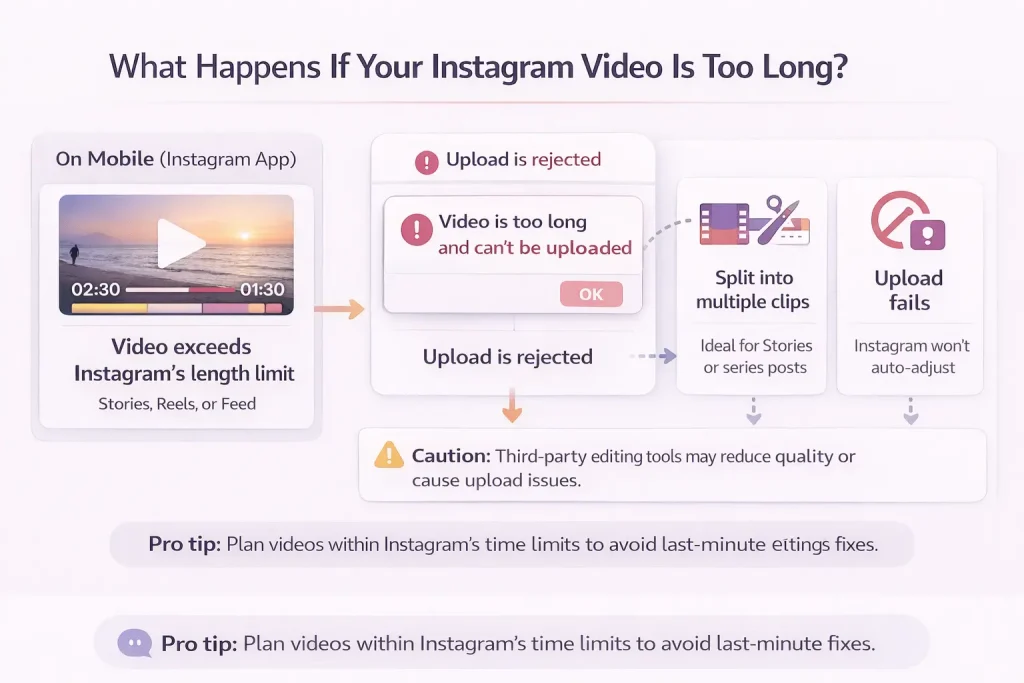
What happens if your Instagram video is too long (trim, split, or fail)
Instagram enforces strict time limits on video uploads, and exceeding those limits will usually result in an upload error, a forced trim, or a prompt to re-edit. What happens next depends on the format you’re trying to use.
Upload failure due to length
If your video exceeds the maximum length for a given format—such as uploading a 3-minute video to Reels—it will likely fail to upload entirely. Instagram does not automatically shorten or resize content to fit most formats beyond minor Story splitting or Feed previews. In these cases, the app will show an error and may prompt you to trim the video before trying again.
Automatic trimming and splitting
Some formats do support limited automatic adjustment:
-
Stories: If your video is longer than 60 seconds, Instagram may split it into multiple back-to-back clips. However, this feature doesn’t always preserve transitions or timing perfectly.
-
Reels and Feed videos: These must be manually trimmed to fit within their time limits. Instagram offers a basic in-app trimming tool during upload, allowing you to select a start and end point.
Third-party editing tools
If you need more advanced trimming or want to split longer content into multiple parts (such as for a carousel post), external video editing apps offer greater flexibility. These tools allow for:
-
Cutting and reordering clips
-
Exporting multiple parts from one long video
-
Adding transitions or labels between segments
However, not all third-party apps maintain quality or aspect ratio correctly. Always test your output before uploading, and avoid any tools that request your Instagram login credentials.
Key tip
Plan your content with the format’s time limits in mind from the beginning. Creating a Reel intended to be 60 seconds—or a Story that stays within a 1-minute cap—saves time and ensures smoother uploading, fewer technical issues, and a better viewer experience.
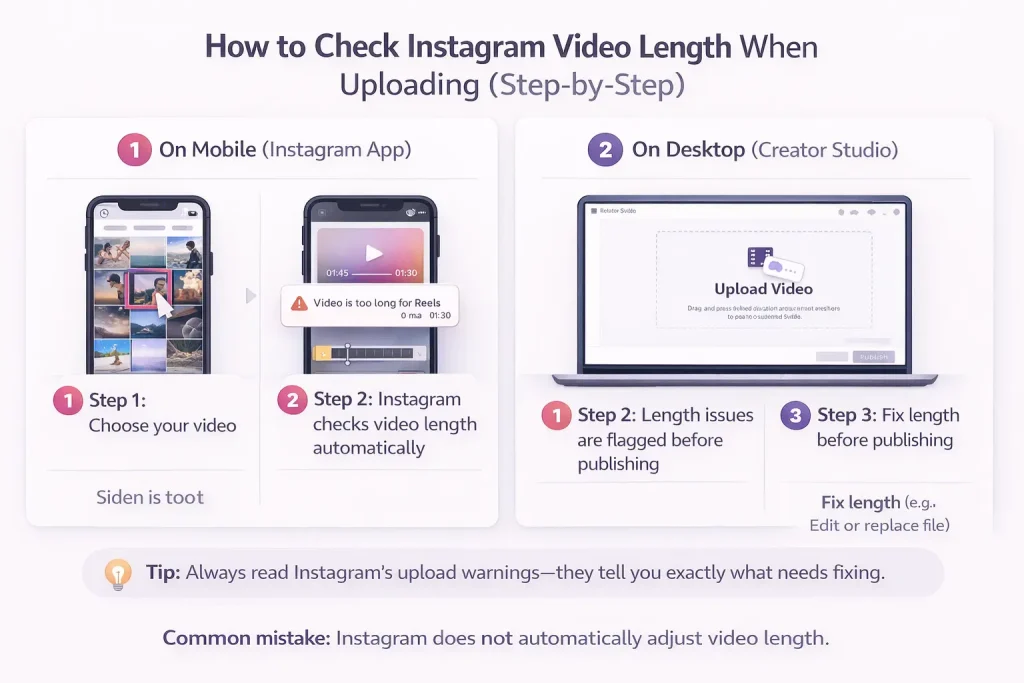
How to check the max length before uploading (step-by-step)
Instagram doesn’t always display video length limits up front, but there are simple ways to check whether your video meets the requirements—before you post. Doing so helps avoid upload errors, forced edits, or wasted effort.
On Mobile (Instagram app)
-
Open Instagram and tap the “+” button to create a post, Reel, or Story.
-
Select your video from your gallery. Instagram will automatically analyze it.
-
If the video exceeds the time limit for the selected format, one of two things will happen:
-
You’ll get an error prompt saying the video is too long.
-
The app will offer to trim or split the video to fit the format.
-
You can preview the trimmed result before posting, or go back and select a shorter video.
On Desktop (Meta Creator Studio)
If you’re managing content from a desktop, Instagram’s Creator Studio offers more control:
-
Log in to Creator Studio and choose Instagram from the top menu.
-
Click “Create Post” and choose either “Instagram Feed” or “IG Video.”
-
Upload your video file.
-
If your video exceeds the format’s length limits, an error will appear before publishing, giving you a chance to re-upload or make edits.
Creator Studio doesn’t currently offer built-in trimming tools, so videos must be pre-edited before upload.
Important detail
Instagram doesn’t visibly list maximum video durations in the posting flow. Instead, it enforces them silently by showing trimming prompts or rejecting uploads. That’s why checking your video’s runtime in your camera roll—or editing software—before uploading is the safest way to stay within limits.
Conclusion: How Long Can Instagram Videos Be?
Knowing how long Instagram videos can be helps you choose the right format, avoid upload errors, and maximize reach. Each format—Reels, Stories, Feed videos, Live, ads, and carousels—has its own length limits, and those limits can change based on account type, features, or updates. By planning your videos around Instagram’s current duration rules and recommended best practices, you can publish content that performs better, stays eligible for recommendations, and delivers a smoother experience for viewers.
Account ownership and video feature access
Video length limits and feature availability on Instagram are often influenced by account history, activity patterns, and ownership status. Platforms like InstaDeal operate in the space of buying and selling Instagram accounts, which makes account configuration and control an important consideration for users managing video content. When an account changes hands, understanding how its existing settings and limitations affect posting formats—such as long-form videos or Reels eligibility—helps ensure consistent use of Instagram’s features and compliance with platform rules.
FAQ: Why your limits may look different (updates, regions, account types)
Why does my Instagram only allow 15-second Stories when others have 60 seconds?
This usually happens because Instagram rolls out features gradually by account, region, or app version. Update Instagram, log out/in, reinstall the app, and test on another device. Some accounts still see older Story behavior temporarily.
Why can’t I upload a 3-minute Reel even though Instagram says 3 minutes?
Some users still see shorter limits due to account rollouts, app versions, or regional tests. If you’re capped below 3 minutes, update the app and try uploading as a feed video post instead of a Reel until your account gets the expanded limit.
Can I boost a Reel that’s longer than 90 seconds?
No. To boost a Reel, it must be 90 seconds or less.
Did Instagram remove IGTV, and does that affect long videos?
Yes. IGTV as a standalone product was discontinued, and long-form video was folded into Instagram’s main video posting experience. You should talk about “Feed video posts” or “Instagram video posts” instead of IGTV.

Benjamin Amiri
Benjamin Amiri is a digital growth consultant and senior contributor at InstaDeal. He specializes in Instagram engagement strategies, Facebook ads innovation, and TikTok product marketing. With a track record of scaling brands and creator accounts, Benjamin turns performance data into actionable growth tactics that deliver measurable results.


