



“Who unfollowed me on Instagram” means identifying which accounts have stopped following your profile. Instagram does not send notifications or provide a history of unfollows, so users can only see their current follower list and total count—not who specifically left or when it happened.
Because that information isn’t available inside Instagram, people turn to workarounds like third-party tracking apps or manual checks. These methods compare follower lists over time, but they only work from the moment tracking starts. This gap between what users expect and what Instagram actually shows is what drives most unfollower searches.
What Does “Who Unfollowed Me on Instagram” Actually Mean?
“Who unfollowed me on Instagram” refers to identifying which users have stopped following your Instagram account. Since Instagram doesn’t notify you when someone unfollows you, the platform offers no built-in way to see a list of people who have unfollowed you.
One common misconception is that Instagram hides this data on purpose to protect user privacy. In truth, the platform has never offered this feature, likely to prevent drama and discourage obsessive behavior around follower counts. Still, many people expect to find it buried in settings somewhere—and end up frustrated when it’s not there.
How Instagram Handles Unfollowers (and Why You’re Not Notified)
Instagram only shows your current follower count and list—there’s no built-in feature to track who dropped off.
That means if you’re trying to figure out who unfollowed you, you’re left with two options: manual tracking or using third-party tools. Manual tracking is exactly what it sounds like—comparing your current follower list to a previous one and spotting who’s missing. It’s tedious, especially if you have more than a few hundred followers, and it’s nearly impossible to do accurately without screenshots or spreadsheets.
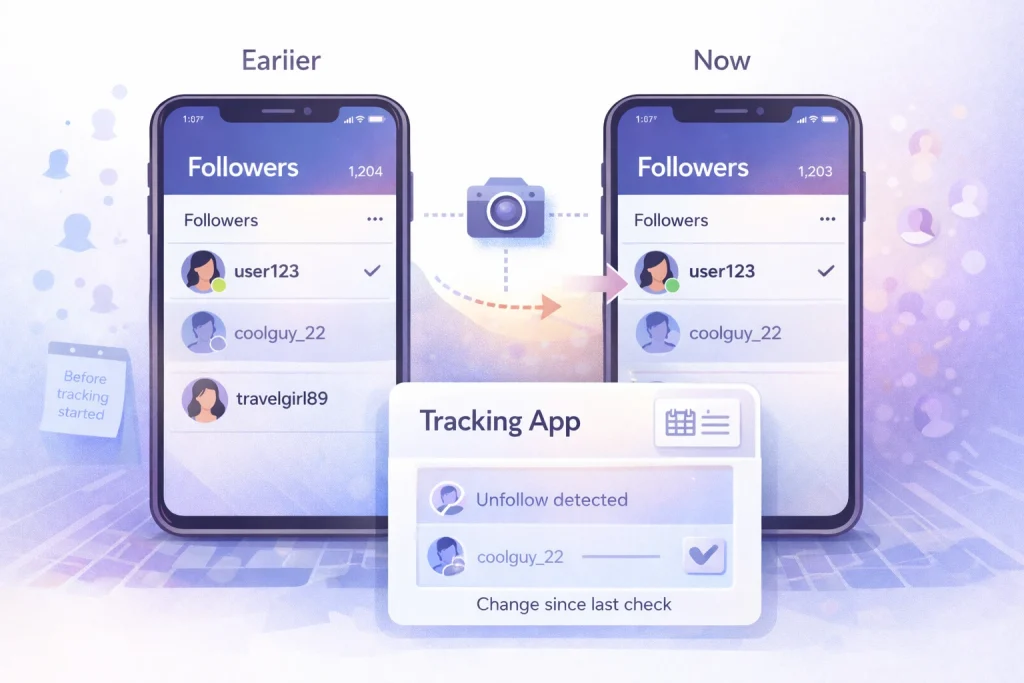
This is where third-party apps come in. They work by taking a snapshot of your followers at regular intervals and comparing it to the last one—kind of like a digital memory for your account. Some go further and show ghost followers, mutual unfollows, or even people who don’t follow you back.
Why Instagram Has Never Shown Unfollowers
Instagram launched in 2010 as a simple photo-sharing app and quickly became a cultural force, attracting millions with its filters, square photos, and social feed. The follower model—where anyone could follow anyone—was part of its DNA from day one.
But from the beginning, Instagram has never told users who unfollowed them. You could see your total follower count drop, sure, but not who left. That’s by design. Instagram has always prioritized a clean, feel-good user experience, and surfacing unfollowers doesn’t exactly align with that. This confusion is amplified by long-standing follow–unfollow behavior, where users follow briefly and leave once their goal is met, which makes sudden drops feel more personal than they usually are.
One tip from experience: if you’re using a tracker, don’t obsess over every drop in your count. Sometimes people temporarily deactivate accounts, or Instagram removes bots. Focus on patterns over time, not daily dips.
Apps That Claim to Show Who Unfollowed You on Instagram
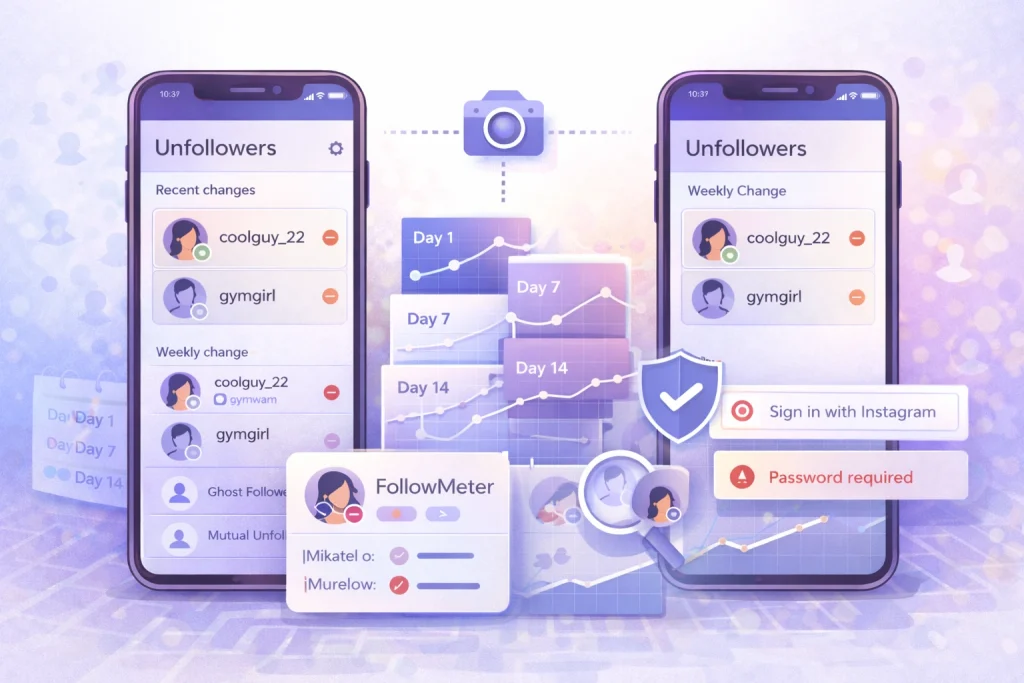
Unfollower tracking apps like FollowMeter and UnfollowPeek let you see who has unfollowed your Instagram account by monitoring changes to your follower list over time.
These tools work by taking snapshots of your followers at regular intervals, then comparing them to detect who disappeared. It’s not magic—Instagram doesn’t give out unfollower data directly through its API—but it’s close enough for most casual users. Apps like FollowMeter offer real-time unfollower alerts, analytics on who engages with your posts, and a breakdown of ghost followers. UnfollowPeek takes a similar approach, with a cleaner interface and less clutter, which some users prefer.
These apps can’t tell you who unfollowed you *before* you installed them. That’s a common misconception. They only track changes from the moment you connect your account. So if you’re hoping to retroactively find out who ghosted you last summer, you’re out of luck.
Another thing to watch for is how these apps handle your data. Because Instagram’s API access is limited (and getting tighter), most of these tools ask for your login info directly. That’s a red flag. If an app requires your Instagram password, think twice. Instagram doesn’t officially endorse any third-party unfollower trackers, and using the wrong one could put your account at risk—or even get it flagged for suspicious activity.
How to Check Who Unfollowed You on Instagram Without Apps
You can manually check who unfollowed you on Instagram by comparing your “Followers” list to your “Following” list and identifying accounts that no longer follow you back.
For smaller accounts—say, under 500 followers—this approach is still manageable. Start by visiting your profile, tapping your follower count, and searching for a specific username you suspect may have unfollowed you. If they don’t appear, they’re likely gone. You can also cross-check by going to their profile and seeing if the “Follows you” tag is missing.
The trickier part comes when your account grows. Once you’re dealing with thousands of followers, the manual method becomes more of a needle-in-a-haystack situation. Scrolling through long lists and trying to remember usernames is tedious and prone to error. For people who want more control without trackers, removing followers manually is another option, especially when cleaning up inactive or spam accounts.
Manual tracking is best for those who value privacy or don’t trust third-party apps. Just know it’s a tradeoff between control and convenience.

FAQs About Who Unfollowed Me on Instagram
“Are ‘who unfollowed me’ apps safe?”
Often not. Instagram explicitly warns against sharing login details with untrusted apps, and many unfollower apps rely on methods Instagram discourages (like asking for your password or aggressive scraping). Safer options avoid password entry and use official login flows or user-controlled exports.
Why did my follower count drop if nobody unfollowed me?
Follower drops can happen without a personal unfollow—accounts get deactivated, deleted, or removed by Instagram (including bots). That’s why tracking tools can feel “inaccurate”: they detect change, but they can’t always tell you the reason behind the disappearance.
Is ‘who unfollowed me’ the same as ‘who doesn’t follow me back’?
No. “Unfollowed me” implies someone used to follow you and stopped; “doesn’t follow back” includes people who never followed you in the first place. Many tools blur this distinction, so check whether the report is showing unfollow events or simply non-mutual relationships.

Benjamin Amiri
Benjamin Amiri is a digital growth consultant and senior contributor at InstaDeal. He specializes in Instagram engagement strategies, Facebook ads innovation, and TikTok product marketing. With a track record of scaling brands and creator accounts, Benjamin turns performance data into actionable growth tactics that deliver measurable results.


