

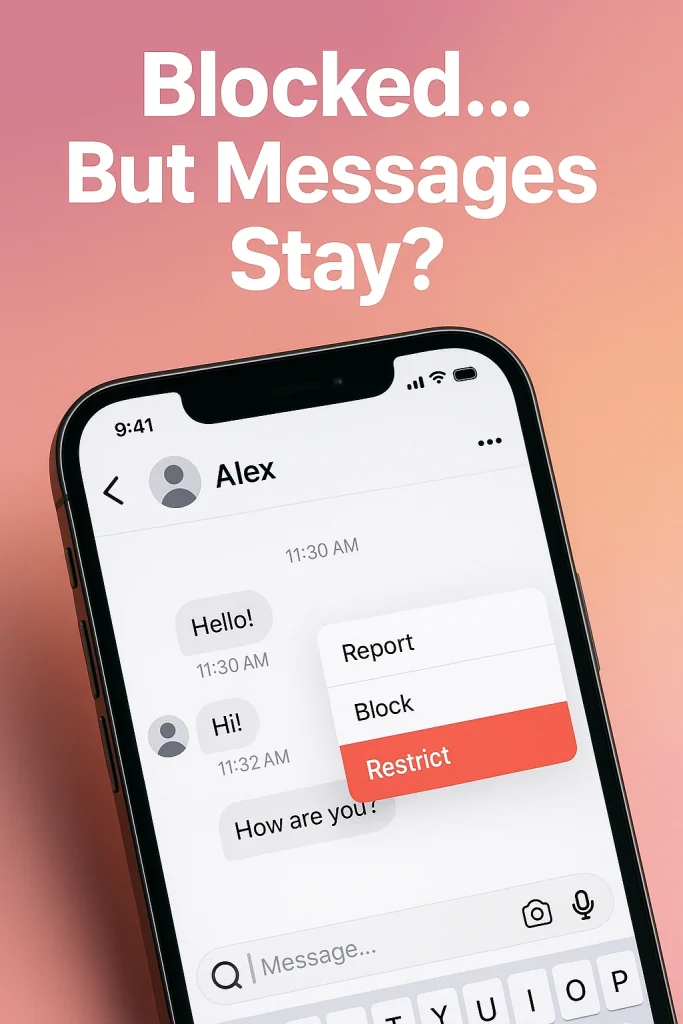

Blocking someone on Instagram does not delete your existing messages.
When you hit block, Instagram doesn’t wipe the chat history for either of you. Your DM thread with that person usually stays in your Direct inbox, but you won’t be able to send them new messages, and any they try to send won’t reach you or suddenly appear if you unblock them later.
It’s the same on their side: they’ll normally still see the old conversation in their inbox and can open and reread it, but they can’t message you or access your profile properly. Recent guides and tests in 2024–2025 all confirm the same thing: blocking stops future interaction; it doesn’t magically erase the past.
There are a few quirky edge cases (some users report the chat looks gone on the blocked person’s side or shows you as “Instagram User”), but the core rule in 2025 is simple: blocking is a wall for future contact, not a delete button for your DMs.
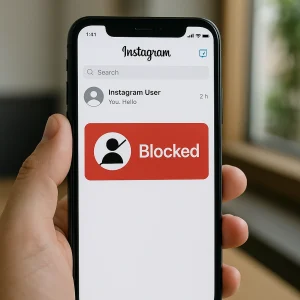
If you later unblock them, the old chat doesn’t magically reset; it’s just there, same history, but now you can both send messages again. Anything they tried to send during the block window is lost — Instagram doesn’t queue those up.
Blocking vs. Deleting vs. Unsending: Which One Deletes Messages on Instagram?
Blocking alone does not remove your Instagram messages from both sides. If your goal is to control what’s visible where, you have to pick the right action: block, delete chat, or unsend. Each does something different.
-
Blocking someone
When you block a user, Instagram stops future interaction: they can’t find your profile easily, can’t DM you, and can’t see your new content. But the existing DM thread usually stays visible to both of you unless one of you takes extra steps. Blocking is about access and contact, not deleting history. -
Deleting the chat (on your side)
When you tap and delete a conversation, you’re basically telling Instagram: “Remove this thread from my inbox.” It doesn’t touch the other person’s inbox at all. They’ll still see the conversation exactly as it was. This is good if you just don’t want to look at the thread anymore, but you’re not trying to erase anything from their phone. -
Unsending messages (on both sides)
The only real “delete for everyone” option is Unsend. When you unsend a message in Instagram DMs, that specific message disappears from the chat for both you and them. It works on text, photos, and many other DM types. If you’re thinking about cleaning up messages manually, you might also want to know does Instagram notify when you unsend a message.
How to Block Someone on Instagram Without Deleting Your Messages (Step-by-Step Guide)
You can block someone straight from their profile or from your DMs, and your existing chat history will still remain visible. Blocking cuts off future contact and profile access, but it doesn’t auto-wipe the conversation thread for either of you.
Method 1: Block from their profile
-
Open Instagram and search their username.
-
Tap their profile to open it.
-
Hit the three dots (…) in the top-right corner.
-
Tap Block → confirm.
Method 2: Block from your DM chat
-
Go to Direct (the messages icon).
-
Open the conversation with that person.
-
Tap their name at the top to open chat details, then the three dots / “i” icon”.
-
Choose Block → confirm.
Now, the “don’t break my chat history” part:
-
Your existing DM thread stays in your inbox unless you manually delete it.
-
Their copy of the chat also usually stays, but they can’t message you, and your profile may appear limited or as “not available.”
After You Block Someone on Instagram: What Changes to Likes, Comments & Profile Visibility?
When you block someone on Instagram, you’re cutting off visibility and interaction, not just DMs. They lose normal access to your profile, your new content, and most ways of engaging with you.
Let’s start with likes and comments.
According to Instagram’s own Help Center, when you block someone, their likes and comments are removed from your photos and videos and don’t come back if you unblock them. That means if they’d spammed your posts with heart emojis or weird remarks, those should disappear from your content once you hit Block. At the same time, another official help article says that people you block can still see your likes and comments on posts by public accounts or accounts they follow — basically, anywhere that isn’t your own profile.
Do some users still see stray likes or comments hanging around? Yes, there are reports and third-party guides that show inconsistencies and glitches, especially after unblocking. So, if something really bothers you, assume you may still need to manually delete individual comments that remain visible.
Now how about profile visibility?
Once blocked, that person generally can’t search for your profile, view your posts, stories, or reels, or send you new messages or comments. To them, you may look like “User not found” or a profile that just won’t load.
And tags/mentions? That door closes too. Instagram explicitly says that once you block someone, they can’t mention your username or tag you. Old tags in mutual friends’ posts may still visually exist, but tapping your name usually won’t open a viewable profile.
Blocking Someone on Instagram in Group Chats: Do Messages Delete or Still Show?
Blocking someone does not automatically kick either of you out of existing group chats. You’re still in the same room… just with some guardrails.
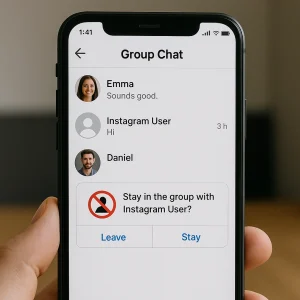
According to Instagram’s own help text, if you’re in a group chat with someone you’ve blocked, you’ll see a prompt asking whether you want to stay in the group or leave. If you stay, the group continues as normal for everyone else. Third-party tests in 2024–2025 agree that the blocked person generally remains in the chat, and group conversations don’t get deleted or reset just because you blocked them.
What about what you actually see? That’s where it gets a bit murky. Some recent guides say both of you can still see each other’s messages in the group, even though you can’t DM each other privately or tap through to a usable profile. SocialBoosting Others report the opposite: you stay in the group, but each of you stops seeing the other’s messages, almost like a mini “filter” inside the chat. CommentGuard Instagram’s own wording is vague here, and behavior can change with app updates, so don’t rely on it for perfect invisibility.
New group invites are handled a bit more cleanly. If someone tries to add you to a group that includes an account you’ve blocked, Instagram now warns you before you join, and you can simply decline.
Practical rule? If just sharing a space with that person feels bad, leave the group and tighten your settings for who can add you to group chats. Blocking protects you one-to-one; leaving protects your peace in shared spaces.
Block vs. Restrict vs. Mute vs. Remove Follower: Which Option Protects Your Messages Best?
Here’s the simple version:
-
Block = hard cut.
-
Restrict = soft, hidden filter.
-
Mute = “I don’t want to see you.”
-
Remove follower = quiet distance.
Block completely severs the normal connection. The blocked person can’t find your profile, posts, or story, and can’t DM you. They’re not notified, but it’s usually pretty obvious to them something changed. Use this when you want safety, zero contact, and no access.
Restrict is Instagram’s “soft block.” They can still see your profile and posts, but: their comments are hidden from others unless you approve them, their DMs land in your message requests, and they can’t see when you’re online or if you’ve read messages. Great when you want to quietly limit someone (clingy friend, passive-aggressive colleague) without drama.
Mute just controls what you see. Their posts and/or stories disappear from your feed, you can even mute DM notifications, but you’re still technically connected and they have full access to you. This is perfect for “I like you, but your content is exhausting.”
Remove follower is the stealth move on private accounts: you kick them off your follower list, they’re not notified, and they simply stop seeing your posts and stories in their feed. They can still search you and request again, though.
If you’re trying to limit what someone sees without going straight to a block, you can also look into how to hide Instagram highlights from someone without blocking them.
FAQs: The Most Confusing Questions About Blocking Someone on Instagram and Message Deletion
If I block someone and delete the chat, is it gone for both of us?
No. Deleting a conversation only clears it from your inbox. Their copy of the chat stays unless they also delete it or unsend their own messages.
If they message me while they’re blocked, will I get those DMs after I unblock?
No. Anything they try to send while blocked either errors out or just never delivers to you, and it doesn’t suddenly appear later when you unblock them. Those messages are effectively lost.
Is there any way to wipe the entire conversation for both sides at once?
There isn’t a single “nuke chat for both” button on Instagram in 2025. You can only: delete the chat on your side, and/or unsend individual messages so they disappear from both inboxes.
Can they tell I blocked them just from our messages?
Instagram doesn’t send a “you’ve been blocked” alert, but it’s pretty easy to guess: your profile won’t load properly, new messages won’t deliver, and your content vanishes for them.
If I deactivate or delete my account instead of blocking, what happens to DMs?
Guides up to early 2025 agree: deactivating makes you basically “user not found,” so people can’t DM you, though old chats often still show under a generic name. Deleting your account can leave past messages visible in others’ inboxes, but again under a non-functional “Instagram user” profile, not an active account.

Alex Morris
Alex Morris is a social media strategist and lead writer at InstaDeal. He specializes in Instagram, TikTok, and creator monetization trends, helping influencers and brands grow smarter online. With over 10 years of digital marketing experience, he simplifies complex topics into practical insights.


